logo-darklogo-darklogo-darklogo-dark
  • Tool Categories
    • 🎨Art & Creative Design505
    • 🏢Business Management644
    • 💻Coding & Development515
    • 👮Detection83
    • 🧠General Use727
    • 🏥Health & Wellness55
    • 📷Image & Photo Analysis100
    • 🖼️Image Generation & Editing618
    • 📐Interior & Architectural Design37
    • 🎓Learning & Education483
    • ⚖️Legal & Finance90
    • 🎭Lifestyle & Entertainment236
    • 📢Marketing & Advertising627
    • 🎧Music & Audio138
    • 👔Office & Workplace1,014
    • 🔬Research & Data Analysis372
    • 👥Social Media245
    • 🎥Video Generation & Editing426
    • 👧🏻Virtual Companion135
    • 🎤Voice Generation & Editing381
    • ✍️Writing & Editing808
    • All Categories
    • AI Use Cases
  • News
  • Events
    • Academic Conferences
    • Developer Conferences
    • Expos / Trade Shows
    • Industry Summits
    • Workshops / Training
    • All Events
    • Past Events
  • Saved Tools
  • Suggest a Tool
✕
Home › Art & Creative Design › Design Assistant› Kive
Kive

Kive

The AI-powered platform helping creatives and teams manage visual assets

Kive is an all-encompassing AI-powered platform that aims to revolutionize the way creative work is done. It is primarily aimed at enhancing the productivity and creativity of brands, agencies, and individual creatives by assisting them in generating ideas, producing professional content, organizing assets, and building brand identities with the help of AI.

Kive offers a suite of features — including image generation, a custom AI asset library, and moodboards — making it easier to create, collaborate, and present ideas. By doing all this, it aims to streamline the creative process — allowing users to focus more on innovation and less on administrative tasks.

Furthermore, Kive enables users to quickly generate professional-quality visual assets by describing what they want. This includes everything from product shots to lifestyle images, which can all be iterated upon with versioning.

The platform also assists in concept development through AI-assisted writing, layout, and imagery selection for creating compelling presentations and mood boards, which can be shared as micro-sites.

All this makes Kive interesting to different creative needs, from freelancers seeking inspiration, to agencies aiming to impress clients, to brands striving to maintain their identity while leveraging the speed and innovation of generative AI.

Visit Kive ↗
Categories
🎨 Art
🧑‍🎨 Design Assistant 🖼️ Design Generation 🖌️ Graphic Design
🖼️ Image
🖼️ Image Generation
📢 Advertising
🎨 Ad Creative 🚀 Marketing
📷 Image Analysis
👁️ Image Recognition

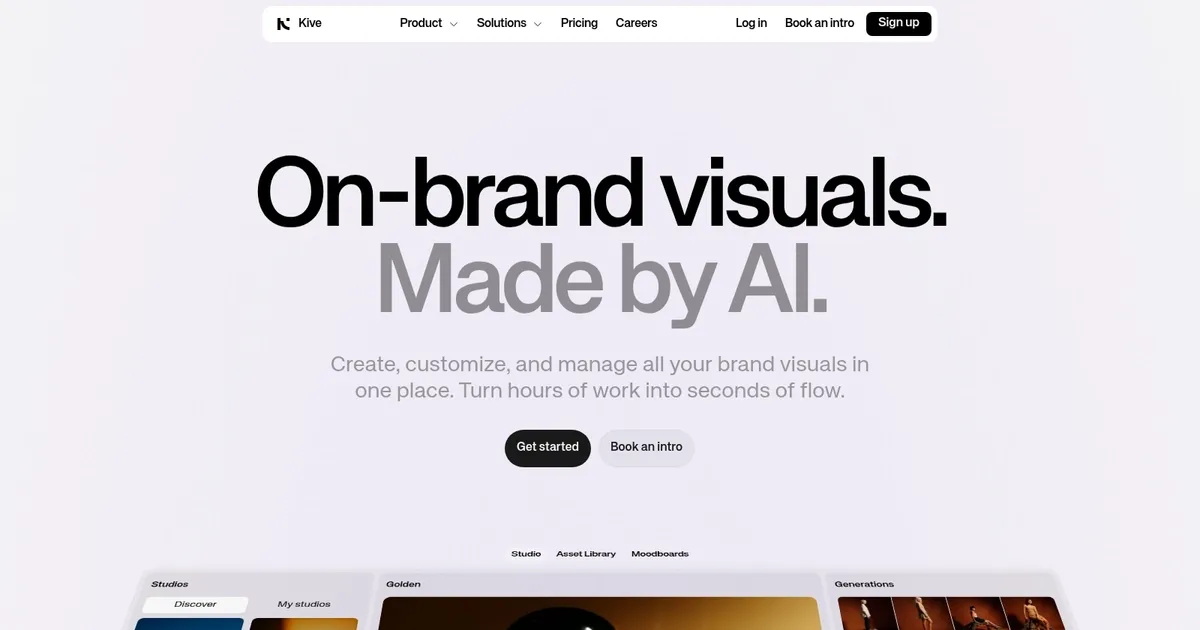
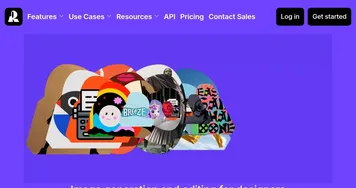
Homepage Screenshot 📸

Kive screenshot

What are the key features? ✨

  • Accurate Product Integration: AI places uploaded products into scenes with high precision while closely following detailed prompts
  • Curated Presets: One-click expert-designed styles like Beauty Roll or Blue Hour Beach for fast industry-specific results
  • AI Editing Tools: Upscale to crisp resolutions, remove backgrounds, reformat assets, and enhance images/videos quickly
  • All-in-One Platform: Generate, edit, organize library with AI search, and collaborate in shared workspaces
  • Video Generation: Create short clips with controlled start and end frames for smooth product movements

Who is it for? 🤔

Kive.ai suits small to mid-sized consumer brands, e-commerce operators, in-house marketers, and creative freelancers in fashion, apparel, skincare, cosmetics, accessories, eyewear, personal hygiene, or furniture who require fast, consistent, on-brand product visuals and short videos without the expense or delays of professional photoshoots.

Examples of what you can use it for 💡

  • E-commerce store manager: Uploads product photos and generates endless lifestyle variations for listings and promotions in minutes
  • Social media specialist: Produces branded images and short video reels tailored to Instagram or TikTok aesthetics quickly
  • Fashion brand founder: Trains custom models on clothing items to maintain visual consistency across seasonal campaigns
  • Beauty product team: Creates spa-inspired or everyday scenes featuring skincare with realistic ingredient placements
  • Small creative agency: Manages client libraries, generates pitch mockups, and edits visuals collaboratively in one hub

Pros & Cons ⚖️

  • Strong product accuracy
  • Fast and consistent output
  • Helpful presets and editing
  • Organized team workflow
  • Minor artifacts sometimes
  • Credit limits on lower plans

FAQs 💬

What products work best in Kive.ai?
It performs strongly with apparel, skincare, cosmetics, fragrances, bags, eyewear, personal hygiene items, and furniture where precise product placement matters most.
Do I have to upload my own product images?
Yes, uploading real photos ensures the AI integrates your exact product accurately into generated scenes.
Can I create custom brand styles?
Higher plans like Pro allow training custom models on your products or aesthetic for better long-term consistency.
Does Kive.ai generate videos?
Yes, it produces short product videos using start-frame and end-frame controls for movements like push-ins or orbits.
What does pricing look like?
Free tier for limited use, Basic around fifteen dollars monthly for generation, Pro at seventy-five for advanced features and higher limits.
Is there a free way to try it?
Yes, the free plan includes browsing inspiration, limited generations, and basic collaboration tools.
How does product accuracy compare to other AI tools?
Many users find Kive excels at following instructions and placing real products better than general-purpose generators for brand work.
Can teams use Kive.ai together?
Yes, shared workspaces, boards, and multi-user support make collaboration straightforward for creative teams.

Ready to try Kive?

The AI-powered platform helping creatives and teams manage visual assets

Visit Kive ↗

Kive alternatives 🔗

  1. Canva Magic Design Canva Magic Design Generates custom, on-brand designs from text prompts or uploaded media in seconds.
  2. Adobe Express Adobe Express Creates on-brand content with AI-driven design and video tools
  3. FigJam AI FigJam AI Instantly visualize ideas, suggest best practices, and automate tedious tasks
  4. Miro AI Miro AI Visual collaboration platform that lets you build the next big thing with a prompt and a chat
  5. Vecteezy AI Vecteezy AI A reverse image search engine that generates related and fully licensable similar images
  6. Pixlr Pixlr An AI-powered online photo editing and design platform, enabling everyone to create stunning designs
Share
Kive screenshot enlarged
Promote Kive
light badge
Copy Embed Code
dark badge
Copy Embed Code
neutral badge
Copy Embed Code
Best AI Tools

Discover the best AI tools for any use case

Explore
  • Tool Categories
  • AI Use Cases
  • AI Events
  • AI News
  • Saved Tools
Company
  • About Us
  • Contact Us
  • Media & Partnerships
  • Suggest a Tool
Legal
  • Privacy Policy
  • Terms of Service
Copyright © 2026 Best AI Tools 415 Mission Street, 37th Floor, San Francisco, CA 94105