logo-darklogo-darklogo-darklogo-dark
  • Home
  • Browse
    • Assistant
    • Coding
    • Image
    • Productivity
    • Video
    • Voice
    • Writing
    • All Categories
    • AI Use Cases
  • My Favorites
  • Suggest a Tool
✕
Home › Game / Video Generation & Editing›
Published by Dusan Belic on January 5, 2024

Krikey

Krikey
Krikey Homepage
Categories GameVideo Generation & Editing
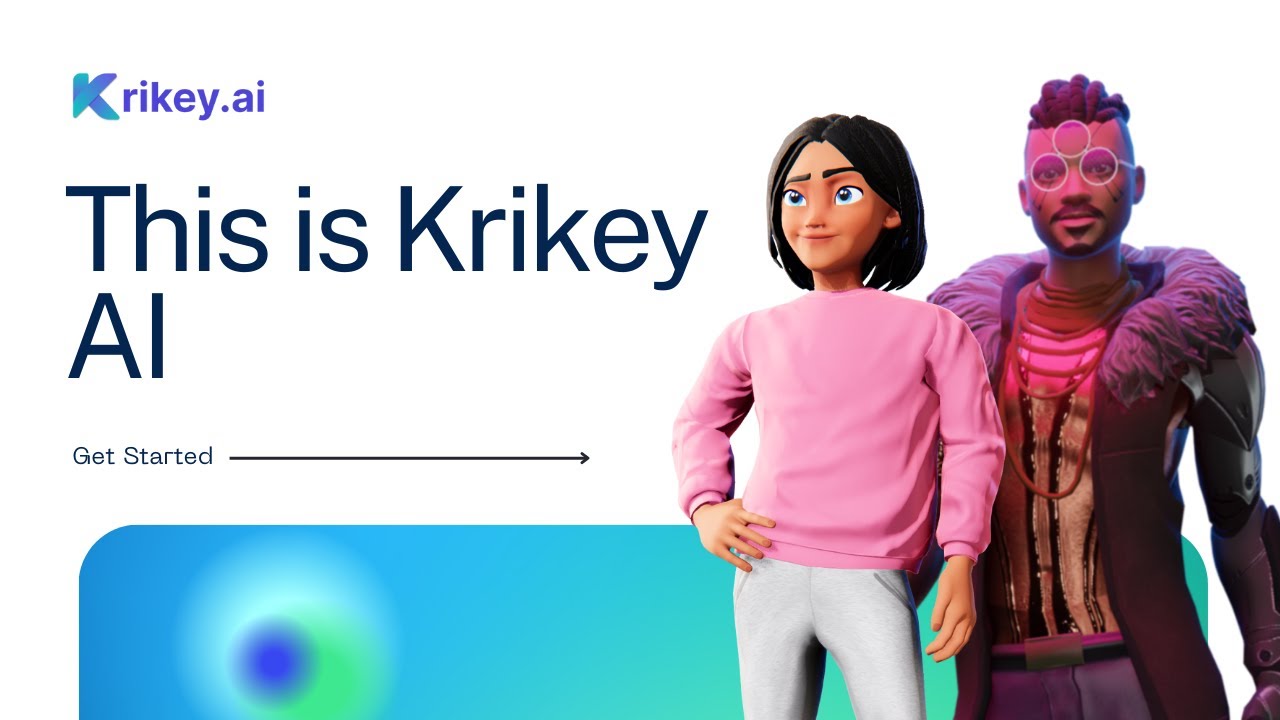
Krikey AI turns text prompts or videos into engaging 3D animated videos with talking avatars

Krikey

Krikey is an AI-powered animation maker for creating videos, games, and more.

The tool offers several cool features that make it easy for everyone to create fancy animations.

For instance, there’s the template library that will save you time whether you have a marketing idea, a cartoon game, a feature film, or something else.

However, arguably the coolest part is Krikey’s text-to-animation feature, which uses “custom character AI motion algorithms” to generate animations in minutes. You can simply type a prompt and see it being created without any other effort on your end.

Another cool feature is “AI Video to Animation” which lets you convert any video with human motion to 3D character animation. The results are nothing short of impressive, as you can see on Krikey’s website.

Then, once you get the first draft video, you can change it to your liking and finally export and use it with other platforms. Pretty darn cool!

Krikey Homepage
Categories GameVideo Generation & Editing

Video Overview ▶️

Krikey - Video Overview

What are the key features? ⭐

  • Text-to-Animation: Generate full 3D animated videos with talking avatars from simple text prompts in seconds.
  • Video-to-Animation: Convert uploaded video clips into 3D character motion with AI-powered retargeting.
  • AI Voiceover & Lip Sync: Add natural-sounding dialogue in 20+ languages with automatic lip synchronization.
  • 3D Video Editor: Browser-based no-code editor for adjusting poses, backgrounds, gestures, and camera angles.
  • Custom Avatar Creator: Build or import personalized 3D cartoon characters with adjustable features and Ready Player Me support.

Who is it for? 🤔

Krikey AI helps content creators, social media managers, teachers, small marketing teams, and beginners who want to produce engaging 3D animated videos, explainer clips, educational materials, or social reels quickly without needing animation expertise or expensive software. Its especially useful for anyone creating consistent talking avatars for branding, presentations, or viral short-form content.

Examples of what you can use it for 💭

  • Social Media Creator: Generate eye-catching 3D reels or TikTok videos with custom animated characters and trending motions from text prompts.
  • Teacher or Educator: Create multilingual animated lesson explainers with talking avatars to make complex topics more engaging for students.
  • Marketing Professional: Produce branded product demos, promotional clips, or social posts featuring consistent 3D avatars in minutes.
  • Small Business Owner: Build quick website landing-page videos or digital invitations using pre-made templates and AI voiceovers.
  • Faceless YouTube Creator: Develop talking cartoon hosts for commentary or storytelling channels without showing your face.

Pros & Cons ⚖️

  • Fast text-to-3D results
  • Browser-based, no install
  • Multilingual voice options
  • Canva & Adobe integration
  • Free tier credit limits
  • Occasional motion glitches

FAQs 💬

What is Krikey AI mainly used for?
Krikey AI creates 3D animated videos and talking avatars from text or video inputs, ideal for social media, education, marketing, and presentations.
Do I need animation experience to use Krikey AI?
No, the tool requires no prior skills; the AI handles motion generation and lip sync automatically.
Is there a free version available?
Yes, a free tier exists with limited credits for testing and small projects.
Which languages does the voiceover support?
It supports over 20 languages with natural-sounding AI voices and translation.
Can I use my own character or avatar?
Yes, upload via Ready Player Me, create custom ones, or choose from the library.
What file formats can I export?
Exports include MP4 videos, GIFs, and transparent PNG sequences.
Does it integrate with other design tools?
Yes, it works as an app inside Canva and an add-on for Adobe Express.
How fast can I create a video?
Simple animations often generate in under a minute, with editing taking a few more.
Is Krikey AI suitable for teams?
Yes, Teams and Enterprise plans offer collaboration features and higher quotas.
What makes it different from Synthesia or Vyond?
Krikey focuses on quick 3D cartoon-style animations rather than photorealistic humans or heavy 2D manual control.
Visit Krikey

Related tools ↙️

  1. Tango Tango Creates interactive how-to guides from screen captures in minutes.
  2. Cloudinary Cloudinary Manages, transforms, optimizes, and delivers images and videos with AI-powered features
  3. Nullface Nullface Generates AI-powered faceless videos for TikTok and YouTube effortlessly
  4. Verbalate Verbalate Translates and dubs videos into multiple languages using voice cloning and lip sync for global reach
  5. Choppity Choppity Transforms long videos into engaging short clips using AI automation
  6. WarpVideo WarpVideo Transforms videos through AI-powered face swapping and style restyling
Last update: February 24, 2026
Share
Promote Krikey
light badge
Copy Embed Code
dark badge
Copy Embed Code
neutral badge
Copy Embed Code
About Us | Contact Us | Suggest an AI Tool | Privacy Policy | Terms of Service

Copyright © 2026 Best AI Tools
415 Mission Street, 37th Floor, San Francisco, CA 94105