MagicSlides

MagicSlides.app is an innovative AI-powered tool designed to dramatically simplify the process of creating professional presentations. Aimed at teachers, students, and professionals alike – it allows users to generate high-quality presentations in seconds.
By leveraging the capabilities of AI, MagicSlides can automatically produce slides based on various inputs such as topics, texts, YouTube videos, PDFs, and Docx files. Users need to specify the content source or topic, and the desired number of slides, and the tool crafts a ready-to-present slide deck for Google Slides.
The set of features, such as text-to-presentation, topic-to-presentation, and the ability to handle multiple languages, makes it a highly useful tool for anyone looking to create visually appealing and informative presentations with minimal effort.
MagicSlides.app not only provides a user-friendly platform but also ensures customization and interactive features that enhance the overall presentation experience. With practically no learning curve required, it supports real-time collaboration, making it ideal for team projects.
The solution has been well-received, as evidenced by its extensive use by over 450,000 customers (as of March 2024) and positive reviews praising its ability to transform ideas into engaging presentations effortlessly. It offers straightforward, affordable pricing plans — including a free tier — and premium options that cater to more demanding needs, such as a higher number of presentations per year and increased character input per presentation. All this makes MagicSlides.app a viable option for all kinds of users. Perhaps you’ll find it useful, as well?
Video Overview ▶️
What are the key features? ⭐
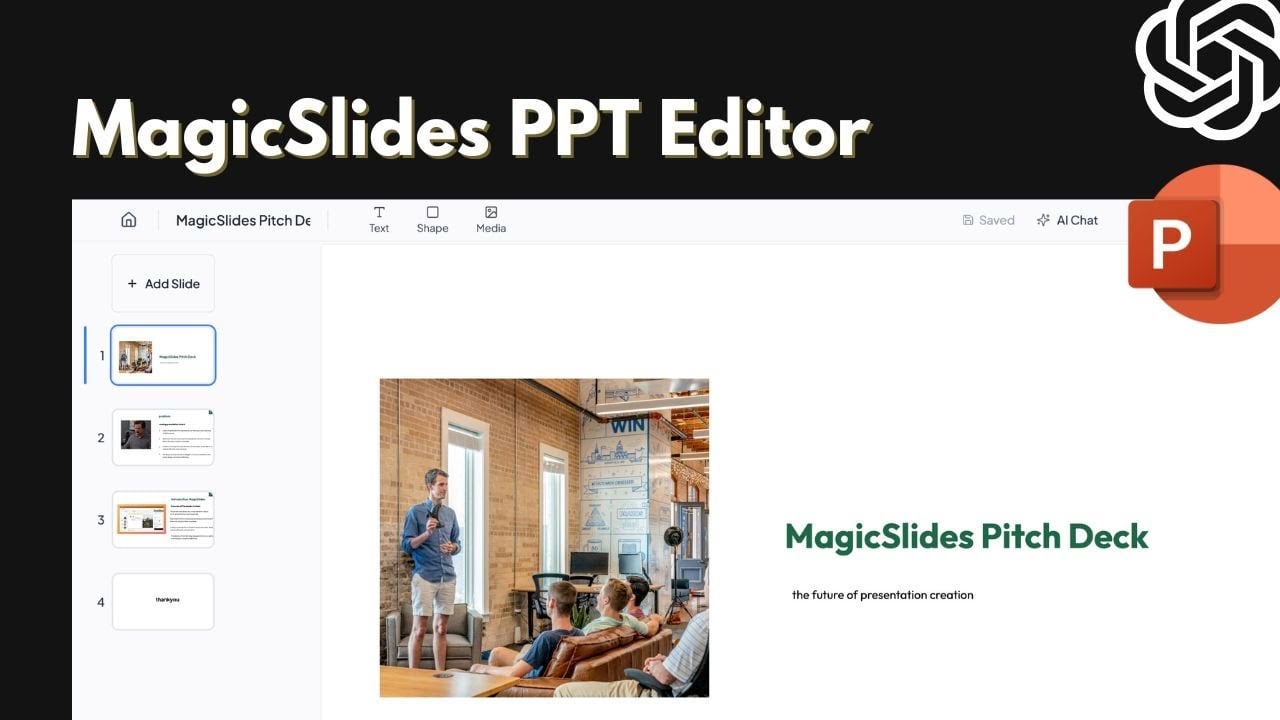
- AI Chat Assistant: Interact conversationally to create, edit, add, clone slides, or get design suggestions.
- Multiple Input Converters: Generate presentations from text, PDFs, Word docs, YouTube videos, URLs, or images instantly.
- Specialized Slide Types: Create targeted slides like timelines, SWOT analysis, pros/cons, metrics, or three-column layouts.
- Multi-Language Support: Process and generate content in over 136 languages for global accessibility.
- Google Slides & PPTX Integration: Produce fully editable decks that work seamlessly in Google Slides or download as PowerPoint files.
Who is it for? 🤔
Examples of what you can use it for 💭
- Teacher: Convert lecture notes or a PDF textbook chapter into engaging classroom slides with visuals and key points in minutes.
- Marketer: Turn a campaign brief, meeting notes, or YouTube explainer into a client-ready pitch deck with professional layouts.
- Student: Input a research topic or URL to generate study presentation slides complete with summaries and images.
- Business Professional: Transform Word meeting minutes or a report URL into an executive summary deck for quick team updates.
- Content Creator: Upload images or a video link to build a portfolio-style presentation showcasing work efficiently.
Pros & Cons ⚖️
- Fast slide generation
- Versatile input options
- Editable PPTX output
- Strong multi-language support
- Designs sometimes formulaic
- Complex inputs need tweaks