logo-darklogo-darklogo-darklogo-dark
  • Tool Categories
    • 🎨Art & Creative Design505
    • 🏢Business Management644
    • 💻Coding & Development515
    • 👮Detection83
    • 🧠General Use727
    • 🏥Health & Wellness55
    • 📷Image & Photo Analysis100
    • 🖼️Image Generation & Editing618
    • 📐Interior & Architectural Design37
    • 🎓Learning & Education483
    • ⚖️Legal & Finance90
    • 🎭Lifestyle & Entertainment236
    • 📢Marketing & Advertising627
    • 🎧Music & Audio138
    • 👔Office & Workplace1,014
    • 🔬Research & Data Analysis372
    • 👥Social Media245
    • 🎥Video Generation & Editing426
    • 👧🏻Virtual Companion135
    • 🎤Voice Generation & Editing381
    • ✍️Writing & Editing808
    • All Categories
    • AI Use Cases
  • News
  • Events
    • Academic Conferences
    • Developer Conferences
    • Expos / Trade Shows
    • Industry Summits
    • Workshops / Training
    • All Events
    • Past Events
  • Saved Tools
  • Suggest a Tool
✕
Home › Office & Workplace › Presentation Generation› Prezi
Prezi

Prezi

Creates engaging AI-powered presentations in seconds

I had a chance to try out Prezi, and I’m kinda impressed as it feels like stepping into a playground for ideas. You type a quick prompt, say, “pitch for a new app,” and Prezi churns out a presentation that’s equal parts sleek and lively. The open-canvas setup, with its zooming and panning, feels like directing a mini-movie. I tried the “Data Analysis” template, and it turned my dry bullet points into a visual story that even I wanted to watch.

The AI suggested layouts and color schemes, saving me from my own questionable design instincts. Compared to Google Slides or Keynote, Prezi feels more like a creative partner than a blank slate. Google Slides is reliable but basic, and Keynote’s polish doesn’t match Prezi’s interactive spark.

What I liked? The “Reveal” feature, which lets you unveil content with a dramatic flourish, kept my test audience (okay, my cat) hooked. Prezi Video is another winner, blending your webcam feed with the presentation for a seamless virtual experience. It’s perfect for remote pitches or classroom talks. The platform’s cloud-based collaboration also made it easy to share drafts, though I only tested it solo. Pricing seems fair, with a free tier for casual users and paid plans for power users, aligning with Canva or Google Workspace’s subscription models.

But there’s a catch. The AI’s suggestions, while clever, sometimes lean too heavily into flashy visuals that don’t quite fit. I had to tweak the “Colorful Nature” template to tone down its whimsy for a professional vibe. Also, the platform’s reliance on internet connectivity for full functionality stung when my Wi-Fi hiccuped. A surprise perk was the “Flow Chart” option, which mapped out my ideas in a way that felt almost intuitive. My tip: play with the templates for an hour, then customize ruthlessly to match your voice. Keep your prompts clear and specific to avoid overly generic designs.

Visit Prezi ↗
Categories
👔 Work
💬 Presentation Generation 📽️ PPT Generation 📄 Document Generation 📈 Charting
🎥 Video
📹 Video Generation
🎨 Art
🧑‍🎨 Design Assistant
🎓 Education
📋 Lesson Plan Generation

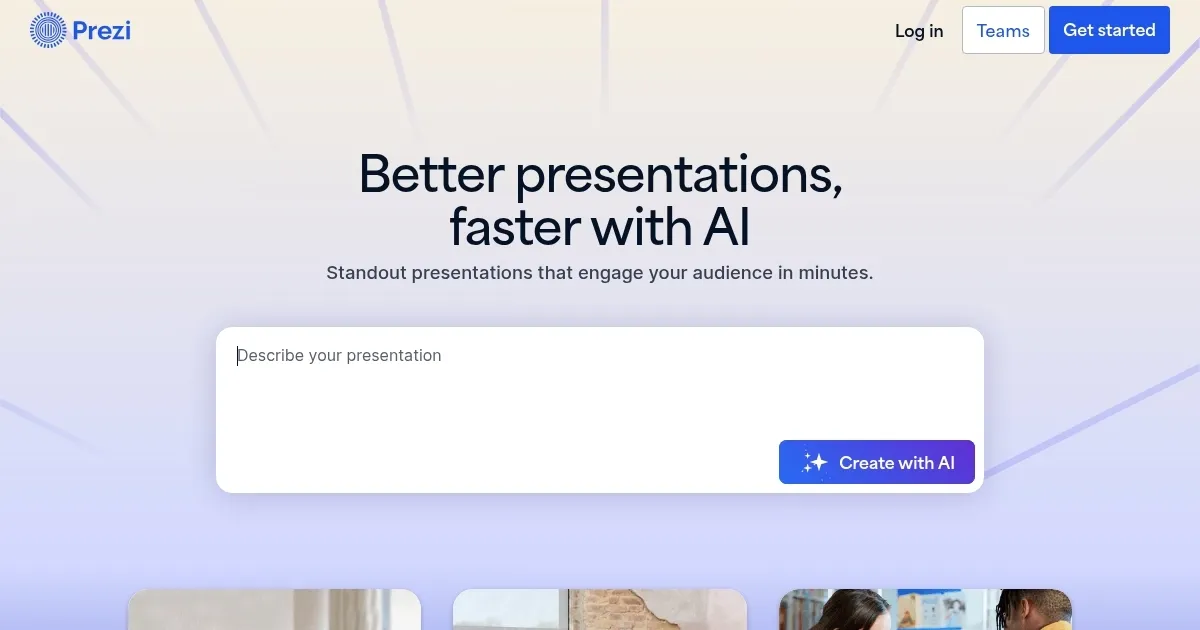
Homepage Screenshot 📸

Prezi screenshot

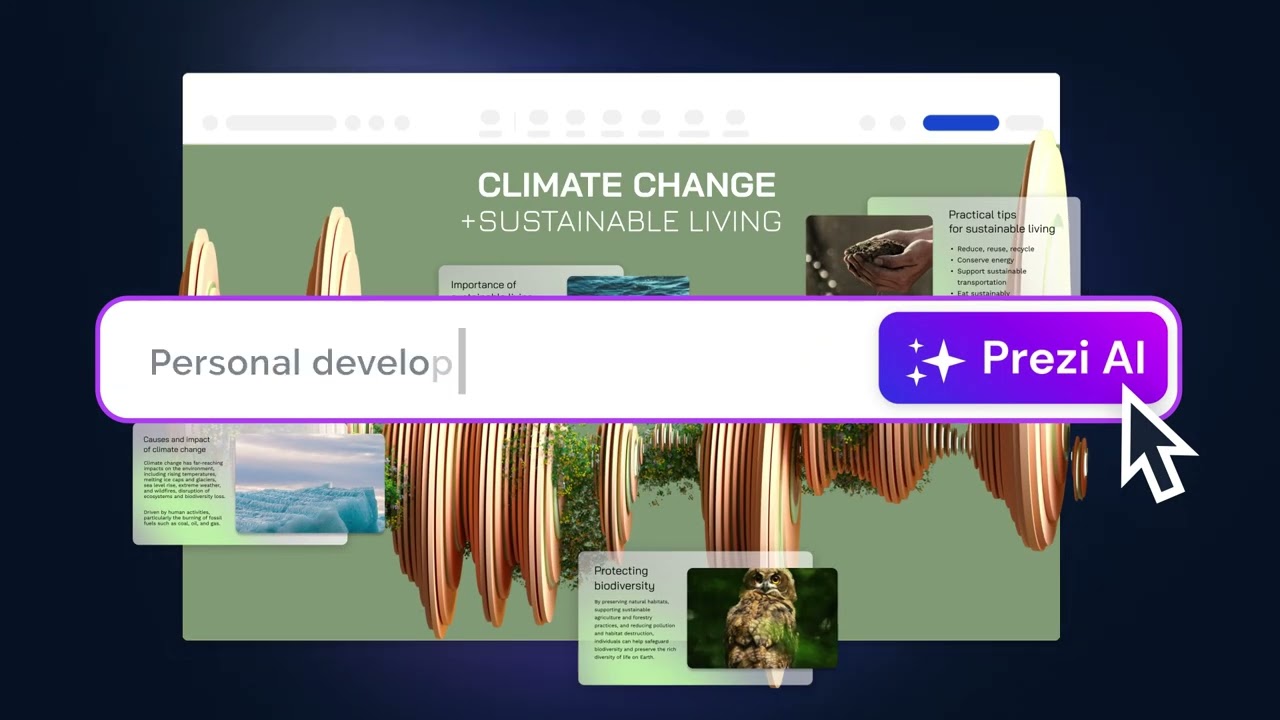
Video Overview 🎬

Prezi - Video Overview

What are the key features? ✨

  • Prezi AI: Generates full presentations from text prompts in seconds.
  • Zoom: Enables dynamic zooming to focus on specific content details.
  • Reveal: Unveils content with engaging transitions to maintain audience interest.
  • Prezi Video: Integrates presenter video with content for virtual presentations.
  • Analytics: Tracks viewer engagement to refine presentation effectiveness.

Who is it for? 🤔

Prezi is designed for educators, students, business professionals, and marketers who need to create visually engaging presentations quickly. Its intuitive design and AI-driven features suit those with limited design skills, while its interactive elements appeal to presenters aiming to captivate audiences in virtual or in-person settings.

Examples of what you can use it for 💡

  • Teacher: Uses Prezi AI to create interactive lessons that engage students visually.
  • Student: Crafts compelling class projects with dynamic templates like “Constellations.”
  • Marketer: Builds persuasive pitches with Prezi Video for virtual client meetings.
  • Small Business Owner: Designs professional presentations to showcase products.
  • Trainer: Creates training modules with analytics to track employee engagement.

Pros & Cons ⚖️

  • Fast AI-driven presentation creation
  • Engaging open-canvas format
  • Seamless virtual presentation tools
  • Some templates overly stylized
  • Offline access needs paid plan

FAQs 💬

What is Prezi?
Prezi is a tool that creates presentations from text prompts using AI.
Is Prezi free to use?
Prezi offers a free basic plan with limited features and paid tiers for more options.
Can I import PowerPoint slides into Prezi?
Yes, Prezi supports importing PowerPoint slides for conversion.
Does Prezi work offline?
Offline access requires a paid plan and the desktop app.
How does Prezi Video work?
Prezi Video lets you appear alongside content in virtual presentations.
Can I collaborate with a team on Prezi?
Yes, Prezi supports real-time cloud-based collaboration.
What templates are available?
Prezi offers templates like “Cranium” and “Whiteboard” for various needs.
How does Prezi compare to PowerPoint?
Prezi’s open-canvas format is more interactive than PowerPoint’s linear slides.
Is Prezi suitable for students?
Yes, students can create engaging projects with Prezi’s templates.
Can I track audience engagement?
Prezi’s analytics track viewer time on each frame.

Ready to try Prezi?

Creates engaging AI-powered presentations in seconds

Visit Prezi ↗

Prezi alternatives 🔗

  1. Canva Magic Design Canva Magic Design Generates custom, on-brand designs from text prompts or uploaded media in seconds.
  2. Adobe Express Adobe Express Creates on-brand content with AI-driven design and video tools
  3. Gamma Gamma An AI tool for creating presentations, documents, or webpages.
  4. MiriCanvas MiriCanvas Creates stunning designs with AI-powered templates and editing tools
  5. Genspark Genspark An innovative AI-powered search engine designed to improve how we access information online
  6. Slidesgo AI Presentation Maker Slidesgo AI Presentation Maker An AI-powered presentation maker that simplifies the creation of presentations for all kinds of use cases
Share
Prezi screenshot enlarged
Promote Prezi
light badge
Copy Embed Code
dark badge
Copy Embed Code
neutral badge
Copy Embed Code
Best AI Tools

Discover the best AI tools for any use case

Explore
  • Tool Categories
  • AI Use Cases
  • AI Events
  • AI News
  • Saved Tools
Company
  • About Us
  • Contact Us
  • Media & Partnerships
  • Suggest a Tool
Legal
  • Privacy Policy
  • Terms of Service
Copyright © 2026 Best AI Tools 415 Mission Street, 37th Floor, San Francisco, CA 94105