Wonderslide
Transforms basic drafts into stunning presentations using AI in seconds
I gave Wonderslide a whirl last week, and let me tell you, it’s like handing your sloppy PowerPoint draft to a design fairy who works at lightning speed. You upload your .pptx file, pick a style, maybe toss in your logo, and in about ten seconds, your slides go from “meh” to “whoa.” I tried it with a quick five-slide deck for a mock pitch, and the AI’s knack for picking bold graphics and clean layouts was honestly impressive. The “My Presentations” storage feature meant I could save my draft and tweak it later without starting from scratch. It’s a tool that feels like it gets you — especially if you’re a marketer or small-business owner who needs to look polished without spending hours in PowerPoint’s formatting purgatory.
The customization is where Wonderslide shines. I uploaded a logo and picked my brand’s colors, and the AI didn’t just apply them — it made them look intentional, like a pro designer had obsessed over every pixel. The media library is packed with high-quality images and icons, which saved me from scouring stock photo sites. Compared to Canva, which I’ve dabbled with, Wonderslide feels more focused on presentations, though Canva’s drag-and-drop versatility is tough to beat. Beautiful.AI is another close competitor, but its interface felt less intuitive for someone like me who lives in PowerPoint. Wonderslide’s seamless integration with PowerPoint and Google Slides is a big win — you’re not learning a new platform, just enhancing what you already use.
But it’s not all smooth sailing. My test deck had a table, and the AI’s attempt to style it was… let’s say underwhelming. It looked clean but lacked the pizzazz of the text-heavy slides. Posts on X mentioned similar gripes, with some users wanting better chart support. Pricing seems fair — a free trial, pay-as-you-go, and subscription options — but it’s not the cheapest compared to Prezi, which offers more dynamic animations for a similar cost. The enterprise plan, with private accounts and custom templates, is great for teams but might be overkill for solo users.
The Wondercheck feature was a pleasant surprise. I uploaded a slide to the GPT store, and it flagged a cluttered layout, suggesting clearer text placement. It’s like having a design critic in your pocket. I wasn’t expecting that level of feedback from a tool this fast. On the flip side, if you’re starting from nothing, Wonderslide won’t generate content like Presentations.AI can, so you need a draft ready.
My advice? Keep your initial draft simple — think bullet points, not paragraphs. Experiment with the media library to add visual flair. Use Wondercheck to polish your slides before presenting. And if you’re data-heavy, be ready to tweak charts manually for now.
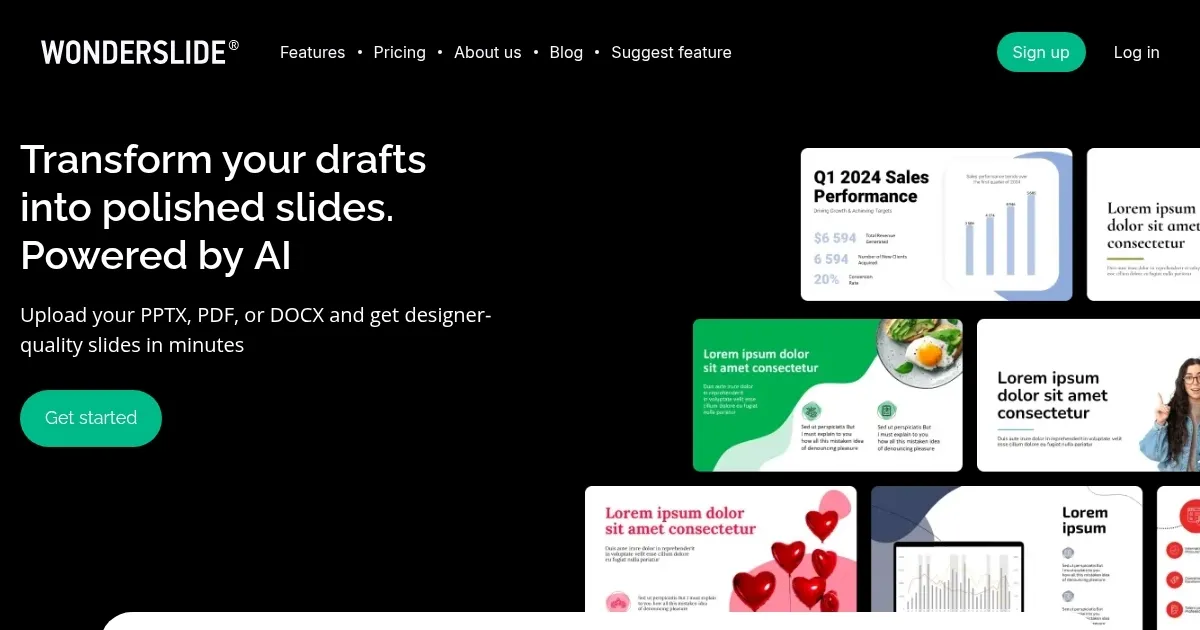
Homepage Screenshot 📸
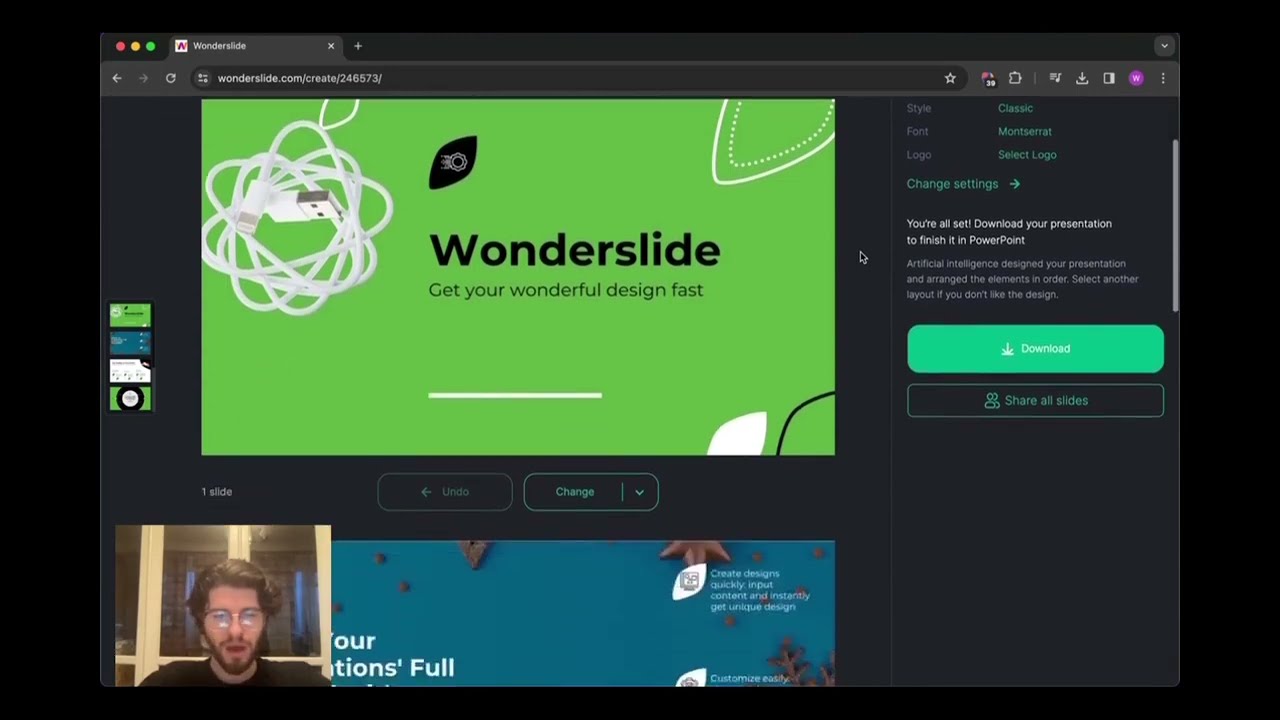
Video Overview 🎬
What are the key features? ✨
- AI Designer: Transforms drafts into polished slides using a neural network in seconds.
- My Presentations: Stores drafts for easy access and edits without restarting.
- Customization Options: Allows branding with custom colors, fonts, and logos.
- Media Library: Provides access to high-quality images and icons for slides.
- Wondercheck: Analyzes slides for visual improvements via OpenAI’s GPT store.
Who is it for? 🤔
Examples of what you can use it for 💡
- Marketer: Creates client pitches with branded, professional slides in minutes.
- Sales Rep: Designs compelling product demos using the media library.
- HR Manager: Builds training decks with consistent company branding.
- Small-Business Owner: Crafts investor presentations without design expertise.
- Educator: Prepares engaging lecture slides with AI-selected visuals.
Pros & Cons ⚖️
- Fast AI designs slides in seconds
- Easy branding with logos, colors
- Seamless PowerPoint integration
- Weak chart and table styling
- Slightly pricier than some rivals
FAQs 💬
Ready to try Wonderslide?
Transforms basic drafts into stunning presentations using AI in seconds
Visit WonderslideWonderslide alternatives 🔗