Visme
Create stunning presentations, infographics, and branded visuals effortlessly
Let’s talk about Visme, a platform that’s like a Swiss Army knife for visual content creation, I think it’s one of those tools that makes you wonder how you ever got by without it. Whether you’re a marketer piecing together a pitch deck, a teacher designing e-learning materials, or a small business owner needing snappy social media graphics, Visme delivers a polished experience that feels both intuitive and powerful. Its drag-and-drop interface, paired with a library bursting with templates, icons, and 3D graphics, lets you create boardroom-ready visuals without breaking a sweat. The AI Designer, a beta feature, is a standout, turning text prompts into ready-to-use designs in minutes, which is a godsend for anyone racing against a deadline.
What’s delightful about Visme is its versatility. You can whip up infographics, animate charts, or even schedule social media posts directly from the dashboard, it’s like having a design studio in your browser. The Brand Wizard is another clever touch: input your website URL, and it pulls your fonts, colors, and logo to keep everything on-brand. Collaboration tools are robust, letting teams comment and edit in real-time, which saves you from the email ping-pong nightmare. I’ve seen reviews from users like the Denver Broncos’ marketing team raving about how Visme streamlines their workflow, and it’s easy to see why. The platform’s focus on interactive elements—think clickable menus or hover effects—makes your content pop, especially for presentations or reports that need to grab attention.
That said, Visme isn’t flawless. The free tier, while generous, caps you at five projects and 100 MB of storage, which can feel restrictive if you’re working on multiple campaigns, and you’ll hit a paywall for premium features like unbranded downloads. Some users on Google Play have griped about mobile app limitations, like scrolling issues, which can be a headache if you’re designing on the go. Compared to competitors like Canva or Beautiful.ai, Visme’s mobile experience lags a bit, though its desktop version is a powerhouse. Pricing is competitive, starting around $15/month for paid plans, but you’ll want to weigh that against Canva’s broader template library or Beautiful.ai’s AI-driven slide automation.
A surprise gem? Visme’s Presenter Studio, which lets you record asynchronous presentations with screen, audio, or video, perfect for remote teams or client pitches. It’s not something you’d expect from a design tool, but it’s a game-changer for flexibility. The platform also integrates with tools like Google Analytics, so you can track how your visuals perform, which is a nice touch for data-driven folks.
If you’re diving into Visme, start with the free plan to test the waters, play with the AI Designer for quick wins, and use the Brand Wizard to save time on branding. Keep an eye on storage limits, and if you’re a mobile-first user, stick to the desktop version for now.
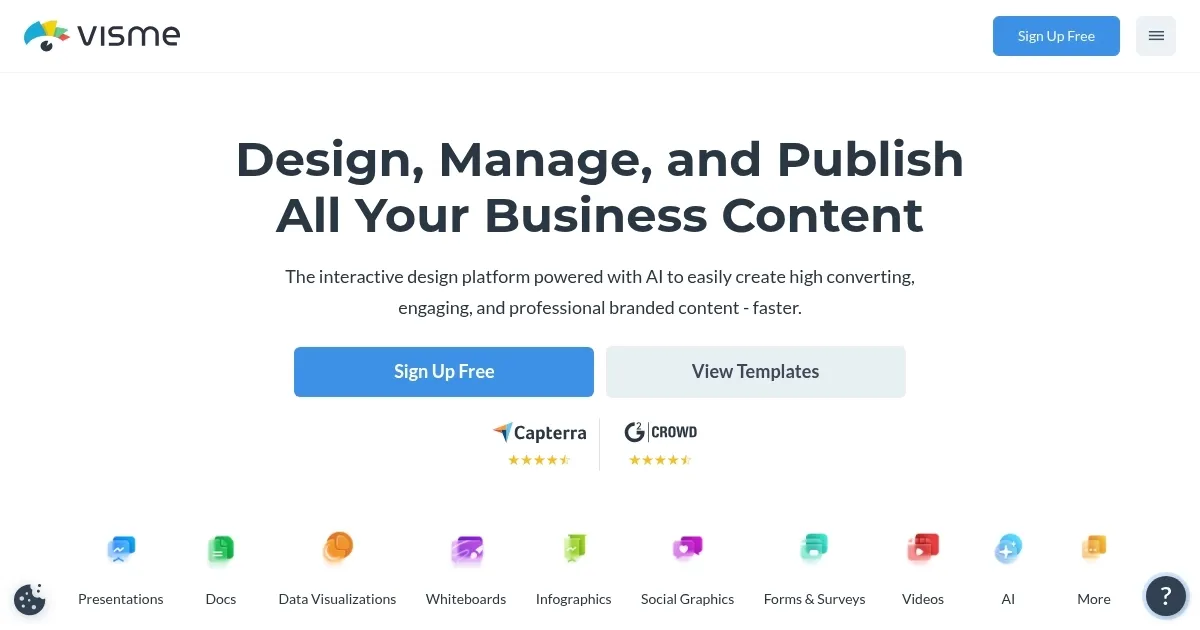
Homepage Screenshot 📸
Video Overview 🎬

What are the key features? ✨
- AI Designer: Generates ready-to-use designs from text prompts in minutes.
- Brand Wizard: Automatically applies brand fonts, colors, and logos by inputting a website URL.
- Presenter Studio: Records asynchronous presentations with screen, audio, or video options.
- Collaboration Tools: Enables real-time editing, commenting, and role-based permissions for teams.
- Content Calendar: Schedules and publishes social media posts directly from the dashboard.
Who is it for? 🤔
Examples of what you can use it for 💡
- Marketer: Designs interactive infographics to showcase campaign metrics for clients.
- Educator: Creates engaging e-learning materials with animated charts for students.
- Small Business Owner: Schedules branded social media posts using the content calendar.
- Team Lead: Collaborates on pitch decks with real-time editing for investor meetings.
- Freelancer: Uses AI Designer to quickly produce client-ready visuals.
Pros & Cons ⚖️
- Intuitive drag-and-drop interface
- Extensive template and asset library
- Strong collaboration features
- Fewer templates than Canva
FAQs 💬
Ready to try Visme?
Create stunning presentations, infographics, and branded visuals effortlessly
Visit VismeVisme alternatives 🔗