logo-darklogo-darklogo-darklogo-dark
  • Tool Categories
    • ๐ŸŽจArt & Creative Design505
    • ๐ŸขBusiness Management644
    • ๐Ÿ’ปCoding & Development515
    • ๐Ÿ‘ฎDetection83
    • ๐Ÿง General Use727
    • ๐ŸฅHealth & Wellness55
    • ๐Ÿ“ทImage & Photo Analysis100
    • ๐Ÿ–ผ๏ธImage Generation & Editing618
    • ๐Ÿ“Interior & Architectural Design37
    • ๐ŸŽ“Learning & Education483
    • โš–๏ธLegal & Finance90
    • ๐ŸŽญLifestyle & Entertainment236
    • ๐Ÿ“ขMarketing & Advertising627
    • ๐ŸŽงMusic & Audio138
    • ๐Ÿ‘”Office & Workplace1,014
    • ๐Ÿ”ฌResearch & Data Analysis372
    • ๐Ÿ‘ฅSocial Media245
    • ๐ŸŽฅVideo Generation & Editing426
    • ๐Ÿ‘ง๐ŸปVirtual Companion135
    • ๐ŸŽคVoice Generation & Editing381
    • โœ๏ธWriting & Editing808
    • All Categories
    • AI Use Cases
  • News
  • Events
    • Academic Conferences
    • Developer Conferences
    • Expos / Trade Shows
    • Industry Summits
    • Workshops / Training
    • All Events
    • Past Events
  • Saved Tools
  • Suggest a Tool
โœ•
Home › Office & Workplace › PPT Generation› AI PPT Maker
AI PPT Maker

AI PPT Maker

Transforms text, PDFs, or videos into professional PowerPoint slides in seconds

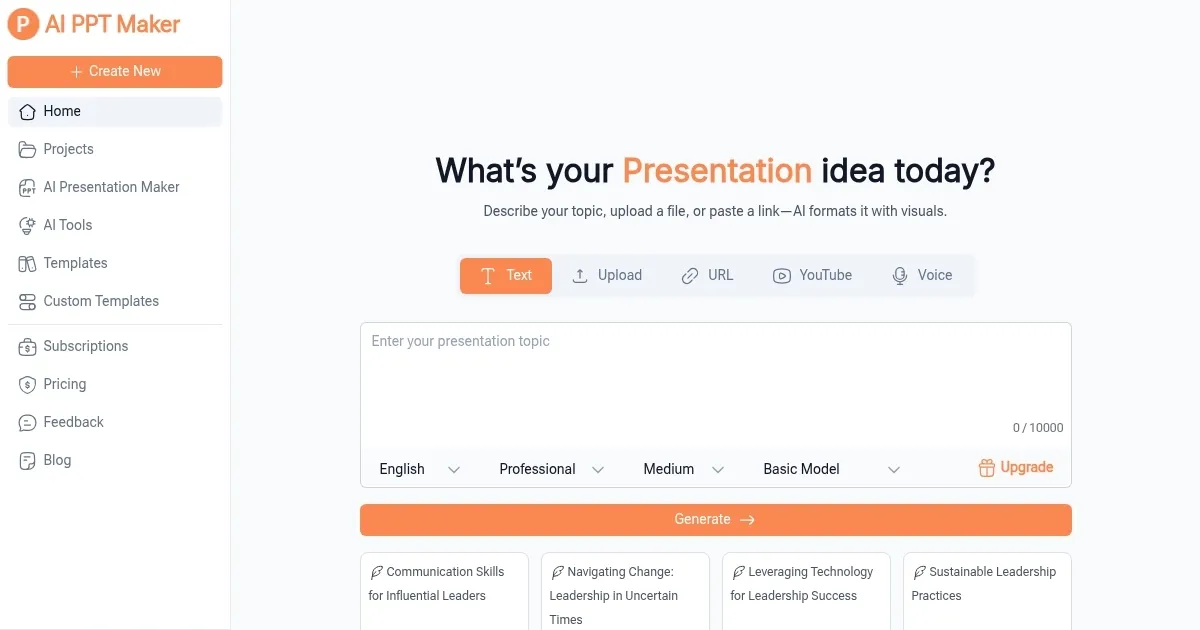
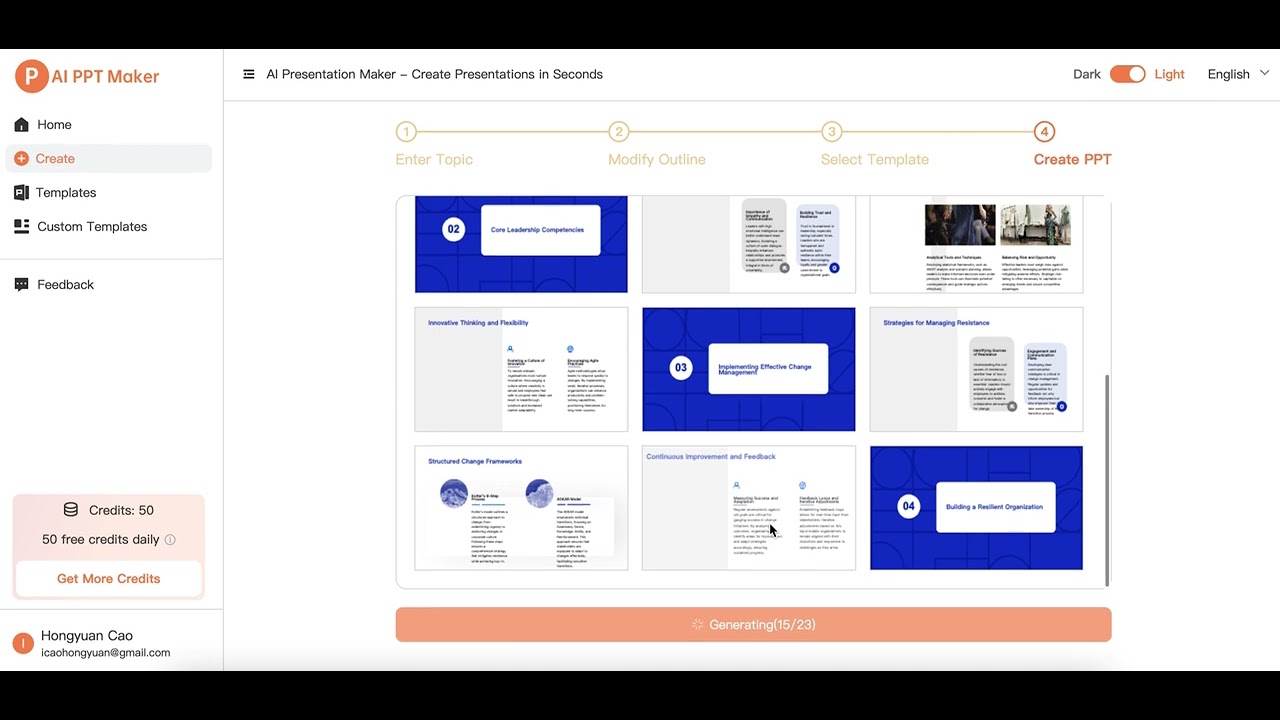
I spent the afternoon playing around with AI PPT Maker, and I kinda like it as it’s like having a design assistant who never sleeps. Theย tool takes your rough ideas — say, a jumbled Word doc or a YouTube link — and spins them into a sleek PowerPoint presentation faster than you can brew coffee. I tossed in a PDF about renewable energy, and in under 30 seconds, it spat out 22 slides with crisp visuals and a logical flow. The AI, powered by DeepSeek and ChatGPT, feels like it’s reading your mind, pulling out key points and dressing them up in professional templates.

The AI Presentation Outline Generator is a standout, it organized my PDF’s data into clear sections, complete with headers and bullet points. I also tried the Text to PPT feature with a short pitch idea, and the result was a 15-slide deck that looked ready for a boardroom. The template library, boasting over 1,000 options, let me tweak colors and fonts to match my style, though I wish there were more animation choices. Exporting as a PPTX was seamless, and I could edit it in PowerPoint without a hitch. The surprise? It handled a YouTube video I fed it, turning key moments into slides with uncanny accuracy.

Not everything’s perfect, though. My PDF had some dense tables, and the AI stumbled, jumbling data that needed manual fixing. Compared to Canva, which offers slicker drag-and-drop editing, or Slidesgo, with its vibrant education-focused templates, AI PPT Maker’s interface feels a bit bare-bones. X users have mentioned occasional lag when processing large files, which I didn’t experience but could be a pain for heavy users. The free plan is generous, letting you create and download without a credit card, but competitors like Beautiful.AI offer more premium features for paid users.

What I love is the speed and ease, it’s like a shortcut to looking polished without the grunt work. The downside? You might need to babysit complex inputs to avoid errors. I was caught off guard by how well it translated a casual voice recording into slides, a feature I didn’t expect to shine. It’s ideal for quick turnarounds, but don’t expect deep customization.

My advice: Start small with a text or video input to get a feel for the AI’s magic. Customize templates early to avoid generic vibes, check outputs for accuracy, especially with technical content, and use the free plan to test before committing to more features. You’ll be presenting like a pro in no time.

Visit AI PPT Maker ↗
Categories
๐Ÿ‘” Work
๐Ÿ“ฝ๏ธ PPT Generation ๐Ÿ’ฌ Presentation Generation ๐Ÿ“„ Document Generation

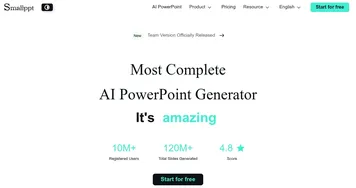
Homepage Screenshot 📸

AI PPT Maker screenshot

Video Overview 🎬

AI PPT Maker - Video Overview

What are the key features? ✨

  • AI Presentation Outline Generator: Structures content into logical slides automatically.
  • AI Speech Outline Generator: Creates speaker notes for presentations.
  • Multi-Format Input Support: Converts text, PDFs, videos, and web links into slides.
  • Customizable Templates: Offers over 1,000 templates with branding options.
  • Multi-Language Support: Supports presentations in 12+ languages with smart formatting.

Who is it for? 🤔

AI PPT Maker is a great for busy professionals, educators, students, and small business owners who need polished presentations fast without design expertise. It suits marketers repurposing content, teachers creating lesson slides, or freelancers pitching ideas, offering an accessible way to produce professional decks in minutes.

Examples of what you can use it for 💡

  • Marketer: Converts blog posts into slide decks for client pitches.
  • Educator: Turns lesson plans into engaging classroom presentations.
  • Student: Transforms research papers into visual project summaries.
  • Freelancer: Creates quick pitch decks from text outlines for clients.
  • Small Business Owner: Generates product demos from YouTube videos.

Pros & Cons ⚖️

  • Fast slide creation in seconds
  • Free plan with robust features
  • Extensive template library
  • Limited animation options
  • Basic interface for power users

FAQs 💬

What file formats does AI PPT Maker support?
It supports text, PDFs (up to 50MB), videos, audio (up to 100MB), and web links.
Is the tool free to use?
Yes, it offers a free plan with basic features, with paid options for advanced tools.
Can I customize the slides?
You can tweak templates, colors, fonts, and add your brand logo.
How fast does it generate presentations?
Most presentations are created in 20-30 seconds, depending on input complexity.
Does it work with PowerPoint?
Yes, you can export slides as PPTX files compatible with PowerPoint.
Can I use it for non-English presentations?
It supports over 12 languages with smart formatting.
Is my data secure?
Data is encrypted, and uploaded content is deleted after processing.
Can I collaborate with others?
You can share presentations online, but real-time editing is limited.
Does it handle complex PDFs well?
It may struggle with dense tables, requiring manual edits.
Are templates suitable for all industries?
Templates cover 9 categories, fitting various professional needs.

Ready to try AI PPT Maker?

Transforms text, PDFs, or videos into professional PowerPoint slides in seconds

Visit AI PPT Maker ↗

AI PPT Maker alternatives 🔗

  1. Canva Magic Design Canva Magic Design Generates custom, on-brand designs from text prompts or uploaded media in seconds.
  2. Gamma Gamma An AI tool for creating presentations, documents, or webpages.
  3. Prezi Prezi Creates engaging AI-powered presentations in seconds
  4. Slidesgo AI Presentation Maker Slidesgo AI Presentation Maker An AI-powered presentation maker that simplifies the creation of presentations for all kinds of use cases
  5. Beautiful.AI Beautiful.AI An AI tool that helps create presentations
  6. Skywork Skywork Transforms simple prompts into research-backed docs, slides, and podcasts
Share
AI PPT Maker screenshot enlarged
Promote AI PPT Maker
light badge
Copy Embed Code
dark badge
Copy Embed Code
neutral badge
Copy Embed Code
Best AI Tools

Discover the best AI tools for any use case

Explore
  • Tool Categories
  • AI Use Cases
  • AI Events
  • AI News
  • Saved Tools
Company
  • About Us
  • Contact Us
  • Media & Partnerships
  • Suggest a Tool
Legal
  • Privacy Policy
  • Terms of Service
Copyright © 2026 Best AI Tools 415 Mission Street, 37th Floor, San Francisco, CA 94105