logo-darklogo-darklogo-darklogo-dark
  • Tool Categories
    • 🎨Art & Creative Design505
    • 🏢Business Management644
    • 💻Coding & Development515
    • 👮Detection83
    • 🧠General Use727
    • 🏥Health & Wellness55
    • 📷Image & Photo Analysis100
    • 🖼️Image Generation & Editing618
    • 📐Interior & Architectural Design37
    • 🎓Learning & Education483
    • ⚖️Legal & Finance90
    • 🎭Lifestyle & Entertainment236
    • 📢Marketing & Advertising627
    • 🎧Music & Audio138
    • 👔Office & Workplace1,014
    • 🔬Research & Data Analysis372
    • 👥Social Media245
    • 🎥Video Generation & Editing426
    • 👧🏻Virtual Companion135
    • 🎤Voice Generation & Editing381
    • ✍️Writing & Editing808
    • All Categories
    • AI Use Cases
  • News
  • Events
    • Academic Conferences
    • Developer Conferences
    • Expos / Trade Shows
    • Industry Summits
    • Workshops / Training
    • All Events
    • Past Events
  • Saved Tools
  • Suggest a Tool
✕
Home › Office & Workplace › Presentation Generation› Smallppt
Smallppt

Smallppt

Creates sleek presentations from minimal input using AI.

Smallppt is an AI-powered tool designed to create professional presentations quickly from minimal user input. Accessible via smallppt.com, it offers features like slide generation, AI writing tools, summarization, and a chat assistant. Users input a topic or outline, select a template, and the AI generates a complete slide deck with text, visuals, and layouts. The slide generation feature leverages a template library to produce polished designs, while the summarization tool condenses lengthy documents into concise slide content. The chat assistant provides real-time suggestions for slide structure or content ideas, tailored to the user’s audience. Export options include PowerPoint, ensuring compatibility with existing workflows.

Compared to competitors like Tome and Visme, Smallppt excels in speed but offers less customization. Tome emphasizes storytelling with flexible layouts, while Visme provides robust interactive elements. Smallppt’s pricing is competitive, aligning with industry standards for AI presentation tools. Some users may find templates repetitive or AI-generated text overly formal, requiring manual edits. A notable strength is the chat assistant’s audience-specific recommendations, enhancing usability. For best results, provide a detailed outline upfront and refine AI output to match your tone.

Visit Smallppt ↗
Categories
👔 Work
💬 Presentation Generation 📽️ PPT Generation 📄 Document Generation ⚡ Work Productivity

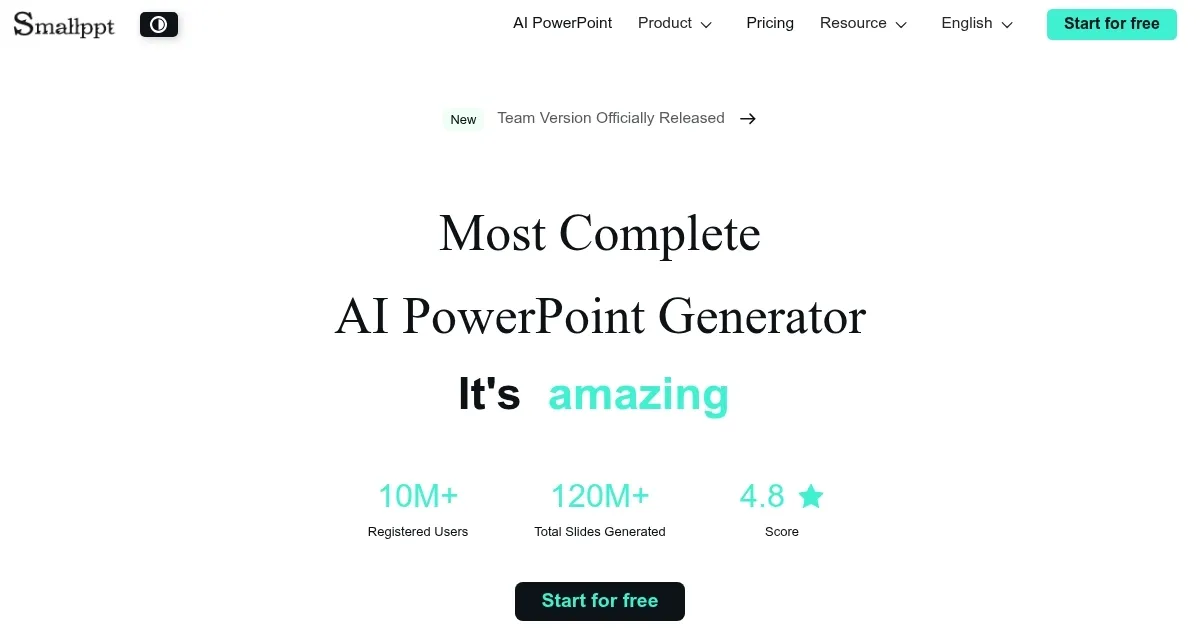
Homepage Screenshot 📸

Smallppt screenshot

Video Overview 🎬

Smallppt - Video Overview

What are the key features? ✨

  • Slide Generation: Creates full slide decks from a topic or outline.
  • AI Writing Tools: Generates and refines slide text automatically.
  • Summarization: Condenses documents into concise slide content.
  • Chat Assistant: Offers real-time slide structure and content suggestions.
  • PowerPoint Export: Allows seamless export to Microsoft PowerPoint.

Who is it for? 🤔

Smallppt is a game-changer for professionals, students, and content creators who need to produce high-quality presentations without design expertise. It’s ideal for busy marketers crafting pitch decks, educators building lesson slides, or entrepreneurs prepping for investor meetings, offering a fast, user-friendly solution for those short on time or skills.

Examples of what you can use it for 💡

  • Marketing Manager: Creates a pitch deck for a new campaign in minutes.
  • Teacher: Builds engaging lesson slides from a lengthy textbook chapter.
  • Startup Founder: Crafts an investor presentation from a rough outline.
  • Student: Generates a project presentation with minimal design effort.
  • Consultant: Summarizes a report into a client-ready slide deck.

Pros & Cons ⚖️

  • Fast slide creation
  • User-friendly interface
  • Seamless PowerPoint export
  • Affordable pricing
  • Limited template variety
  • AI text needs polishing

FAQs 💬

What is Smallppt?
Smallppt is an AI tool that creates presentations from minimal input, offering slide generation, summarization, and a chat assistant.
Do I need design skills to use Smallppt?
No, Smallppt is designed for users with no design or writing background, making it accessible to all.
Can I export slides to PowerPoint?
Yes, Smallppt supports seamless export to Microsoft PowerPoint for further editing.
How does the chat assistant work?
The chat assistant provides real-time suggestions for slide content and structure based on your input and audience.
Is Smallppt suitable for professional use?
Yes, it’s used by professionals for pitch decks, reports, and more, though some text may need manual refinement.
How does Smallppt compare to Canva?
Smallppt focuses on speed and AI automation, while Canva offers more manual design control and customization.
Does Smallppt offer a free trial?
There is a free plan that you can use to try the tool.
Can Smallppt handle complex documents?
Yes, its summarization feature can condense lengthy documents into slide-ready content efficiently.
Is Smallppt secure for sensitive data?
Smallppt’s website doesn’t detail security measures, so contact their support for data privacy information.
What types of templates are available?
Smallppt offers a variety of templates for business, education, and creative presentations, though variety is limited.

Ready to try Smallppt?

Creates sleek presentations from minimal input using AI.

Visit Smallppt ↗

Smallppt alternatives 🔗

  1. Canva Magic Design Canva Magic Design Generates custom, on-brand designs from text prompts or uploaded media in seconds.
  2. Adobe Express Adobe Express Creates on-brand content with AI-driven design and video tools
  3. Gamma Gamma An AI tool for creating presentations, documents, or webpages.
  4. Prezi Prezi Creates engaging AI-powered presentations in seconds
  5. MiriCanvas MiriCanvas Creates stunning designs with AI-powered templates and editing tools
  6. Genspark Genspark An innovative AI-powered search engine designed to improve how we access information online
Share
Smallppt screenshot enlarged
Promote Smallppt
light badge
Copy Embed Code
dark badge
Copy Embed Code
neutral badge
Copy Embed Code
Best AI Tools

Discover the best AI tools for any use case

Explore
  • Tool Categories
  • AI Use Cases
  • AI Events
  • AI News
  • Saved Tools
Company
  • About Us
  • Contact Us
  • Media & Partnerships
  • Suggest a Tool
Legal
  • Privacy Policy
  • Terms of Service
Copyright © 2026 Best AI Tools 415 Mission Street, 37th Floor, San Francisco, CA 94105