
logo-darklogo-darklogo-darklogo-dark
  • Home
  • Browse
    • Assistant
    • Coding
    • Image
    • Productivity
    • Video
    • Voice
    • Writing
    • All Categories
    • AI Use Cases
  • My Favorites
  • Suggest a Tool
✕
Home › 3D Imaging ›

Meshcapade

Published by Dusan Belic on November 17, 2023

Meshcapade

Meshcapade
Meshcapade Homepage
Categories 3D Imaging
An online tool that converts images, videos, and words into lifelike digital humans

Meshcapade

Meshcapade specializes in developing digital human models, with its platform utilizing foundation models to imbue digital humans with the ability to see, understand, and move realistically.

The tool offers different functionalities to create and use digital humans across various applications and industries. Among its noteworthy features are the ability to generate motion from text input, create lifelike movement based on written descriptions, capture motion from video using a single camera, and create accurate body shapes from images.

These technologies offer innovative solutions for industries like gaming, film, virtual reality, and digital fashion — streamlining the creation process of digital human characters and enhancing the realism and engagement of digital interactions.

Meshcapade also offers an API, enabling third-party developers to add a “touch of Meshcapade” to their apps and services. That means we could get some really fancy new tools down the road.

In the meantime, you can try Meshcapade for free and only pay for it if it works for you. Just the way we like it.

Meshcapade Homepage
Categories 3D Imaging

Video Overview ▶️

What are the key features? ⭐

  • Markerless Motion Capture: captures full-body and finger motion from a single camera video without suits or markers
  • 3D Avatar Creation: generates rigged, production-ready digital humans from photos or videos with accurate proportions
  • Text-to-Motion Generation: creates starter animations from simple text descriptions for quick blocking
  • SMPL-Based Technology: uses industry-standard parametric body models for realistic shape and movement consistency
  • Flexible Export & Deployment: outputs in FBX, GLB and supports cloud, on-prem, or hybrid enterprise setups

Who is it for? 🤔

Meshcapade helps 3D artists, game developers, animation studios, fashion brands doing virtual try-on, robotics researchers, and VR/AR creators who need realistic digital humans and motion without expensive mocap hardware or long manual cleanup.

Examples of what you can use it for 💭

  • Indie game developer: quickly captures realistic character motion from phone video and imports directly into Unity or Unreal to prototype gameplay
  • Animation studio artist: generates base animations from text prompts then refines them, saving hours on initial blocking
  • Fashion e-commerce manager: creates accurate digital body twins for virtual try-on to reduce sizing returns and improve online sales
  • Robotics engineer: uses captured human motion data to train robots for safer, more natural interaction with people
  • VR content creator: builds photorealistic avatars from selfies that move naturally in immersive environments

Pros & Cons ⚖️

  • High-fidelity finger and body tracking
  • No markers or suits required
  • Fast processing from everyday videos
  • Realistic SMPL-based proportions
  • Limited free tier for heavy use
  • Facial capture still developing

FAQs 💬

What is Meshcapade?
Meshcapade is an AI toolkit for markerless motion capture, 3D avatar creation, and motion generation, built on SMPL models to produce realistic digital humans from photos or videos.
Do I need special equipment to use Meshcapade?
No, it works with any single camera like a smartphone, webcam, or professional camera—no markers, suits, or tripods required.
What file formats does Meshcapade support for export?
It exports in popular formats including FBX and GLB, compatible with Unity, Unreal, Blender, and other 3D tools.
Can Meshcapade capture finger movements?
Yes, it provides detailed finger tracking alongside full-body motion for more expressive animations.
Is there a free way to try Meshcapade?
Yes, visit me.meshcapade.com for a free trial that lets you test avatar creation and motion capture with your own inputs.
What industries use Meshcapade?
It serves animation, gaming, fashion for virtual try-on, robotics, healthcare, and virtual production.
How does Meshcapade compare to Ready Player Me?
Meshcapade focuses on photorealistic, production-grade avatars and motion, while Ready Player Me prioritizes quick, stylized avatars for social and metaverse use.
Does Meshcapade offer text-to-motion features?
Yes, you can describe an action in text, and it generates a starting animation in formats like FBX or GLB.
Is Meshcapade suitable for enterprise use?
Yes, it supports cloud, on-premise, or hybrid deployment with privacy features and GDPR compliance for larger teams.
When is hair capture coming to Meshcapade?
Hair capture is listed as coming soon on their site, promising realistic 3D hair estimation in future updates.

Related tools ↙️

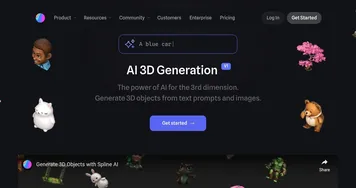
  1. Spline AI Spline AI Generate 3D objects, animations, and textures using prompts
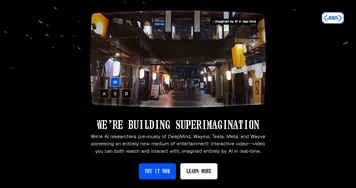
  2. Odyssey Odyssey Generates cinematic 3D worlds from images for film and gaming
  3. VisualizeAI VisualizeAI Transforms sketches and text into 3D designs
  4. Blackshark.ai Blackshark.ai Creates photorealistic 3D digital twins from satellite imagery using AI
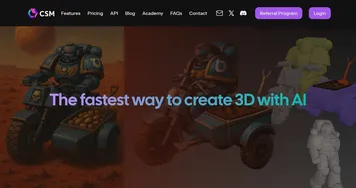
  5. CSM CSM An AI tool that can turn any flat picture of an object into a 3D model
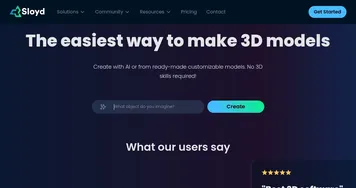
  6. Sloyd Sloyd 3D modeling has never been easier - select a generator, tweak it, done
Last update: January 5, 2026
Share
Promote Meshcapade
light badge
Copy Embed Code
light badge
Copy Embed Code
light badge
Copy Embed Code
About Us | Contact Us | Suggest an AI Tool | Privacy Policy | Terms of Service

Copyright © 2026 Best AI Tools
415 Mission Street, 37th Floor, San Francisco, CA 94105