logo-darklogo-darklogo-darklogo-dark
  • Tool Categories
    • 🎨 Art
    • 🏢 Business
    • 💻 Coding
    • 👮 Detection
    • 🧠 General
    • 🏥 Health
    • 📷 Image Analysis
    • 🖼️ Image
    • 📐 Architecture
    • 🎓 Education
    • ⚖️ Legal/Finance
    • 🎭 Lifestyle
    • 📢 Advertising
    • 🎧 Music
    • 👔 Work
    • 🔬 Research
    • 👥 Social
    • 🎥 Video
    • 👧🏻 Companion
    • 🎤 Voice
    • ✍️ Writing
    • All Categories
    • AI Use Cases
  • News
  • Events
    • Academic Conferences
    • Developer Conferences
    • Expos / Trade Shows
    • Industry Summits
    • Online Events
    • Workshops / Training
    • All Events
    • Past Events
  • Saved Tools
  • Suggest a Tool
✕
Home › Art & Creative Design › 3D Modeling› Masterpiece X
Masterpiece X

Masterpiece X

Making 3D effortless with generative AI - the VR 3D creative suite for indie creators

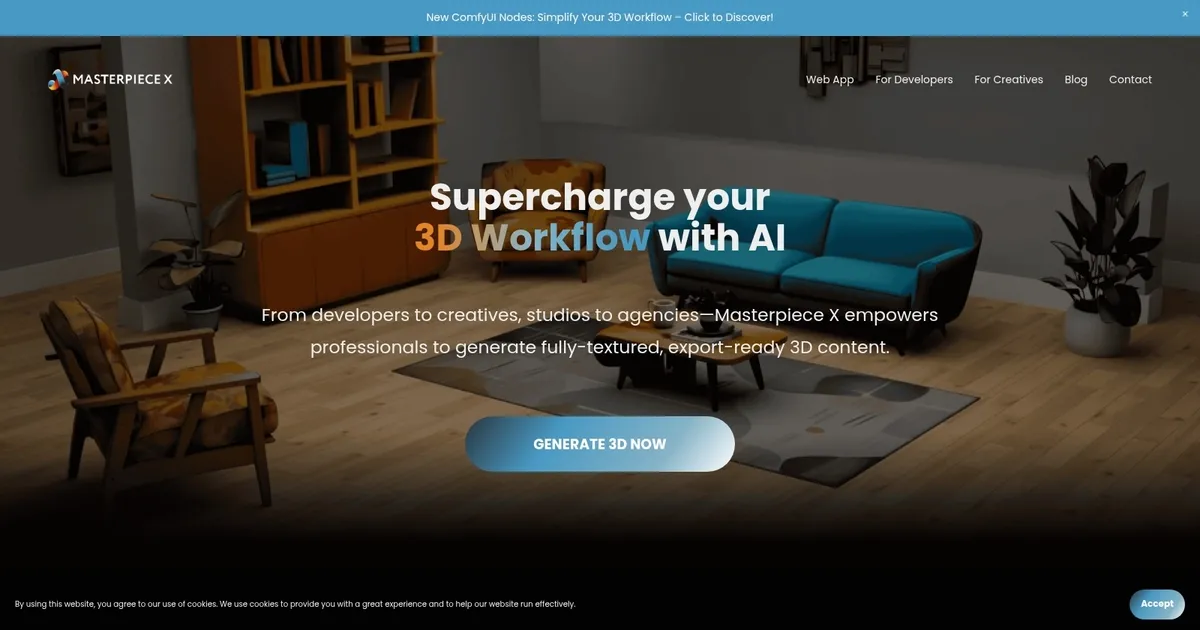
Masterpiece X is an AI-driven platform designed for the creation, editing, and sharing of 3D content.

The platform’s core capabilities include generating intricate 3D models, providing a user-friendly interface for editing these models, and enabling users to easily share their creations or integrate them into various applications. This facilitates an entirely new way of engaging with 3D content, making it accessible to a broader range of users — from experienced professionals to those just starting out.

Ultimately, Masterpiece X aims to lower the barriers to entry for 3D content creation and utilization. Nevertheless, it goes beyond basic capabilities to also include advanced features, which are tailored for an array of applications — including animation, game development, virtual reality (VR), and more.

Visit Masterpiece X ↗

Categories

🎨 Art

🧊 3D Modeling 🎲 Text to 3D Design

🖼️ Image

🧊 3D Imaging 🧑‍🎤 Avatar Generation

🎥 Video

🎞️ Animation Generation

💻 Coding

🎮 Game Generation

Screenshot 📸

Masterpiece X screenshot

What are the key features? ✨

  • Text-to-3D Generation: Creates game-ready 3D models with meshes and textures directly from descriptive prompts.
  • Image-to-3D Conversion: Transforms uploaded images into detailed, usable 3D assets with proper topology.
  • WorldEngen AI Copilot: Desktop editor that assembles full scenes using AI agents for layout, set dressing, and integration in Blender, Unity, or Unreal Engine.
  • Centralized Workspace: Unifies concept art, style guides, greyboxes, assets, and scenes in one interface for streamlined worldbuilding.
  • Agent Collaboration: Directs AI to brainstorm and generate supporting elements like videos, image kits, and models based on user input.

Who is it for? 🤔

Masterpiece X suits game developers, 3D artists, animators, filmmakers, and simulation creators who need to produce detailed environments or assets quickly. It helps indie teams and larger studios alike by cutting down on manual labor, making it especially valuable for those already using Blender, Unity, or Unreal Engine who want AI to boost productivity without disrupting established pipelines.

Examples of what you can use it for 💡

  • Game Developer: Generates and assembles level environments rapidly to prototype and iterate on gameplay spaces before full polish.
  • Animator: Creates character models and scene elements from text to speed up pre-visualization and shot setup.
  • Film Pre-Vis Artist: Builds cinematic environments in hours to test blocking, lighting, and composition from script ideas.
  • Simulation Designer: Produces realistic training scenes with integrated assets for quick updates and scenario variations.
  • Indie Creator: Prototypes entire worlds in a browser or desktop app without needing advanced 3D skills initially.

Pros & Cons ⚖️

  • Fast scene production
  • Engine integrations
  • Game-ready outputs
  • Centralized workflow
  • Prompt-dependent results
  • Learning curve for agents

FAQs 💬

What does Masterpiece X primarily do?
It generates 3D models from text or images and assembles full scenes using AI in tools like Blender, Unity, and Unreal Engine.
Is there a free trial available?
Yes, a 7-day trial exists for WorldEngen, the main desktop copilot editor.
Does it work with mobile devices?
The Generate mode supports browser-based creation on smartphones for quick prototyping.
What file formats can I export?
Models export in standard 3D formats suitable for games and engines, including meshes with textures.
How does it compare to pure text-to-3D tools?
It goes beyond single assets to handle complete scene building and integration with professional software.
Do I need 3D experience to use it?
Basic prompting helps, but integrations make it accessible if you already work in supported engines.
Can teams collaborate through it?
The centralized workspace supports shared references and assets for better team coordination.
What makes outputs game-ready?
Models include optimized topology, textures, and sometimes animations designed for real-time use.

Ready to try Masterpiece X?

Making 3D effortless with generative AI - the VR 3D creative suite for indie creators

Visit Masterpiece X ↗

Masterpiece X alternatives 🔗

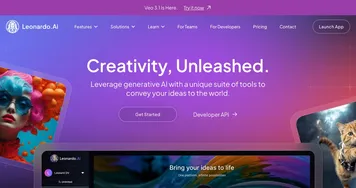
  1. Leonardo.Ai Leonardo.Ai A tool that helps artists create stunning game assets with the help of AI
  2. Krea Krea Empowering users to generate and enhance images and videos using advanced AI
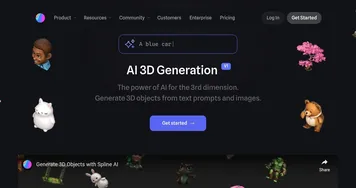
  3. Meshy Meshy Transforms text prompts and images into high-quality 3D models instantly.
  4. Tripo3D Tripo3D An AI-driven platform designed to transform text into 3D animations
  5. Luma Interactive Scenes Luma Interactive Scenes Capture and experience the world in lifelike 3D
  6. Homestyler AI Designer Homestyler AI Designer Choose design style and room type, and let AI design the room for you
Share
Masterpiece X screenshot enlarged
Promote Masterpiece X
light badge
Copy Embed Code
dark badge
Copy Embed Code
neutral badge
Copy Embed Code
Best AI Tools

Discover the best AI tools for any use case

About Us | Contact Us | Suggest an AI Tool
Privacy Policy | Terms of Service
Copyright © 2026 Best AI Tools 415 Mission Street, 37th Floor, San Francisco, CA 94105