logo-darklogo-darklogo-darklogo-dark
  • Home
  • Browse
    • Assistant
    • Coding
    • Image
    • Productivity
    • Video
    • Voice
    • Writing
    • All Categories
    • AI Use Cases
  • My Favorites
  • Suggest a Tool
✕
Home › Meeting Assistant ›

Otter.ai

Published by Dusan Belic on June 9, 2023

Otter.ai

Otter.ai
Otter.ai Homepage
Categories Meeting Assistant
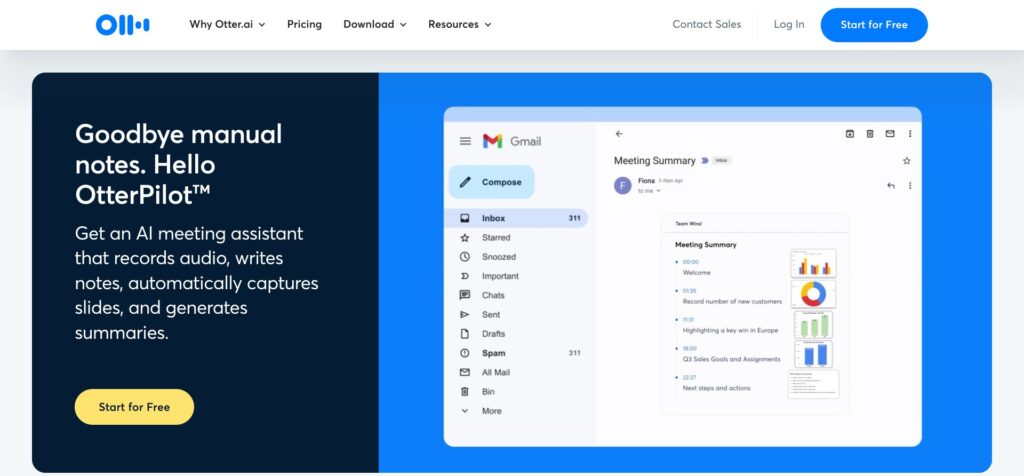
An AI meeting assistant that writes notes, captures slides and more

Otter.ai

Otter.ai is designed to simplify your life by transcribing or taking notes from voice conversations. As such, it is perfect for meetings, interviews, or even when you’re driving. With Otter, you can easily convert these voice conversations into searchable notes with the ability to add photos within your transcripts.

The tool has many functionalities, and it works both in your web browser and on your mobile phone. For instance, you can share your conversations with others and allow them to edit, comment, or simply view the conversation. You can also review and edit your conversations, which can be handy for catching up on details you might have missed.

Imports and exports are also available with support for various audio and video formats for transcription. Then, once your conversations are transcribed, you can easily export the text and audio and even organize these files in different folders.

Regarding integrations, Otter.ai can sing along with all the “usual suspects” — including Google Calendar & Contacts, Microsoft Calendar & Contacts, Dropbox, and Zoom, among others.

The service is available in a few different plans, and the neat thing is that you can try it for free — and only sign-up for a paid plan, if you determine Otter.ai will work for you.

Otter.ai Homepage
Categories Meeting Assistant

Video Overview ▶️

What are the key features? ⭐

  • Real-time transcriptions: Otter.ai can transcribe your conversations as they occur, which is especially handy for meetings and interviews. Later on, or while the conversation is still happening, you can edit the transcriptions.
  • Speaker identification: Otter.ai is capable of identifying different speakers in a conversation. Yup, AI kicks in again here to detect different "voiceprints" for each speaker and then use these voiceprints to label who said what in the transcription.
  • Custom vocabulary: The tool lets you add custom words or phrases specific to your industry or work. This will help improve the transcriptions' accuracy, especially when dealing with unique terms that aren't commonly used.
  • Automatic summaries: Otter.ai summarizes your conversations in the form of keywords and a word cloud. These will help you quickly identify the main topics discussed without having to read through the entire transcription.
  • Highlight, Comment, Share: There are options to highlight important parts of the transcription, add comments, and share your notes with others. The last mentioned makes Otter.ai a truly collaborative tool with your team members.

Who is it for? 🤔

Otter.ai is made for people needing help to keep up with all the online meetings many of us have these days. Using Otter.ai is like having a secret weapon that will do all the hard work for you, automatically taking notes on your behalf. It could summarize the call and allow you to share the key points with others. In that sense, the tool is also used by teachers who rely on it to offer lecture transcriptions to their students.

Examples of what you can use it for 💭

  • Use Otter.ai as a meeting assistant on platforms like Zoom, MS Teams, or Google Meet
  • Transcribe meetings in real-time
  • Transcribe video files and create content for your website
  • Use it as an education tool, allowing students to review and study from the transcriptions later

Pros & Cons ⚖️

  • Saves a ton of time on transcribing recorded files and live meetings
  • Works in the web browser and on mobile devices
  • Transcription editing and team collaboration tools are handy
  • Only for English speakers

FAQs 💬

What is Otter.ai and who is it for?
Otter.ai is an AI-powered meeting assistant that records, transcribes, and summarizes conversations in real time, turning audio from meetings, lectures, or interviews into searchable text with action items and highlights. It's ideal for professionals in sales, education, recruiting, or media, as well as students and small teams who want to focus on discussions without manual note-taking. I think it's especially useful if your days fill up with Zoom calls or Google Meets, where accuracy matters but time is short.
How accurate is Otter.ai's transcription?
Otter.ai claims up to 95% accuracy for live transcription in quiet settings with clear English speech, improving with custom vocabulary for names or terms. However, it can dip with accents, background noise, or overlapping speakers, often needing quick edits. Recent tests from sources like PCMag and G2 show it handles most professional scenarios well, though users report occasional filler words or mishears in noisy environments. Probably best to review transcripts right after.
What are the pricing plans for Otter.ai?
Otter.ai offers a free Basic plan with 300 monthly transcription minutes and core features like live notes. Paid options include Pro at $8.33/month (annual) for 1,200 minutes and advanced tools, Business at $19.99/month (annual) for unlimited imports, and custom Enterprise pricing. Students get 20% off Pro. No long free trial beyond Basic, but it's generous for testing. Value shines for heavy users, but watch those minute limits.
Does Otter.ai integrate with popular tools?
Yes, it connects seamlessly with Zoom, Google Meet, Microsoft Teams for auto-joining and live captions, plus Slack, Dropbox, Google Calendar, HubSpot, Salesforce, Jira, Notion, and Asana for sharing summaries or tasks. Zapier extends it further, like syncing to Greenhouse for recruiting. This makes it a workflow booster, though setup might take a minute if you're new to integrations.
How does Otter.ai handle speaker identification?
It auto-detects and labels speakers during transcription, pulling names from calendars or prompts, and lets you tag or edit them easily. Accuracy improves over time with team vocabularies on paid plans, but it struggles with similar voices or large groups. Users on Reddit and G2 praise it for small meetings, saying it saves tagging time, yet some edit 10-20% manually for precision.
Can Otter.ai transcribe non-English languages?
Currently, it supports live transcription in English, French, and Spanish, with AI Chat able to translate others post-transcription. For multilingual switches mid-conversation, like English-Arabic mixes, it might falter without manual tweaks. If you need broader support, alternatives like Notta cover 58 languages. Otter's focus stays on English-heavy professional use.
What security features does Otter.ai offer?
It uses AES-256 encryption, two-factor authentication, and SOC2 compliance, with Enterprise adding HIPAA, SSO, and domain controls. Recordings stay private unless shared, but some Reddit threads flag concerns over auto-joining meetings without clear consent, leading to blocks in sensitive orgs. Overall, it's trustworthy for most businesses, though review permissions carefully.
Is there a mobile app for Otter.ai?
Yes, free iOS and Android apps let you record in-person talks, transcribe on the go, and access notes offline for playback. Voice activation with "Hey Otter" works hands-free, and it syncs across devices. Users love it for lectures or fieldwork, but battery drain during long records is a common nitpick. Great for mobile pros, less so for desktop-only folks.
What are common limitations of Otter.ai?
Minute caps on plans (e.g., 30-90 minutes per session on free/Pro), occasional lags in real-time display, and no unlimited transcription without Enterprise. Some experience spam-like invites if colleagues use it, and editing punctuation post-transcript is often needed. Recent 2025 reviews note it's solid for basics but outgrown by teams needing deeper analytics.
How easy is it to get started with Otter.ai?
Signing up is quick via email or Google, with a dashboard to connect calendars and test a sample record in under five minutes. Onboarding tutorials guide integrroations, and the free plan lets you dive in without commitment. Most users find the interface intuitive, like a smart notepad, though first-time AI tweaks might feel fiddly. I think you'll be transcribing your next call confidently after one try.

Related tools ↙️

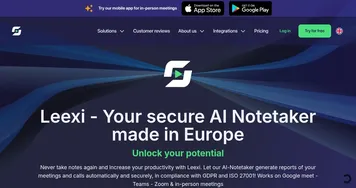
  1. Leexi Leexi Automates note-taking and summarizes meetings with AI-powered transcription
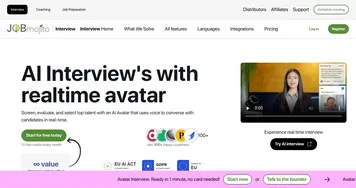
  2. JobMojito JobMojito Automates hiring with AI avatar interviews, smart scoring, and multilingual support.
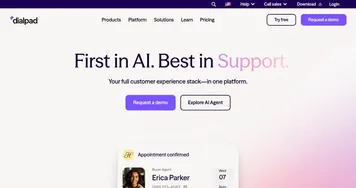
  3. Dialpad Dialpad Support customers, drive sales, and collaborate with your team with the power of AI
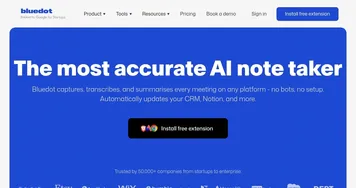
  4. Bluedot Bluedot An AI-powered Chrome extension that transforms how we handle meeting notes in Google Meet
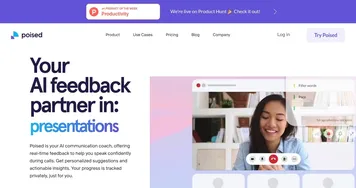
  5. Poised Poised Your magical AI assistant for better meetings, with personalized suggestions and real-time feedback
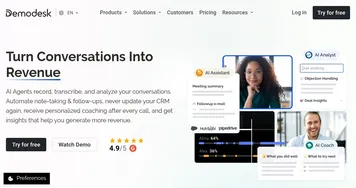
  6. Demodesk Demodesk Helping sales teams have better online meetings
Last update: November 17, 2025
Share
Promote Otter.ai
light badge
Copy Embed Code
light badge
Copy Embed Code
light badge
Copy Embed Code
About Us | Contact Us | Suggest an AI Tool | Privacy Policy | Terms of Service

Copyright © 2026 Best AI Tools
415 Mission Street, 37th Floor, San Francisco, CA 94105