Skip to content
logo-darklogo-darklogo-darklogo-dark
  • Tool Categories
    • 🎨Art & Creative Design505
    • 🏢Business Management644
    • 💻Coding & Development514
    • 👮Detection83
    • 🧠General Use728
    • 🏥Health & Wellness55
    • 📷Image & Photo Analysis100
    • 🖼️Image Generation & Editing618
    • 📐Interior & Architectural Design37
    • 🎓Learning & Education483
    • ⚖️Legal & Finance90
    • 🎭Lifestyle & Entertainment236
    • 📢Marketing & Advertising627
    • 🎧Music & Audio138
    • 👔Office & Workplace1,014
    • 🔬Research & Data Analysis373
    • 👥Social Media245
    • 🎥Video Generation & Editing426
    • 👧🏻Virtual Companion135
    • 🎤Voice Generation & Editing381
    • ✍️Writing & Editing808
    • All Categories
    • AI Use Cases
  • News
  • Events
    • Academic Conferences
    • Developer Conferences
    • Expos / Trade Shows
    • Industry Summits
    • Workshops / Training
    • All Events
    • Past Events
  • Saved Tools
  • Suggest a Tool
    ✕
    Home › Writing & Editing › Writing Assistant› Rytr
    Rytr

    Rytr

    An AI writing assistant that helps you create high-quality content, in just a few seconds

    Rytr is an AI-powered writing assistant designed to help users create high-quality content quickly and cost-effectively. As such, it can help them write blog posts, articles, emails, ads, product descriptions, and more. In fact, the service supports a variety of writing needs with over 40 use cases and templates, and it can write in over 30 languages with different emotional tones.

    One of Rytr’s key features is its advanced rich-text editor that can help you fine-tune your content. You can use it to re-word, shorten, and improve the content before publishing. Also included is a plagiarism checker that makes sure your content is unique and not similar to anything out there.

    Rytr has project management and team collaboration capabilities, allowing you to store and organize your projects in one place, manage team members, and download your work. This is particularly important for businesses that handle multiple projects at once.

    Another handy feature is Rytr’s browser extension. As you can imagine, it lets you create content while browsing the web, working on an email, a social post, or a blog. With a single click on the Rytr icon, your AI assistant will jump to help you.

    Rytr aims to be your all-in-one writing platform and has, in that sense, bundled many other tools into its platform. It includes things like an SEO analyzer for optimal keyword use, a mobile-friendly interface, plugins for WordPress and Shopify, and an API for integration into other apps. This means you get one writing app to rule them all.

    Visit Rytr ↗
    Categories
    ✍️ Writing
    🤖 Writing Assistant ✒️ Copywriting ✍️ Blog Generation 🅰️ Text Generation ✉️ Email Writing 🔄 Paraphraser 🔁 Rewriting 🎭 Creative Writing
    📢 Advertising
    🚀 Marketing 📧 Email Generation 📢 Ad Generation
    👥 Social
    📝 Social Media Post Generation

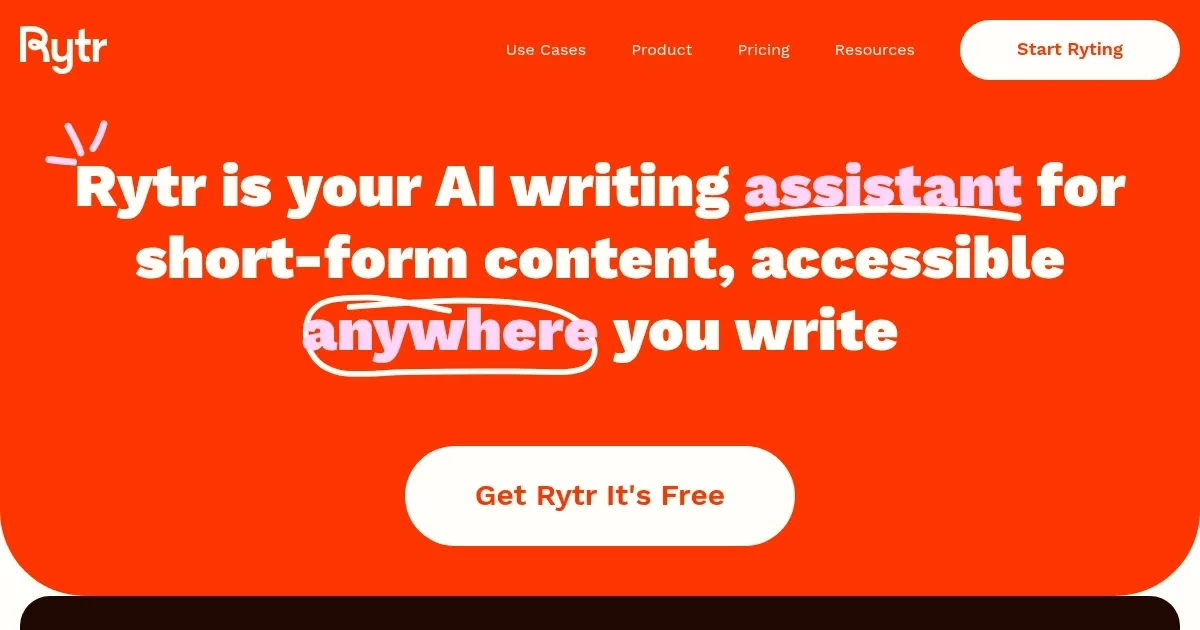
    Homepage Screenshot 📸

    Rytr screenshot

    Video Overview 🎬

    Rytr - Video Overview

    What are the key features? ✨

    • AI-powered content creation: Rytr uses AI to help you create high-quality content quickly and affordably. It goes beyond basic text outputs, delivering engaging, original, and high-converting copies in various tones and languages for different use cases.
    • Advanced text editor: Rytr has a rich-text editor that helps you refine your content in several ways. For instance, you can re-word, shorten, and improve the quality of your content before hitting the "publish" button. Also included in the editor is a handy plagiarism checker to ensure your content is unique.
    • Project management: Rytr lets you manage multiple projects from a single place and also include other members of your team in the process.
    • Browser extension: A neat tool that lets you create content on the go. Whether you're working on an email, social post, or blog post - the Rytr extension will be there to save you time.
    • All-in-one platform: Rytr wants to be an all-in-one platform for all your writing needs. In that sense, it includes things like an SEO analyzer, plugins for WordPress and Shopify, mobile-friendly UI, and an API for integration into other existing apps.

    Who is it for? 🤔

    Rytr is made for individuals and businesses who are often engaged in writing a lot of content. These would include bloggers, marketers, content creators, and entrepreneurs. Designed as a smart writing assistant, it helps all these groups come up with content and content ideas faster.

    Examples of what you can use it for 💡

    • Create blog ideas and entire posts
    • Write emails, product descriptions, and more
    • Come up with engaging ads for Facebook, Twitter, and other platforms
    • Create taglines, story plots, testimonials, video descriptions, etc.

    Pros & Cons ⚖️

    • Over 40 supported use cases
    • Handy browser extension makes Rytr easily accessible from anywhere
    • The rich-text editor lets you fine-tune your content
    • Not so good for long-form content writing

    FAQs 💬

    What is Rytr?
    Rytr is an AI writing assistant that generates original short-form content like blog ideas, social media posts, emails, ads, and more using templates and prompts.
    What types of content can Rytr generate?
    Rytr supports over 40 use cases, including blog posts, email responses, social media ads, product descriptions, headlines, and marketing copy.
    Is Rytr easy to use for beginners?
    Yes, Rytr features a clean, intuitive interface with simple templates, so even beginners can start generating content quickly without a steep learning curve.
    Does Rytr support multiple languages?
    Rytr supports content generation in over 30 languages, making it useful for global users and multilingual projects.
    How does Rytr compare to tools like Jasper or Copy.ai?
    Rytr focuses on fast, affordable short-form content with a straightforward interface, while tools like Jasper excel in long-form and advanced marketing features.
    Can I use Rytr for blog post ideas or outlines?
    Absolutely, Rytr offers templates specifically for blog titles, outlines, introductions, and full short posts to help kickstart your writing.
    Is Rytr suitable for social media marketing?
    Yes, it's great for creating engaging social media captions, posts, ads, and replies tailored to platforms like Instagram, Twitter, or LinkedIn.
    Does Rytr have a free version?
    Rytr offers a free plan with limited monthly generation, so you can test the tool before committing to more usage.
    Can Rytr help with email writing?
    Rytr includes templates for professional emails, responses, cold outreach, and follow-ups to make communication faster and more effective.
    What makes Rytr different from other AI writers?
    Rytr emphasizes speed, affordability, and a huge library of ready-to-use templates for everyday writing tasks, trusted by millions of users worldwide.

    Ready to try Rytr?

    An AI writing assistant that helps you create high-quality content, in just a few seconds

    Visit Rytr ↗

    Rytr alternatives 🔗

    1. text.cortex text.cortex Powerful AI assistant for content creation, offers a browser extension
    2. Ahrefs AI writing tools Ahrefs AI writing tools Enhance your marketing and content performance with Ahrefs' free copywriting tools powered by AI
    3. Copymatic Copymatic Text, article, and image generation platform and chatbot
    4. Eskritor Eskritor Generates AI-powered content for blogs, emails, and social posts with ease
    5. GravityWrite GravityWrite Create blogs, ad copies, emails, social media posts, and more in seconds
    6. Typli Typli An AI-powered writing platform designed to streamline content creation across different formats
    Share
    Rytr screenshot enlarged
    Best AI Tools

    Discover the best AI tools for any use case

    Explore
    • Tool Categories
    • AI Use Cases
    • AI Events
    • AI News
    • Saved Tools
    Company
    • About Us
    • Contact Us
    • Media & Partnerships
    • Suggest a Tool
    Legal
    • Privacy Policy
    • Terms of Service
    Copyright © 2026 Best AI Tools 415 Mission Street, 37th Floor, San Francisco, CA 94105