logo-darklogo-darklogo-darklogo-dark
  • Home
  • Browse
    • Assistant
    • Coding
    • Image
    • Productivity
    • Video
    • Voice
    • Writing
    • All Categories
    • AI Use Cases
  • My Favorites
  • Suggest a Tool
✕
Home › Art & Creative Design / Image Generation & Editing ›

Photosonic AI Art Generator

Published by Dusan Belic on July 10, 2023

Photosonic AI Art Generator by Writesonic

Photosonic
Photosonic AI Art Generator Homepage
Categories Art & Creative DesignImage Generation & Editing
An AI-powered platform from Writesonic that generates custom, unique artwork based on text prompts.

Photosonic AI Art Generator

The Photosonic AI Art Generator from Writesonic is an innovative tool designed to create unique artwork using artificial intelligence. It allows users to bring their imagination to life by generating any desired art in seconds. Whether it’s producing trippy paintings, minimalist illustrations, cartoon canvas paintings, abstract art faces, or photorealistic images, this AI art generator provides truly original pieces.

In addition, it is a cost-effective alternative to purchasing expensive stock photos by providing royalty-free AI-generated art that meets specific requirements, thereby saving users significant amounts of money.

The AI Art Generator is user-friendly and requires no high-level art expertise, enabling anyone to generate art with just a few clicks and an accurate text prompt. It supports creating a wide range of art types, including photorealistic images, abstract art, portraits, still life, landscapes, cityscapes, animal portraits, stylistic images, 3D images, vectors, and graphics.

ALl this makes it suitable for use across various online platforms, such as social media, blog posts, and landing pages. Moreover, the Photosonic AI Art Generator offers the possibility to create realistic portraits of people who do not exist in the real world, opening up endless creative possibilities for users.

Photosonic AI Art Generator Homepage
Categories Art & Creative DesignImage Generation & Editing

Video Overview ▶️

What are the key features? ⭐

  • Text-to-image: Create any type of art by describing it with text prompts, enabling users to effortlessly generate unique and realistic images.
  • Many styles: Generate art in various styles, from photorealistic images to abstract and impressionist art, offering creative flexibility.
  • Cost-effective: Save money on stock photos by generating high-quality, royalty-free images for your specific needs.
  • User-friendly interface: No high-level art expertise required - anyone can create stunning art with just a few clicks.
  • Different use cases: Suitable for multiple platforms, including social media, blogs, and marketing materials.

Who is it for? 🤔

The targeted market for Photosonic's AI Art Generator includes digital marketers, bloggers, social media influencers, content creators, and e-commerce businesses. It is also useful for artists and hobbyists who want to explore new creative avenues without needing extensive art skills. Ultimately, the tool is designed for anyone seeking to generate high-quality, custom art quickly and affordably.

Examples of what you can use it for 💭

  • Quickly generate eye-catching images for social media, enhancing engagement
  • Create unique and relevant images to accompany blog posts, improving visual appeal
  • Develop customized visuals for advertising campaigns without the need for expensive photo shoots
  • Design product images or mockups for e-commerce sites, ensuring professional presentation
  • Generate art for personal use, such as custom portraits or unique decorations

Pros & Cons ⚖️

  • Many different styles to choose from
  • Could replace your need for stock photos
  • Great for social media graphics
  • Midjourney works better

FAQs 💬

What is Photosonic?
Photosonic is an AI-powered tool from Writesonic that turns text descriptions into images, like turning "a cozy mountain cabin at sunset" into a detailed visual. It uses advanced models to create everything from realistic photos to abstract art, making it easy for anyone to generate custom visuals without design skills.
How does Photosonic work for beginners?
You start by typing a simple prompt in the text box, pick a style like cartoon or painting, choose the format such as square or landscape, and hit generate. It spits out up to five images in seconds; if they're not quite right, tweak the prompt and try again, it's that straightforward.
What art styles does Photosonic support?
It handles a bunch of styles, including photorealistic, abstract, impressionist, 3D renders, cartoons, and sketches. You select from dropdowns, and the AI adapts your prompt to fit, though results might vary a bit with complex requests.
Can I edit images after generating them in Photosonic?
Basic edits like cropping or simple adjustments are possible right in the tool, but for heavy changes, you might need to export and use something like Photoshop. It's more about quick generations than full editing suites.
Is Photosonic good for commercial use?
Yes, generated images are royalty-free and can be used for marketing, blogs, or products, as long as you follow Writesonic's terms. Many users create social media graphics or ads with it, and it's integrated well for content teams.
How accurate is Photosonic at following prompts?
It does a solid job with clear descriptions, but like most AI, it sometimes adds unexpected details or misses specifics, especially with faces or text in images. Experimenting with prompt wording helps get closer to what you envision.
What are the main limitations of Photosonic?
It can struggle with highly realistic human faces or legible text in outputs, and free trials have generation limits that hit quick. Also, it's cloud-based, so you need a stable internet connection, and advanced customizations are somewhat limited.
Does Photosonic integrate with other tools?
It works seamlessly within the Writesonic suite for pairing images with AI-written content, and upcoming updates might add DALL-E API support. For now, exports are easy to drop into Canva or Adobe apps.
Is Photosonic suitable for non-artists?
Absolutely, it's built for beginners with no art background; the interface is clean and intuitive, and it even suggests prompt refinements. Users without design experience praise how it sparks ideas fast.

Related tools ↙️

  1. GeniusUI GeniusUI The AI-powered UI component generator
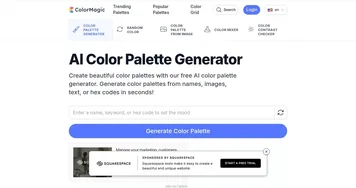
  2. ColorMagic ColorMagic An AI-powered tool designed to produce color palettes with ease
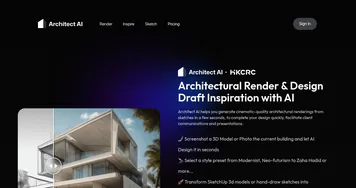
  3. Architect AI Architect AI Transform conceptual sketches into high-quality renderings within seconds
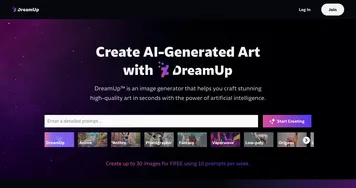
  4. DreamUp DreamUp An AI-powered tool allowing users to generate unique artworks by inputting text prompts
  5. Logopony Logopony Get 1000's of custom logo designs and instantly create designs for social media, business cards, and more
  6. Neighborbrite Neighborbrite Generates AI-powered landscape designs from yard photos.
Last update: December 22, 2025
Share
Promote Photosonic AI Art Generator
light badge
Copy Embed Code
light badge
Copy Embed Code
light badge
Copy Embed Code
About Us | Contact Us | Suggest an AI Tool | Privacy Policy | Terms of Service

Copyright © 2026 Best AI Tools
415 Mission Street, 37th Floor, San Francisco, CA 94105