logo-darklogo-darklogo-darklogo-dark
  • Home
  • Browse
    • Assistant
    • Coding
    • Image
    • Productivity
    • Video
    • Voice
    • Writing
    • All Categories
    • AI Use Cases
  • Events
  • My Favorites
  • Suggest a Tool
✕
Home › Design Generation›
Published by Dusan Belic on January 2, 2024

GeniusUI

GeniusUI
GeniusUI Homepage
Categories Design Generation

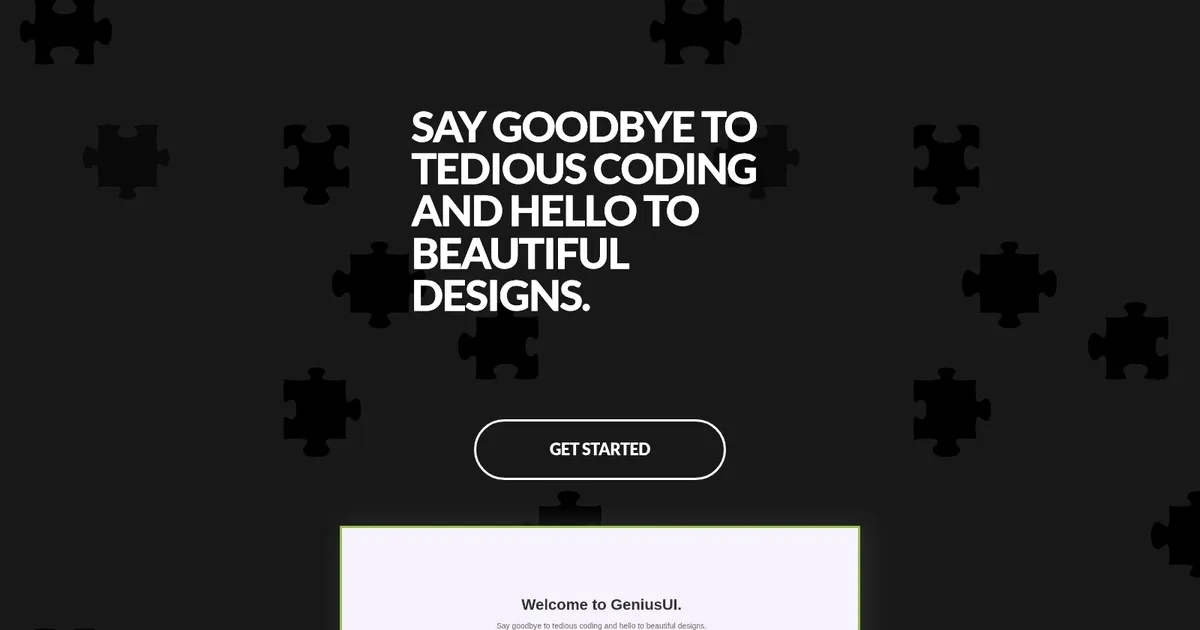
GeniusUI - screenshot

Generates UI components and code from text prompts using AI

GeniusUI

GeniusUI is made to empower designers to craft dynamic and interactive elements with ease.

Using ChatGPT-powered technology, GeniusUI can turn textual design requirements into “high-fidelity components” compatible with many popular frontend frameworks such as Angular, React, and Vue.

The tool comes with an extensive library of pre-built components, offering flexibility to customize and adapt elements according to specific project needs.

GeniusUI also integrates with all popular frontend frameworks, making it easy to incorporate into your existing projects.

Finally, it’s highly customizable, and its components can be easily customized to fit your specific needs. As a result, you get to create a UI design that is unique to your project. Check it out.

GeniusUI Homepage
Categories Design Generation

What are the key features? ⭐

  • Prompt-based Generation: Creates UI components from simple text descriptions using AI.
  • Visual Previews: Displays rendered images of the generated components instantly.
  • Code Export: Outputs clean, framework-compatible code like React or Tailwind snippets.
  • Multi-Framework Support: Adapts components for React, Vue, HTML, and other frontends.
  • Iterative Refinement: Allows prompt tweaks to improve and customize results quickly.

Who is it for? 🤔

GeniusUI helps frontend developers, indie makers, UI/UX designers who prototype often, and anyone building web interfaces who wants faster component creation without starting from scratch every time. Its especially useful for solo builders or small teams needing quick, decent-looking elements to test ideas or fill gaps in existing projects.

Examples of what you can use it for 💭

  • Frontend Developer: Quickly generates reusable components like buttons or cards to speed up development without manual styling.
  • Product Designer: Produces visual UI ideas from descriptions during early brainstorming or wireframing phases.
  • Indie Hacker: Builds landing page sections fast for MVPs using ready code snippets in preferred frameworks.
  • Freelancer: Delivers client mockup variations rapidly by iterating on prompts for custom elements.
  • UI Learner: Experiments with different designs and sees corresponding code to understand best practices.

Pros & Cons ⚖️

  • Fast component generation
  • Clean code output
  • Easy prompt iteration
  • No complex setup
  • Occasional inconsistencies
  • Limited complex interactions

FAQs 💬
What exactly does GeniusUI generate?
It creates UI components such as buttons, forms, cards, navbars, and modals from text prompts, with both a visual preview and code.
Do I need a ChatGPT account to use it?
No, GeniusUI handles the AI integration itself so you just provide prompts on the site.
Which frameworks does the code support?
It mainly outputs Tailwind CSS with React, but can adapt to Vue, plain HTML, and others based on your prompt.
Is the generated code production-ready?
Its usually a strong starting point thats clean and usable, though you may need minor tweaks for full responsiveness or accessibility.
How does it compare to v0 or Uizard?
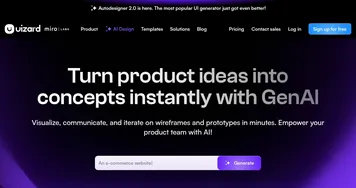
GeniusUI is simpler and more focused on single components via prompts, while v0 and Uizard handle larger screens and have more advanced integrations.
Is there a free version?
Yes, it offers free access for basic use based on listings, with possible paid upgrades for heavier generation.
Can I specify styles or inspirations?
Absolutely, include details like 'dark mode', 'minimalist', or 'inspired by Stripe' in your prompt for better matches.
Visit GeniusUI

Related tools ↙️

  1. MyArchitectAI MyArchitectAI Transforms architectural designs and sketches into photorealistic renders in seconds using AI
  2. Typeset Typeset Automates design and writing for ebooks, presentations, and social graphics quickly
  3. Architect Render Architect Render Generates photorealistic architectural renderings from sketches, photos, or designs in seconds
  4. Flowstep Flowstep Generates user flows, wireframes, and UI designs from simple text prompts
  5. MenuGen MenuGen Transforms menu photos into AI-generated dish images.
  6. Bugfree.ai Bugfree.ai Prepares users for system design and behavioral interviews with AI mocks and practice
Last update: February 24, 2026
Share
Promote GeniusUI
light badge
Copy Embed Code
dark badge
Copy Embed Code
neutral badge
Copy Embed Code
About Us | Contact Us | Suggest an AI Tool | Privacy Policy | Terms of Service

Copyright © 2026 Best AI Tools
415 Mission Street, 37th Floor, San Francisco, CA 94105