logo-darklogo-darklogo-darklogo-dark
  • Tool Categories
    • 🎨Art & Creative Design505
    • 🏢Business Management644
    • 💻Coding & Development515
    • 👮Detection83
    • 🧠General Use727
    • 🏥Health & Wellness55
    • 📷Image & Photo Analysis100
    • 🖼️Image Generation & Editing618
    • 📐Interior & Architectural Design37
    • 🎓Learning & Education483
    • ⚖️Legal & Finance90
    • 🎭Lifestyle & Entertainment236
    • 📢Marketing & Advertising627
    • 🎧Music & Audio138
    • 👔Office & Workplace1,014
    • 🔬Research & Data Analysis372
    • 👥Social Media245
    • 🎥Video Generation & Editing426
    • 👧🏻Virtual Companion135
    • 🎤Voice Generation & Editing381
    • ✍️Writing & Editing808
    • All Categories
    • AI Use Cases
  • News
  • Events
    • Academic Conferences
    • Developer Conferences
    • Expos / Trade Shows
    • Industry Summits
    • Workshops / Training
    • All Events
    • Past Events
  • Saved Tools
  • Suggest a Tool
✕
Home › Office & Workplace › Presentation Generation› Visual
Visual

Visual

Using AI to help users make fancy designs without being a pro

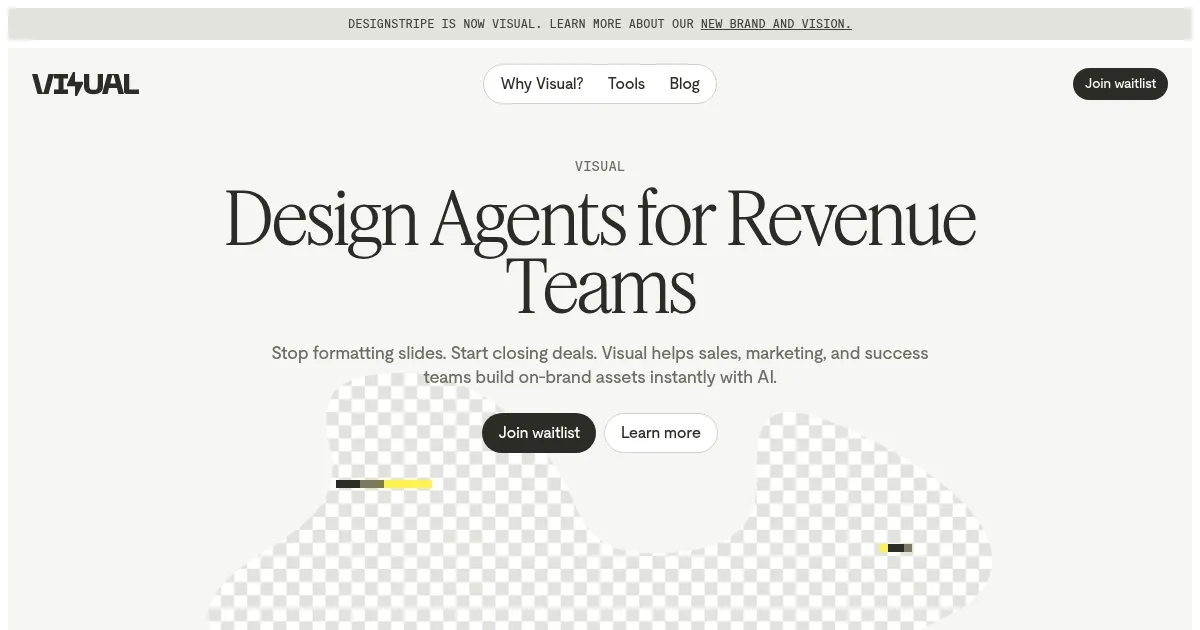
Formerly colled Designstripe, Visual is a clever AI tool that helps users make fancy designs without being a pro. As such, it can turn your ideas into ready-to-share ads and social posts in seconds.

Visual can take your words or even a website link as input and do the rest by itself. It will pull your brand’s colors, fonts, and style to create designs that “feel just right.” It’s like having your own design team or at least a design assistant that costs pennies.

In that sense, this is a game-changer for folks who aren’t design-savvy but need to create an ad — and need to do it quickly. For those that have some skills, they could use Visual’s designs as a starting point and tweak them to their liking, changing things left and right until they get something they like.

For everyone, Visual is a handy tool that aims to simplify the design process. It is also perfect for quick, consistent content creation, which is important if you want to get traffic — and sales — from social media. And that would be most folks these days, right? Check it out.

Visit Visual ↗
Categories
👔 Work
💬 Presentation Generation
🎨 Art
🖼️ Design Generation 🎨 Art Generation
📢 Advertising
🎨 Ad Creative 📢 Ad Generation
🖼️ Image
🪄 Text to Image
👥 Social
📝 Social Media Post Generation

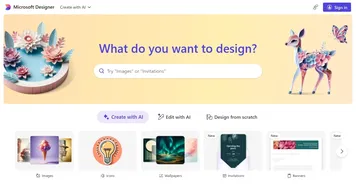
Homepage Screenshot 📸

Visual screenshot

Video Overview 🎬

What are the key features? ✨

  • Automatic brand kit: Enter your website URL, and Visual will pull your brand's colors, fonts, and style to create a cohesive look across all your designs.
  • Create from prompt or link: Type in an idea or paste a link, and Visual turns it into a ready-to-use design.
  • In-browser editor: Customize your designs directly in your browser. Adjust text, images, and layouts - and everything resizes automatically to fit different platforms.
  • Auto-resize for different platforms: Visual ensures your content looks great on any platform by automatically adjusting sizes and formats.
  • 3D video mockups: Showcase your designs in high-quality, animated 3D mockups directly in your browser. It's a cool way to present your work without needing specialized software.

Who is it for? 🤔

Visual is made for small businesses, marketers, content creators, and freelancers who must produce quality designs quickly and consistently. It can be especially beneficial for those without formal design training, offering an intuitive platform to create professional visuals. By simplifying the design process, it allows users to focus more on their message and less on the mechanics of design.

Examples of what you can use it for 💡

  • Quickly generate engaging posts that match your brand's look and feel
  • Produce eye-catching ads, flyers, and brochures that align with your brand identity
  • Enhance your digital platforms with professional illustrations and mockups
  • Generate visuals for blogs, newsletters, and presentations with little effort
  • Offer clients high-quality designs quickly, expanding your service offerings without extra effort

Pros & Cons ⚖️

  • A variety of templates and mockups
  • User-friendly interface suitable for beginners
  • Saves time with quick content generation
  • Limited customization for advanced users

Ready to try Visual?

Using AI to help users make fancy designs without being a pro

Visit Visual ↗

Visual alternatives 🔗

  1. Canva Magic Design Canva Magic Design Generates custom, on-brand designs from text prompts or uploaded media in seconds.
  2. Adobe Express Adobe Express Creates on-brand content with AI-driven design and video tools
  3. Gamma Gamma An AI tool for creating presentations, documents, or webpages.
  4. Prezi Prezi Creates engaging AI-powered presentations in seconds
  5. MiriCanvas MiriCanvas Creates stunning designs with AI-powered templates and editing tools
  6. Genspark Genspark An innovative AI-powered search engine designed to improve how we access information online
Share
Visual screenshot enlarged
Promote Visual
light badge
Copy Embed Code
dark badge
Copy Embed Code
neutral badge
Copy Embed Code
Best AI Tools

Discover the best AI tools for any use case

Explore
  • Tool Categories
  • AI Use Cases
  • AI Events
  • AI News
  • Saved Tools
Company
  • About Us
  • Contact Us
  • Media & Partnerships
  • Suggest a Tool
Legal
  • Privacy Policy
  • Terms of Service
Copyright © 2026 Best AI Tools 415 Mission Street, 37th Floor, San Francisco, CA 94105