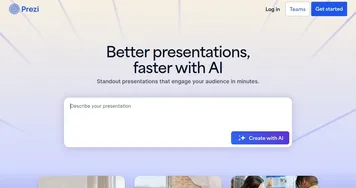
Presentations.AI


Presentations.AI is a cutting-edge tool that aims to transform the way presentations are created — offering a seamless and efficient solution for individuals and businesses alike.
The AI-powered platform enables users to generate professional-looking presentations with minimal effort, streamlining the process from start to finish. By simply inputting a text prompt, Presentations.AI will craft complete PowerPoint presentations in seconds, saving you a ton of time along the way.
What’s more, the tool also ensures that each slide is not only visually appealing but also tailored to convey your message effectively. This focus on ease of use and quality output makes Presentations.AI an invaluable tool for anyone looking to create impactful presentations without the need for extensive design skills.
Collaboration also comes included with Presentations.AI, enabling teamwork and project sharing among users. The platform supports real-time collaboration, allowing teams to work together regardless of their location. This feature is particularly beneficial for businesses and educational institutions where teamwork and shared projects are common.
The platform also offers customization options, including a wide range of templates and design options — enabling users to personalize their presentations to fit their specific needs and preferences.
So, whether you’re looking for a sleek and professional design for a business presentation or a more creative and engaging layout for an educational project, Presentations.AI has you covered.
Finally, we should add that the team behind Presentations.AI is continually updating its features and capabilities to stay ahead of the curve. And that’s just awesome!
Video Overview ▶️
What are the key features? ⭐
- Slide generation: Just type in what you need, and the AI creates a full PowerPoint presentation for you in seconds. It's like magic!
- Easy to use: So you can focus on your message and spend less time figuring out how to use complicated software.
- Collaboration included: Presentations.AI lets you work together with your team on presentations, no matter where you are. You can share your projects, get feedback in real time, and make changes together.
- Customizations: Whether you need something formal for business or something fun for school, you can make your slides look just right.
- Continuous updates: The team behind Presentations.AI is always working to make it better, adding new features and using the latest AI advancements to help you create impressive presentations more easily.
Who is it for? 🤔
Examples of what you can use it for 💭
- Quickly create professional and polished presentations for business meetings, sales pitches, or company reports
- Students and educators can use Presentations.AI to make engaging and informative slides for class projects, lectures, or assignments
- Marketing professionals can leverage Presentations.AI to craft compelling sales decks that highlight the benefits of their products or services
- For those hosting training sessions or workshops, Presentations.AI offers an efficient way to put together educational materials
- If you're preparing for a conference talk or a keynote speech, Presentations.AI can help you create a memorable presentation that supports your narrative
Pros & Cons ⚖️
- Create a PowerPower presentation in seconds!
- It also makes those presentations look fancy
- Included templates are a huge time saver
- It's AI, not a wizardry, so you'll still have work to do