logo-darklogo-darklogo-darklogo-dark
  • Home
  • Browse
    • Assistant
    • Coding
    • Image
    • Productivity
    • Video
    • Voice
    • Writing
    • All Categories
    • AI Use Cases
  • My Favorites
  • Suggest a Tool
✕
Home › Video Generation & Editing ›

RecCloud

Published by Dusan Belic on January 9, 2025

RecCloud

RecCloud
RecCloud Homepage
Categories Video Generation & Editing
An AI-powered platform that makes video creation and editing easy for virtually anyone

RecCloud

RecCloud is an AI-powered platform that makes video creation and editing easy for virtually anyone. With tools like AI Speech to Text, AI Subtitle Generator, and AI Video Translator – it transforms complex tasks into simple ones. I remember using RecCloud to transcribe a lengthy meeting — the accuracy was spot-on, saving me hours of manual work.

When it comes to the mentioned AI Subtitle Generator it can create subtitles in the original language as well as translate them into multiple languages. This can be a game-changer for reaching a global audience. For instance, when I uploaded a five-minute video, RecCloud generated perfectly timed subtitles in just about three minutes. The speed and precision were impressive.

RecCloud also offers an AI Video Generator that turns text into videos. This tool is perfect for content creators and marketers looking to produce videos without extensive resources. I tried creating a promotional video using just a script, and the result was professional and captivating — though I must say I’ve seen better. Nevertheless, the ease of use and quality output make it a valuable asset.

Lastly, for those concerned about privacy, RecCloud ensures that uploaded files are deleted from their servers within 30 minutes. This is meant to provide peace of mind when handling sensitive information. And to free up the storage, one might add.

RecCloud Homepage
Categories Video Generation & Editing

Video Overview ▶️

What are the key features? ⭐

  • Speech to text: This tool accurately converts spoken words into written text, making video transcriptions a breeze.
  • Subtitle generator: Automatically generates subtitles in the original language and can translate them into multiple languages. This feature is meant to enhance accessibility and audience engagement across platforms and geographies.
  • Voice generator: Transforms text into natural-sounding speech, supporting different voice types and multiple languages. It can also convert text from one language into speech in another.
  • Summarizations: Summarizes lengthy videos or audio files, such as YouTube content, into concise highlights. As you can imagine, this is a huge time saver.
  • AI video generator: Converts text into videos effortlessly using advanced AI technology. This feature allows anyone to bring their ideas to life without extensive video editing skills.

Who is it for? 🤔

RecCloud targets content creators, marketers, and businesses seeking efficient and accessible tools for audio and video processing. Its AI-driven features cater to individuals and organizations aiming to enhance their digital content creation, streamline workflows, and reach a global audience through multilingual support.

Examples of what you can use it for 💭

  • Influencers and marketers can utilize RecCloud's AI Video Generator to produce captivating videos from text prompts
  • Educators can create multilingual video content with accurate subtitles and voiceovers
  • Podcasters can transcribe their audio files using the AI Speech to Text feature
  • Businesses can summarize group discussions into key insights using the AI Video/Audio Summarization tool
  • Companies can add voiceovers and subtitles in their video files in multiple languages

Pros & Cons ⚖️

  • Generates subtitles for videos automatically
  • Quickly converts audio to text
  • Offers various video editing features online
  • Advanced tools are not free (kinda expected)

FAQs 💬

What is RecCloud mainly used for?
RecCloud is primarily used for AI-driven speech-to-text transcription, video translation, subtitle generation, AI dubbing, and text-to-speech voice generation, all in one easy online platform.
How many languages does RecCloud support for translation and subtitles?
It supports over 100 languages for transcription, translation, and subtitles, with strong performance in popular ones like English, Spanish, Mandarin, and more.
Can RecCloud handle video translation with both subtitles and dubbing?
Yes, it offers options for subtitles only, dubbing with AI voices, or combining both, including features like voice cloning and multi-voice dubbing for more natural results.
Is RecCloud suitable for transcribing meetings or interviews?
Absolutely, it excels at transcribing audio/video from meetings, interviews, or lectures, with automatic speaker identification, smart summaries, and high accuracy even with accents or some background noise.
Does RecCloud work with YouTube videos?
Yes, you can paste a YouTube link directly, and it will transcribe, summarize, translate, or add subtitles to the content quickly.
How accurate is the AI speech-to-text in RecCloud?
Recent reviews highlight 92-98% accuracy depending on audio quality, often comparable to top tools and better than many manual processes.
Can beginners use RecCloud without technical skills?
Definitely, the platform features a user-friendly interface with no installation needed, drag-and-drop uploads, and one-click processing that makes it accessible for non-experts.
Does RecCloud offer real-time transcription?
Yes, it includes real-time transcription capabilities for live audio or video, plus options to record directly in the browser.
What types of files can I upload to RecCloud?
You can upload common audio and video formats like MP3, MP4, and WAV, or start from live recordings and URLs.
Is RecCloud good for content creators expanding globally?
Very much so, with fast video translation and dubbing that helps creators reach international audiences without re-recording or expensive services.

Related tools ↙️

  1. Runway Runway Generates and edits AI-powered videos from text prompts
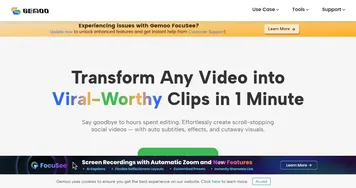
  2. Gemoo Gemoo An AI platform that makes it easy to create, edit, and share videos and images
  3. MindVideo AI MindVideo AI Generates videos from text prompts or images using AI models
  4. Moonvalley Moonvalley Generates cinematic videos from text or images with precise motion controls
  5. Minimax AI Minimax AI Transforms text into videos and enhances photos with AI effects
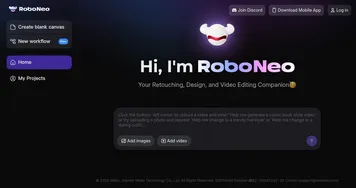
  6. RoboNeo RoboNeo Generates images, edits photos, and creates videos via natural language prompts
Last update: January 18, 2026
Share
Promote RecCloud
light badge
Copy Embed Code
light badge
Copy Embed Code
light badge
Copy Embed Code
About Us | Contact Us | Suggest an AI Tool | Privacy Policy | Terms of Service

Copyright © 2026 Best AI Tools
415 Mission Street, 37th Floor, San Francisco, CA 94105