RoboNeo by Meitu
Generates images, edits photos, and creates videos via natural language prompts
RoboNeo is a visual content creation AI tool that feels intuitive right from the start. Developed by Meitu, a company known for its photo editing apps, this agent handles everything from basic retouches to full video production with just a few words. You type a prompt like “change my outfit to a suit and add a city background,” and it delivers. I appreciate how it integrates natural language processing to understand context, which saves time compared to manual tweaks in traditional software. The tool runs on advanced models that process images and videos efficiently, often producing results in seconds on a smartphone. Users on forums note its strength in maintaining consistency across edits, like keeping facial features intact during style changes.
What draws people in is the mobile-first approach. Download the app, sign up, and you’re editing without needing a powerful computer. Features like outfit swaps, pose adjustments, and watermark removal work seamlessly for personal photos, while the design generator creates posters or logos on demand. For videos, it adds effects, music, and hooks that make clips ready for social media. I think this accessibility empowers beginners who might otherwise stick to basic filters. Compared to competitors such as Canva’s Magic Studio, which offers similar AI edits but requires more steps for complex tasks, RoboNeo feels more conversational. Or take Picsart, another mobile editor with AI tools; its video capabilities are solid, but RoboNeo’s prompt-based generation often yields more polished anime-style outputs without extra plugins. Pricing starts free with daily credits, and premium unlocks unlimited access, which seems fair since it avoids the steep subscriptions some rivals push.
Of course, not everything is perfect. Some users report occasional misinterpretations of prompts, especially with nuanced colors or emotions, leading to regenerate attempts that eat into free credits. The app’s interface, while clean, can feel cluttered during video previews, and export options limit resolution on the basic plan. A surprise here is its code generation for web elements, like turning a design into HTML snippets, which bridges visual and dev work in ways tools like Adobe Firefly don’t emphasize. Still, if you’re heavy into professional printing, the free tier’s output might need upscaling elsewhere. Overall, it shines for quick, creative bursts.
The community around RoboNeo adds value too. On platforms like Reddit and X, creators share prompts that boost results, turning it into a collaborative space. Recent updates in 2025 improved multilingual support, making it useful for global users. I probably wouldn’t rely on it for enterprise-level branding yet, but for solopreneurs or hobbyists, it delivers real efficiency.
Try starting with simple photo edits to build confidence, then experiment with video prompts. Pair it with your phone’s camera for on-the-go creation, and always refine prompts with specifics like “vibrant blue tones” to get closer matches. That way, you maximize its potential without frustration.
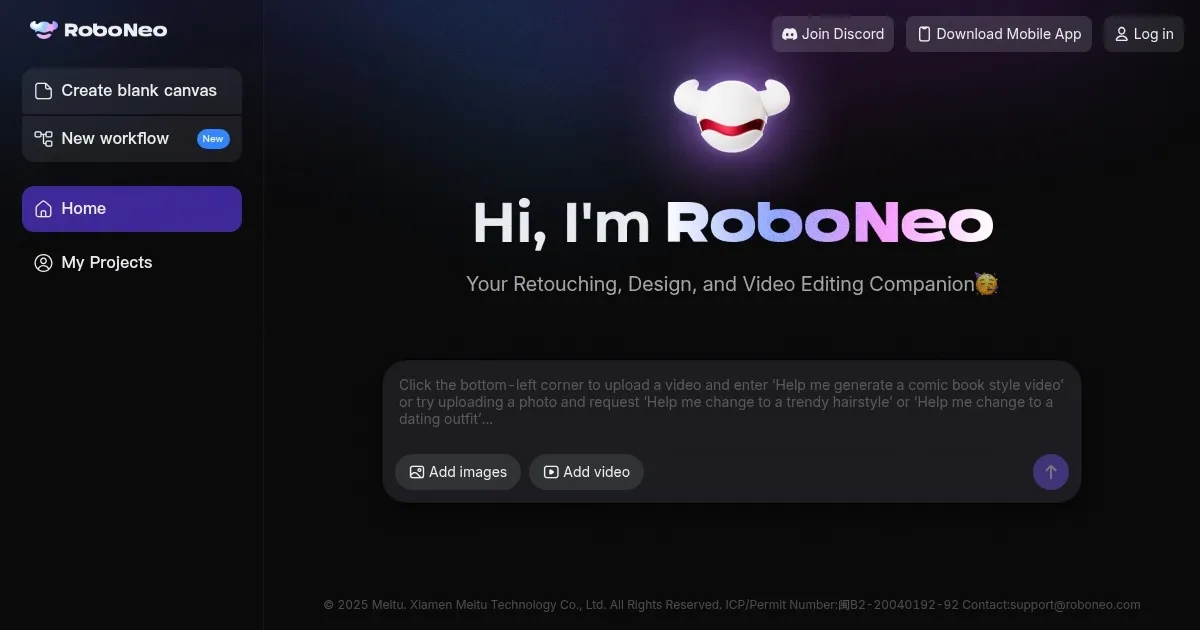
Homepage Screenshot 📸
What are the key features? ✨
- Image Editing: Allows natural language-based modifications like outfit changes, pose adjustments, and background swaps to refine photos quickly.
- Design Generation: Creates posters, logos, memes, and product images from text prompts for marketing or personal use.
- Video Production: Generates short videos with effects, music, and styles such as anime using simple descriptions.
- Photo Retouching: Applies daily beauty enhancements, watermark removal, and viral filters to improve image quality.
- Emoji Creator: Produces custom stickers and emojis based on user inputs for social media integration.
Who is it for? 🤔
Examples of what you can use it for 💡
- Social Media Influencer: Uses prompts to edit selfies with trendy filters and create short video hooks for posts, saving hours on content prep.
- Small Business Owner: Generates product listing images and logos from descriptions to update online stores without hiring designers.
- Student: Produces posters and presentation visuals with custom backgrounds and effects for school projects efficiently.
- Video Hobbyist: Creates anime-style clips with music and transitions from story ideas for personal YouTube channels.
- Marketer: Designs memes and branding materials via text inputs to run quick social campaigns.
Pros & Cons ⚖️
- Free daily credits
- Mobile-friendly app
- Multilingual support
- Limited free exports
FAQs 💬
Ready to try RoboNeo?
Generates images, edits photos, and creates videos via natural language prompts
Visit RoboNeoRoboNeo alternatives 🔗