Moonvalley
Generates cinematic videos from text or images with precise motion controls
I spent some time poking around Moonvalley, mostly generating a few test clips from sketches I’d drawn earlier. The Marey model pulled me in right away, turning a static image of a city street into a panning shot that felt alive, with cars gliding past under moody evening lights. It’s like handing over the reins to a skilled DP who gets your vibe without arguing. That first output had me grinning, the way shadows played off buildings just right, no artifacts mucking it up.
Diving into features, Camera Control jumped out. You feed it one image, describe the move, like a slow dolly in, and it builds a 3D-aware scene around it. My trial run with a portrait photo created a subtle zoom that revealed details I hadn’t even planned, adding this unexpected depth. Folks on X share similar stories, praising how it mimics on-set direction without the hassle. But here’s a quirk, sometimes the motion feels a tad too smooth, almost dreamlike, which works for artistic pieces but clunked when I tried a gritty action sequence.
Likes? The ethical angle shines through, trained on licensed data so you can use clips commercially without second-guessing. Motion Transfer lets you grab energy from a reference video, say a dancer’s leap, and slap it onto your subject, keeping the rhythm intact. I transferred a wave crash to a fabric ripple, and it nailed the flow. Compared to Pika, Moonvalley’s outputs hold coherence better over 10-second clips, and its tiers offer more credits for the price, making it friendlier for solo creators than Pika’s premium push.
What I didn’t love was the occasional prompt drift, where elements like background crowds multiplied oddly. Not a dealbreaker, but it meant rerolling twice for one good take. Surprise element: the lighting adapts so naturally to your inputs, turning a daytime prompt into golden hour magic with minimal guidance. Pricing is straightforward, credit packs from entry-level to pro, often cheaper per generation than Synthesia for non-avatar videos.
In my short session, it sparked ideas for a quick promo reel. If you’re new, upload references early to guide it, and layer controls gradually. Keeps things fun without overwhelming.
Homepage Screenshot 📸
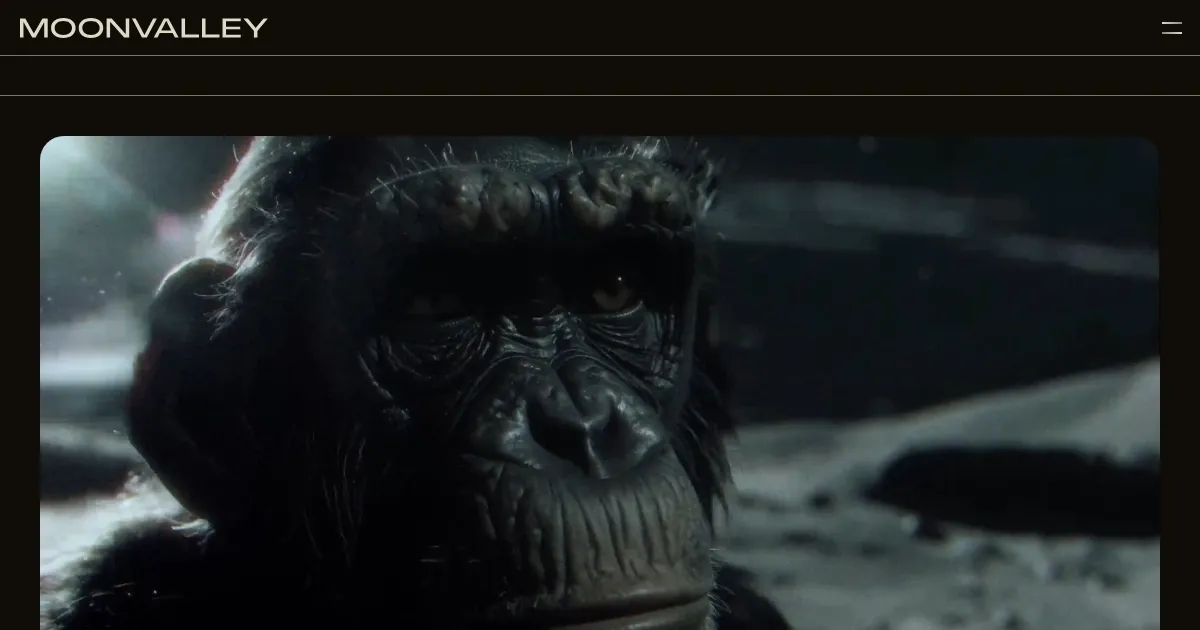
Video Overview 🎬
What are the key features? ✨
- Pose Transfer: Applies timing and intent from reference images or videos to new subjects for expressive, precise results.
- Camera Control: Generates 3D-aware cinematic movements from a single image, simulating on-set direction.
- Motion Transfer: Extracts motion from reference videos and adapts it to new scenes while preserving energy.
- Trajectory Control: Allows drawing paths for natural object movement without relying on text prompts.
- Composable Layers: Enables precise layering of inputs like motion and lighting to build complex scenes.
Who is it for? 🤔
Examples of what you can use it for 💡
- Filmmaker: Uses Pose Transfer to maintain character consistency across scenes in a short film prototype.
- VFX Artist: Applies Motion Transfer from reference footage to simulate realistic explosions in a demo reel.
- Content Creator: Draws trajectories in Trajectory Control to animate product paths for social media ads.
- Animator: Layers elements with Composable Layers to build complex animated sequences from sketches.
- Brand Designer: Employs Camera Control to create cinematic product shots from static images for campaigns.
Pros & Cons ⚖️
- Precise motion controls
- Commercially safe outputs
- Natural physics simulation
- Affordable credit tiers
- Occasional prompt drift
- Generation time delays
FAQs 💬
Ready to try Moonvalley?
Generates cinematic videos from text or images with precise motion controls
Visit MoonvalleyMoonvalley alternatives 🔗