logo-darklogo-darklogo-darklogo-dark
  • Home
  • Browse
    • Assistant
    • Coding
    • Image
    • Productivity
    • Video
    • Voice
    • Writing
    • All Categories
    • AI Use Cases
  • My Favorites
  • Suggest a Tool
✕
Home › Image & Photo Analysis ›

Reimagine

Published by Dusan Belic on July 10, 2023

Reimagine by MyHeritage

Reimagine
Reimagine Homepage
Categories Image & Photo Analysis
A photo enhancement tool that digitizes, restores, colorizes, and animates old photographs using AI.

Reimagine

Reimagine is a sophisticated photo scanner and AI photo enhancer designed to bring new life to old photographs. It utilizes advanced AI to allow users to scan entire album pages instantly, automatically detecting and cropping each photo within the page. This tool is not just a scanner; it significantly enhances the quality of old pictures by improving their resolution, colorizing black and white photos, and restoring them by fixing common issues such as scratches and creases.

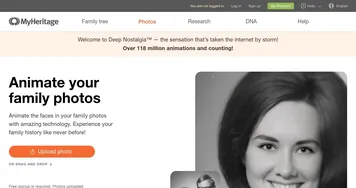
In addition, Reimagine has the unique feature of creating short animations from the faces in the photos, adding a dynamic and emotional dimension to static images.

The tool has received acclaim from users worldwide for its ability to transform and modernize how we interact with historical photographs. Testimonials highlight Reimagine’s emotional impact and ease of use, with users appreciating the ability to quickly scan and upgrade pictures, see their ancestors in color for the first time, and even witness animated versions of historical family members, bringing a sense of closeness to the past.

Developed and powered by MyHeritage Ltd., Reimagine stands out for its technological prowess and for the profoundly personal experiences it facilitates, deepening our connections to our heritage and family history.

Reimagine Homepage
Categories Image & Photo Analysis

Video Overview ▶️

What are the key features? ⭐

  • Photo restoration: Enhance old photos by fixing scratches, creases, and improving resolution.
  • Colorization: Add color to black-and-white photos to "bring them to life."
  • Photo animation: Create short animations of faces in your photos.
  • Auto-cropping: AI can instantly detect and crop photos from scanned album pages.
  • Multi-photo scanning: Scan entire album pages quickly, saving time and effort.

Who is it for? 🤔

Reimagine is made for individuals and families interested in preserving and enhancing their photographic memories. It is also targeted towards genealogy enthusiasts, historians, and anyone else looking to digitize and improve their photo collections. The service appeals to people who value family history and want to bring old photos to life with modern technology.

Examples of what you can use it for 💭

  • Preserve family history by enhancing and restoring old family photos
  • Create personalized gifts for loved ones from restored and colorized photos
  • Improve the quality of historical photos for better identification and research
  • Digitize and enhance photo collections for easier storage and sharing
  • Animate and enhance photos to share engaging content on social platforms

Pros & Cons ⚖️

  • Makes it easy to restore old photos
  • Face animations make for funny social media posts
  • Create personalized gifts for your grandparents with ease
  • You may still need Photoshop for fine tuning
FAQs 💬

What is MyHeritage Reimagine?
MyHeritage Reimagine is a mobile app that uses AI to scan, restore, and enhance old photos. It lets you digitize entire album pages quickly, then apply tools like colorization and animation. It's built for preserving family memories without needing a full genealogy subscription.
How does the photo scanning feature work?
The app's built-in scanner uses your phone's camera to capture multiple photos on an album page at once. AI automatically detects edges, crops each image, and straightens them. It works best in good lighting, and you can scan a whole page in seconds.
What AI enhancement tools does it offer?
Key tools include Photo Enhancer for upscaling blurry or low-res images, Photo Repair to fix scratches and tears, Colorize for black-and-white photos, and Deep Nostalgia for animating faces into short videos. All run on licensed tech like DeOldify for accurate results.
Is Reimagine free to use?
You can download the app for free and scan or enhance a limited number of photos without paying. Unlimited access requires a subscription, though MyHeritage Complete users get full features included.
What are the pricing options for Reimagine?
It offers a monthly plan at $7.99 with no free trial, or an annual plan at $49.99 that includes a 7-day trial. Existing MyHeritage Complete subscribers ($299/year after the first discounted year) access everything unlimited, plus extra storage.
Does it integrate with MyHeritage genealogy features?
Yes, if you link it to your MyHeritage family site, enhanced photos sync over, and relatives can view them. Tagged faces become searchable in your tree. But it stands alone fine if you're just into photos.
How accurate are the colorization and animation results?
Colors come out natural most times, thanks to deep learning models, but they might vary on complex scenes. Animations focus on one face per photo and feel lifelike, though some users note occasional uncanny effects on stiff poses.
What devices does Reimagine support?
It's available on iOS and Android phones or tablets via the App Store or Google Play. No desktop version yet, so scanning relies on your mobile camera.
Are there privacy concerns with uploading family photos?
MyHeritage adds ethical AI icons to edited images for transparency, and originals stay intact. Data is stored securely, but review their policy, as some past users worried about subscriptions auto-renewing.
Is Reimagine good for beginners with no tech skills?
Absolutely, the interface is simple, with one-tap edits and guided scans. Reviews from 2025 say even non-techy folks love how it turns faded pics into shareable gems, though results shine brightest on decently lit originals.

Related tools ↙️

  1. How Attractive Am I How Attractive Am I Reveal your facial allure with a fast AI‑driven attractiveness score.
  2. DeepSwap DeepSwap An AI-based service that lets users create realistic face swaps in photos and videos
  3. Colorcinch Colorcinch An AI-powered tool that turns images into cartoon-like images with just one click
  4. Lensa Lensa An all-in-one image editing app that takes your photos to the next level
  5. LiveMemory LiveMemory A tool from MyHeritage that creates AI-generated avatars of people in historical attire and settings
  6. Prisma Prisma Use AI to turn photos into art in one tap
Last update: November 12, 2025
Share
Promote Reimagine
light badge
Copy Embed Code
light badge
Copy Embed Code
light badge
Copy Embed Code
About Us | Contact Us | Suggest an AI Tool | Privacy Policy | Terms of Service

Copyright © 2026 Best AI Tools
415 Mission Street, 37th Floor, San Francisco, CA 94105