logo-darklogo-darklogo-darklogo-dark
  • Tool Categories
    • ๐ŸŽจArt & Creative Design505
    • ๐ŸขBusiness Management644
    • ๐Ÿ’ปCoding & Development515
    • ๐Ÿ‘ฎDetection83
    • ๐Ÿง General Use727
    • ๐ŸฅHealth & Wellness55
    • ๐Ÿ“ทImage & Photo Analysis100
    • ๐Ÿ–ผ๏ธImage Generation & Editing618
    • ๐Ÿ“Interior & Architectural Design37
    • ๐ŸŽ“Learning & Education483
    • โš–๏ธLegal & Finance90
    • ๐ŸŽญLifestyle & Entertainment236
    • ๐Ÿ“ขMarketing & Advertising627
    • ๐ŸŽงMusic & Audio138
    • ๐Ÿ‘”Office & Workplace1,014
    • ๐Ÿ”ฌResearch & Data Analysis372
    • ๐Ÿ‘ฅSocial Media245
    • ๐ŸŽฅVideo Generation & Editing426
    • ๐Ÿ‘ง๐ŸปVirtual Companion135
    • ๐ŸŽคVoice Generation & Editing381
    • โœ๏ธWriting & Editing808
    • All Categories
    • AI Use Cases
  • News
  • Events
    • Academic Conferences
    • Developer Conferences
    • Expos / Trade Shows
    • Industry Summits
    • Workshops / Training
    • All Events
    • Past Events
  • Saved Tools
  • Suggest a Tool
โœ•
Home › Image Generation & Editing › Photo Editing› AI Image Editor
AI Image Editor

AI Image Editor

Edit photos instantly with AI for enhancements, background removal, and more.

AI Image Editor is a free, browser-based AI tool for editing images without sign-up or installation. It offers 12 tools, including enhancement, background removal, watermark erasing, and style transfers, supporting formats like JPG, PNG, and WEBP. Processing happens locally for privacy, and results are high-quality, especially for clear images.

Key features include one-tap background removal, which isolates subjects cleanly, and a style transfer tool for effects like watercolor or sketch. The interface is responsive, working on desktops, tablets, and smartphones, with iOS and Android apps available. Most tasks finish in seconds, though complex edits may take longer. Commercial use of edited images is permitted.

Compared to Fotor or Pixlr, it lacks advanced design features but excels in simplicity and speed. No subscription is required, unlike Canva, which pushes premium plans for extra tools. Drawbacks include occasional struggles with low-quality images and no batch editing.

For best results, use high-resolution images with defined subjects. Experiment with specific tools like line art extraction for creative projects, and leverage the mobile apps for on-the-go edits.

Visit AI Image Editor ↗
Categories
๐Ÿ–ผ๏ธ Image
โœ๏ธ Photo Editing ๐Ÿ–ผ๏ธ Image Generation โœ‚๏ธ Background Removal ๐Ÿงน Object Removal ๐Ÿ’Ž Image Enhancing ๐Ÿž๏ธ Background Generation ๐ŸŒŸ Photo Enhancing
๐ŸŽจ Art
๐Ÿ–ผ๏ธ Design Generation

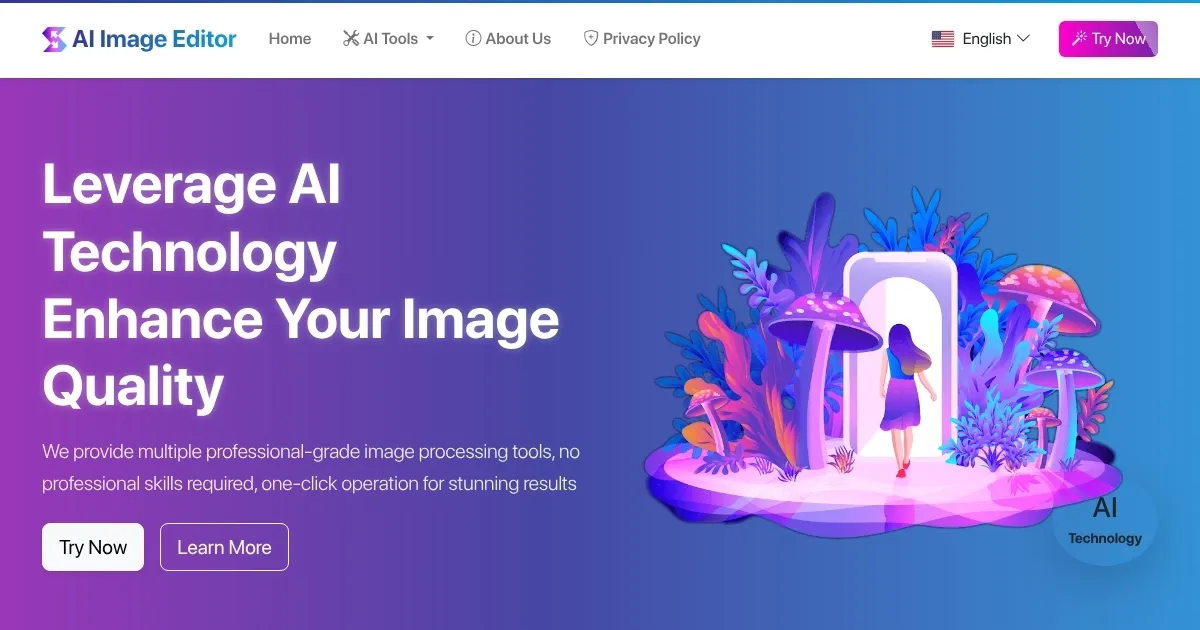
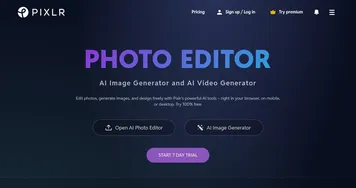
Homepage Screenshot 📸

AI Image Editor screenshot

What are the key features? ✨

  • Background Removal: Automatically isolates subjects for clean, transparent backgrounds.
  • Image Enhancement: Sharpens and boosts colors for professional-grade photos.
  • Watermark Removal: Erases unwanted logos or text with minimal distortion.
  • Style Transfer: Applies artistic effects like watercolor or sketch to images.
  • Line Art Extraction: Converts photos into detailed sketch or outline effects.

Who is it for? 🤔

AI Image Editor suits small business owners, e-commerce sellers, hobbyist photographers, and graphic designers seeking quick, high-quality edits without complex software. Its no-sign-up, free model appeals to casual users, while its privacy-focused, device-based processing reassures those wary of data sharing.

Examples of what you can use it for 💡

  • E-commerce Seller: Removes backgrounds from product photos for clean listings.
  • Hobbyist Photographer: Enhances old photos to restore clarity and vibrancy.
  • Graphic Designer: Applies style transfers for unique social media graphics.
  • Blogger: Erases watermarks from stock images for professional posts.
  • Illustrator: Uses line art extraction to create sketches from photos.

Pros & Cons ⚖️

  • Free, no sign-up required.
  • Fast processing, often seconds.
  • Privacy-focused local processing.
  • Supports multiple image formats.
  • Intuitive, mobile-friendly interface.
  • Struggles with low-res images.
  • No batch editing option.
  • Limited advanced design tools.

FAQs 💬

Is AI Image Editor really free?
Yes, all tools are free with no sign-up or hidden costs.
Do I need to download software to use it?
No, itโ€™s browser-based with optional mobile apps.
Can I use edited images for commercial purposes?
Yes, processed images are free for commercial use.
What image formats are supported?
It supports JPG, PNG, WEBP, BMP, and TIFF.
Is my data safe with AI Image Editor?
Yes, images are processed locally, ensuring privacy.
Does it work on mobile devices?
Yes, itโ€™s responsive and offers iOS/Android apps.
How fast is the editing process?
Most tasks complete in seconds, depending on complexity.
Can I edit low-quality images?
Best results come from clear, high-resolution images.
Are there limits on image size?
It supports images up to 20MB and 4096x4096 pixels.
Does it offer batch editing?
No, it processes one image at a time.

Ready to try AI Image Editor?

Edit photos instantly with AI for enhancements, background removal, and more.

Visit AI Image Editor ↗

AI Image Editor alternatives 🔗

  1. Imagen Imagen Generates photorealistic images from detailed text prompts
  2. Black Forest Labs Black Forest Labs Generates high-quality images from text prompts with precision and speed
  3. Stable Diffusion Stable Diffusion Generates high-quality images from text prompts with versatile styles
  4. Adobe Express Adobe Express Creates on-brand content with AI-driven design and video tools
  5. Adobe Firefly Adobe Firefly Generates images, videos, audio, and vectors using AI.
  6. Freepik AI Freepik AI Creates AI images and videos with fluid motion, detailed textures, and synced audio up to 1080p
Share
AI Image Editor screenshot enlarged
Promote AI Image Editor
light badge
Copy Embed Code
dark badge
Copy Embed Code
neutral badge
Copy Embed Code
Best AI Tools

Discover the best AI tools for any use case

Explore
  • Tool Categories
  • AI Use Cases
  • AI Events
  • AI News
  • Saved Tools
Company
  • About Us
  • Contact Us
  • Media & Partnerships
  • Suggest a Tool
Legal
  • Privacy Policy
  • Terms of Service
Copyright © 2026 Best AI Tools 415 Mission Street, 37th Floor, San Francisco, CA 94105