logo-darklogo-darklogo-darklogo-dark
  • Tool Categories
    • ๐ŸŽจArt & Creative Design505
    • ๐ŸขBusiness Management644
    • ๐Ÿ’ปCoding & Development515
    • ๐Ÿ‘ฎDetection83
    • ๐Ÿง General Use727
    • ๐ŸฅHealth & Wellness55
    • ๐Ÿ“ทImage & Photo Analysis100
    • ๐Ÿ–ผ๏ธImage Generation & Editing618
    • ๐Ÿ“Interior & Architectural Design37
    • ๐ŸŽ“Learning & Education483
    • โš–๏ธLegal & Finance90
    • ๐ŸŽญLifestyle & Entertainment236
    • ๐Ÿ“ขMarketing & Advertising627
    • ๐ŸŽงMusic & Audio138
    • ๐Ÿ‘”Office & Workplace1,014
    • ๐Ÿ”ฌResearch & Data Analysis372
    • ๐Ÿ‘ฅSocial Media245
    • ๐ŸŽฅVideo Generation & Editing426
    • ๐Ÿ‘ง๐ŸปVirtual Companion135
    • ๐ŸŽคVoice Generation & Editing381
    • โœ๏ธWriting & Editing808
    • All Categories
    • AI Use Cases
  • News
  • Events
    • Academic Conferences
    • Developer Conferences
    • Expos / Trade Shows
    • Industry Summits
    • Workshops / Training
    • All Events
    • Past Events
  • Saved Tools
  • Suggest a Tool
โœ•
Home › Image Generation & Editing › Photo Editing› ImageEditor.ai
ImageEditor.ai

ImageEditor.ai

Edit images effortlessly using AI with simple text prompts

ImageEditor.ai is an AI-powered online tool that edits or creates images based on text prompts, requiring no design expertise. Users upload images in formats like JPEG or PNG (up to 20MB) and describe changes, such as altering backgrounds or removing objects. Built on a fork of imaginAIry and developed with Django, it prioritizes simplicity and speed, delivering results in seconds over HTTPS.

Key features include Inpainting for erasing objects, Replace Background for swapping settings, and Cleanup for removing text or watermarks. The tool maintains image lighting and proportions, ensuring natural-looking edits. Free editing is available for images up to 720px, with high-quality outputs requiring signup. Images are deleted within an hour for privacy.

Compared to Canva, which integrates AI editing into a broader design platform, or Fotor, with its batch editing capabilities, ImageEditor.ai focuses narrowly on text-prompt edits. It lacks advanced manual controls, like pixel-level adjustments, available in competitors. Its API support allows developers to automate tasks, a feature less prominent in similar tools.

Users appreciate the intuitive interface and fast processing. However, complex prompts can yield inconsistent results, and the lack of fine-tuning options limits precision. The signup requirement for high-quality downloads may deter some. The tool suits casual users and developers but may not satisfy those needing detailed control.

Start with high-quality images and clear, specific prompts to maximize results. Test simple edits before attempting complex transformations to understand the tool’s capabilities.

Visit ImageEditor.ai ↗
Categories
๐Ÿ–ผ๏ธ Image
โœ๏ธ Photo Editing ๐Ÿ–ผ๏ธ Image Generation โœ‚๏ธ Background Removal ๐Ÿงน Object Removal ๐Ÿ’Ž Image Enhancing ๐ŸŒŸ Photo Enhancing ๐Ÿž๏ธ Background Generation

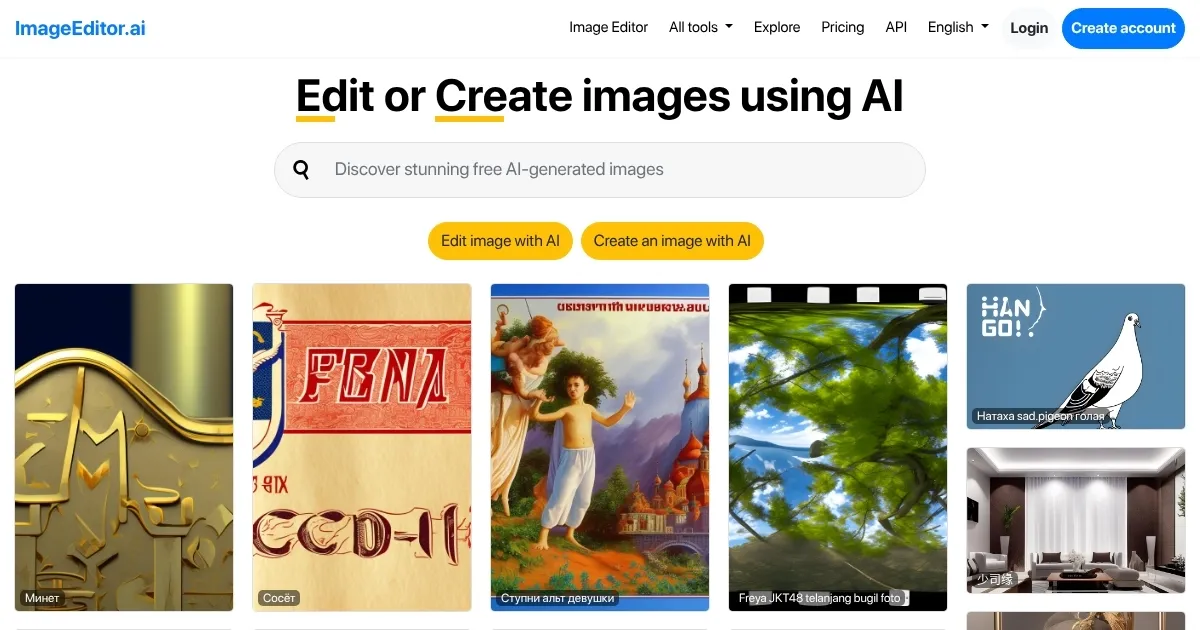
Homepage Screenshot 📸

ImageEditor.ai screenshot

What are the key features? ✨

  • Inpainting: Erases unwanted objects from images using text prompts.
  • Replace Background: Swaps image backgrounds with new settings in seconds.
  • Cleanup: Removes text, watermarks, or people from photos effortlessly.
  • API Integration: Allows developers to automate edits via secure HTTPS API.
  • Image Privacy: Deletes uploaded images within an hour for user security.

Who is it for? 🤔

ImageEditor.AI is designed for casual users, small business owners, and developers who need quick, AI-driven image edits without mastering complex software. It suits content creators tweaking social media visuals, e-commerce sellers enhancing product photos, or coders integrating image editing into apps. Its simplicity appeals to beginners, while API access draws tech-savvy users needing automation.

Examples of what you can use it for 💡

  • Social Media Manager: Enhances post visuals by swapping backgrounds or removing distractions.
  • E-commerce Seller: Cleans up product photos by erasing watermarks or objects.
  • Developer: Automates image edits in apps using the toolโ€™s API integration.
  • Blogger: Creates custom visuals by adding elements like text or objects to images.
  • Casual User: Edits personal photos, like changing a sky or fixing old images.

Pros & Cons ⚖️

  • Simple text-prompt interface
  • Free for low-res images
  • API for developer automation
  • Limited fine-tuning controls
  • No advanced manual edits

FAQs 💬

What image formats does ImageEditor.ai support?
Supports JPEG, PNG, GIF, and WEBP up to 20MB.
Is ImageEditor.ai free to use?
Free for images up to 720px; high-quality requires signup.
How secure are my uploaded images?
Images are deleted within an hour for privacy.
Can I use ImageEditor.ai for professional projects?
Yes, ideal for quick edits in e-commerce or social media.
Does it require design skills?
No, text prompts make it accessible to beginners.
Can developers integrate it into apps?
Yes, via a secure HTTPS API with an API key.
How fast are the edits?
Most edits complete in seconds.
What if my prompt doesn't work well?
Use clear, specific prompts for best results.
How does it compare to Canva or Fotor?
More focused on text-prompt edits, less on design suites.
Can I edit multiple images at once?
No, it's single-image focused, unlike some competitors.

Ready to try ImageEditor.ai?

Edit images effortlessly using AI with simple text prompts

Visit ImageEditor.ai ↗

ImageEditor.ai alternatives 🔗

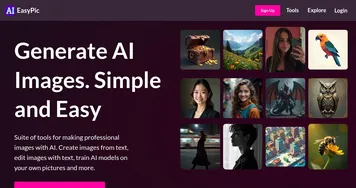
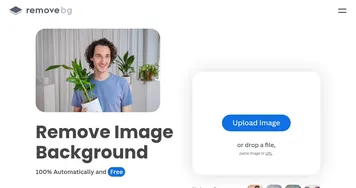
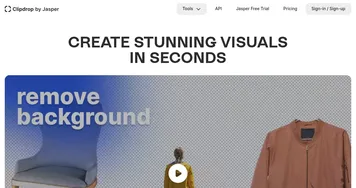
  1. Imagen Imagen Generates photorealistic images from detailed text prompts
  2. Black Forest Labs Black Forest Labs Generates high-quality images from text prompts with precision and speed
  3. Stable Diffusion Stable Diffusion Generates high-quality images from text prompts with versatile styles
  4. Adobe Express Adobe Express Creates on-brand content with AI-driven design and video tools
  5. Adobe Firefly Adobe Firefly Generates images, videos, audio, and vectors using AI.
  6. Freepik AI Freepik AI Creates AI images and videos with fluid motion, detailed textures, and synced audio up to 1080p
Share
ImageEditor.ai screenshot enlarged
Promote ImageEditor.ai
light badge
Copy Embed Code
dark badge
Copy Embed Code
neutral badge
Copy Embed Code
Best AI Tools

Discover the best AI tools for any use case

Explore
  • Tool Categories
  • AI Use Cases
  • AI Events
  • AI News
  • Saved Tools
Company
  • About Us
  • Contact Us
  • Media & Partnerships
  • Suggest a Tool
Legal
  • Privacy Policy
  • Terms of Service
Copyright © 2026 Best AI Tools 415 Mission Street, 37th Floor, San Francisco, CA 94105