logo-darklogo-darklogo-darklogo-dark
  • Tool Categories
    • 🎨Art & Creative Design505
    • 🏢Business Management644
    • 💻Coding & Development515
    • 👮Detection83
    • 🧠General Use727
    • 🏥Health & Wellness55
    • 📷Image & Photo Analysis100
    • 🖼️Image Generation & Editing618
    • 📐Interior & Architectural Design37
    • 🎓Learning & Education483
    • ⚖️Legal & Finance90
    • 🎭Lifestyle & Entertainment236
    • 📢Marketing & Advertising627
    • 🎧Music & Audio138
    • 👔Office & Workplace1,014
    • 🔬Research & Data Analysis372
    • 👥Social Media245
    • 🎥Video Generation & Editing426
    • 👧🏻Virtual Companion135
    • 🎤Voice Generation & Editing381
    • ✍️Writing & Editing808
    • All Categories
    • AI Use Cases
  • News
  • Events
    • Academic Conferences
    • Developer Conferences
    • Expos / Trade Shows
    • Industry Summits
    • Workshops / Training
    • All Events
    • Past Events
  • Saved Tools
  • Suggest a Tool
✕
Home › Lifestyle & Entertainment › News› Cloudbooklet
Cloudbooklet

Cloudbooklet

Transform text prompts into stunning AI-generated images while editing photos with powerful AI tools

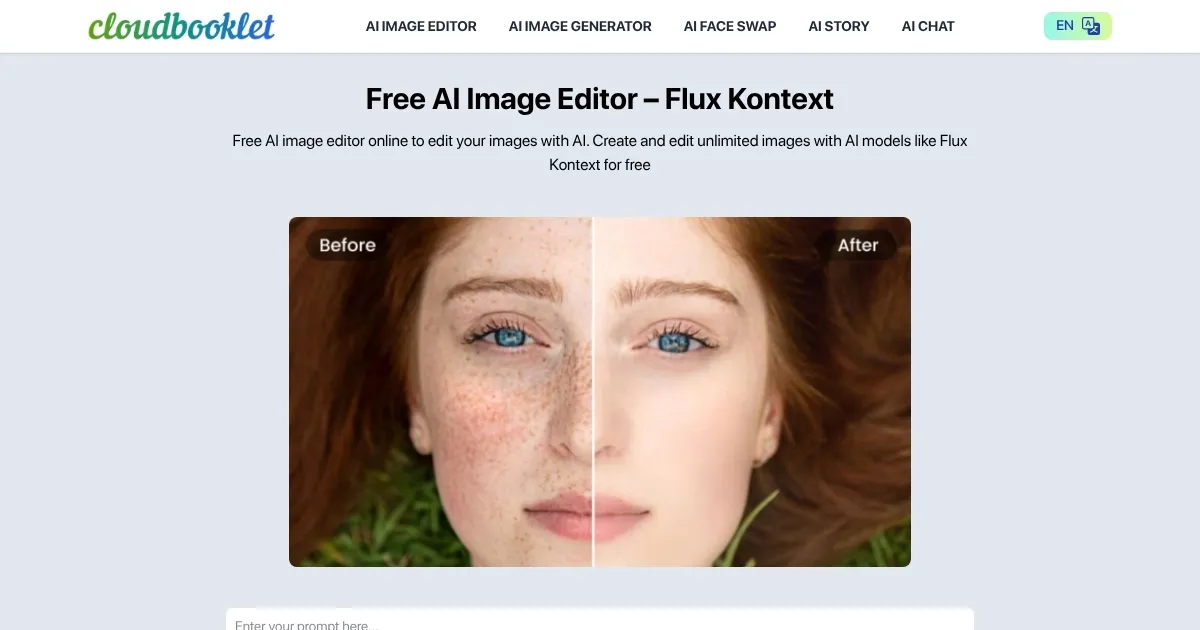
Cloudbooklet is a free web-based platform combining AI image generation with photo editing tools. The service operates without registration requirements and offers unlimited usage at no cost. Core functionality includes text-to-image generation using Flux Kontext and DreamO models, producing 1024×1024 pixel images from text prompts.
The platform provides multiple editing features: background removal, image upscaling, face swapping, clothing replacement, and AI headshot generation. Processing typically completes within 5-15 seconds depending on the operation. Image quality meets standards for digital use, with particular strength in portrait generation and background manipulation.

The image generation supports multiple artistic styles including realistic, Disney Pixar, anime, and fantasy. Face swap technology uses neural networks to map facial features between images. The upscaler increases resolution up to 4x original size using AI interpolation.

Compared to paid alternatives, Cloudbooklet offers similar core features to Midjourney and DALL-E 3 but with reduced artistic sophistication. The platform loads faster than Canva and requires no software installation unlike Stable Diffusion. Server availability remains consistent with minimal downtime reported.

The tool serves content creators, small businesses, and casual users requiring quick image solutions. Output formats include PNG and JPEG. No API access exists for developers. Mobile browser compatibility allows usage across devices. Cloudbooklet represents functional AI image technology accessible to users regardless of technical expertise or budget constraints.

Visit Cloudbooklet ↗
Categories
🎭 Lifestyle
📰 News 📧 Newsletter
🎓 Education
📺 Tutorial 📖 Knowledge Base
📢 Advertising
💻 Digital Marketing

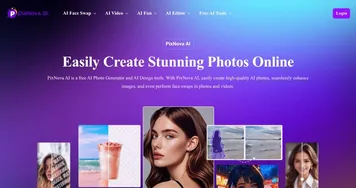
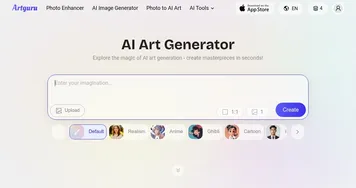
Homepage Screenshot 📸

Cloudbooklet screenshot

What are the key features? ✨

  • AI Image Generation: Create unlimited images from text prompts using advanced models like Flux Kontext and DreamO
  • Smart Background Removal: Instantly remove backgrounds from photos with AI-powered edge detection
  • AI Upscaling: Enhance image resolution up to 4x with intelligent detail preservation
  • Face Swap Technology: Seamlessly swap faces between photos for creative or professional purposes
  • AI Headshot Generator: Generate professional-quality headshots from casual photos in seconds

Who is it for? 🤔

Cloudbooklet serves a diverse user base including content creators, social media managers, small business owners, students, and anyone needing quick visual content without technical expertise or budget constraints. The platform particularly benefits users who need immediate results without the learning curve of professional software or the commitment of paid subscriptions. Freelancers appreciate the ability to create client deliverables quickly, while educators use it for creating engaging visual materials. The tool's accessibility makes it ideal for non-designers who need professional-looking images for presentations, marketing materials, or personal projects.

Examples of what you can use it for 💡

  • Content Creator: Generate unique blog header images and social media graphics without hiring a designer
  • Small Business Owner: Create product photos with removed backgrounds for e-commerce listings
  • Job Seeker: Transform casual selfies into professional headshots for LinkedIn profiles
  • Social Media Manager: Quickly produce on-brand visual content for multiple platform campaigns
  • Student: Design eye-catching presentations and project visuals without expensive software

Pros & Cons ⚖️

  • Completely free with no hidden costs
  • No signup or account required
  • Fast processing times
  • Multiple AI models available
  • Intuitive user interface
  • Limited style customization options

FAQs 💬

Is Cloudbooklet really completely free to use?
Yes, Cloudbooklet is entirely free with no hidden costs, premium tiers, or usage limits. You can generate and edit unlimited images without creating an account or providing payment information.
What image formats does Cloudbooklet support?
Cloudbooklet supports common image formats including PNG and JPEG for both input and output, making it compatible with most devices and platforms.
How does Cloudbooklet compare to paid alternatives like Midjourney?
While Cloudbooklet offers similar core features to premium tools, it may produce less artistically sophisticated results. However, it provides better accessibility and cost-effectiveness for users who need functional image generation without subscription fees.
Can I use Cloudbooklet-generated images for commercial purposes?
Cloudbooklet allows users to create and use images freely, though you should review their current terms of service for specific commercial usage guidelines as policies may update.
Does Cloudbooklet store or have access to my uploaded photos?
Cloudbooklet processes images in real-time without requiring account creation. Check their privacy policy for specific data handling practices, though the no-signup model suggests minimal data retention.
What AI models power Cloudbooklet's image generation?
Cloudbooklet uses multiple AI models including Flux Kontext and DreamO for image generation, providing variety in artistic styles and output quality.
Is there a limit to how many images I can generate per day?
No, Cloudbooklet offers unlimited image generation and editing without daily caps or usage restrictions, unlike many competing platforms.
Can Cloudbooklet handle high-resolution images?
Cloudbooklet generates images at 1024x1024 pixels by default and includes an AI upscaler that can increase resolution up to 4x, suitable for most digital applications.
Does Cloudbooklet work on mobile devices?
Yes, Cloudbooklet is web-based and works on mobile browsers, allowing you to create and edit images on smartphones and tablets without downloading apps.
What makes Cloudbooklet different from other free AI image tools?
Cloudbooklet stands out by combining both AI image generation and comprehensive photo editing tools in one platform, all without requiring registration or payment, making it uniquely accessible.

Ready to try Cloudbooklet?

Transform text prompts into stunning AI-generated images while editing photos with powerful AI tools

Visit Cloudbooklet ↗

Cloudbooklet alternatives 🔗

  1. AInvest AInvest An AI-powered platform that helps investors make smart choices in the stock market
  2. SoBrief SoBrief An AI-powered platform offering concise summaries of over 70,000 books across different genres
  3. Songtell Songtell An AI tool that unravels the stories behind the lyrics you love
  4. Inkr Inkr Transcribes audio files to editable text instantly
  5. Swipe Insight Swipe Insight Curates digital marketing insights from trusted sources for quick learning
  6. Jellypod Jellypod Turns text into AI-generated podcasts with customizable hosts and global distribution
Share
Cloudbooklet screenshot enlarged
Promote Cloudbooklet
light badge
Copy Embed Code
dark badge
Copy Embed Code
neutral badge
Copy Embed Code
Best AI Tools

Discover the best AI tools for any use case

Explore
  • Tool Categories
  • AI Use Cases
  • AI Events
  • AI News
  • Saved Tools
Company
  • About Us
  • Contact Us
  • Media & Partnerships
  • Suggest a Tool
Legal
  • Privacy Policy
  • Terms of Service
Copyright © 2026 Best AI Tools 415 Mission Street, 37th Floor, San Francisco, CA 94105