logo-darklogo-darklogo-darklogo-dark
  • Tool Categories
    • 🎨Art & Creative Design505
    • 🏢Business Management644
    • 💻Coding & Development515
    • 👮Detection83
    • 🧠General Use727
    • 🏥Health & Wellness55
    • 📷Image & Photo Analysis100
    • 🖼️Image Generation & Editing618
    • 📐Interior & Architectural Design37
    • 🎓Learning & Education483
    • ⚖️Legal & Finance90
    • 🎭Lifestyle & Entertainment236
    • 📢Marketing & Advertising627
    • 🎧Music & Audio138
    • 👔Office & Workplace1,014
    • 🔬Research & Data Analysis372
    • 👥Social Media245
    • 🎥Video Generation & Editing426
    • 👧🏻Virtual Companion135
    • 🎤Voice Generation & Editing381
    • ✍️Writing & Editing808
    • All Categories
    • AI Use Cases
  • News
  • Events
    • Academic Conferences
    • Developer Conferences
    • Expos / Trade Shows
    • Industry Summits
    • Workshops / Training
    • All Events
    • Past Events
  • Saved Tools
  • Suggest a Tool
✕
Home › Image Generation & Editing › Background Generation› AI Background Generator
AI Background Generator

AI Background Generator by Pacdora

Transforms product images with AI-generated, studio-quality backgrounds in seconds.

Pacdora’s AI Background Generator is an online tool that removes original image backgrounds and generates custom, studio-quality scenes for product photos. Users upload an image, and the AI analyzes it to suggest backgrounds that match the product’s style, using 3D rendering to align lighting, shadows, and angles for a realistic effect. The tool supports PNG, JPG, and WebP formats and offers exports in 4K PNG, JPG, MP4, or shareable links. Its library includes thousands of backgrounds, from minimalist to lifestyle-oriented, catering to e-commerce, marketing, and social media needs. The interface is user-friendly, requiring no design skills, and results are delivered in seconds. Pacdora also offers mockup and dieline generators, integrating seamlessly with its background tool for comprehensive product design.

Compared to competitors like Canva and Photoroom, Pacdora excels in product-specific 3D rendering. Canva offers broader design tools but less focus on product photography. Photoroom is fast but prioritizes simplicity over detailed customization. Pacdora’s free tier allows basic functionality, but high-res downloads and premium backgrounds require a subscription, which includes monthly credits. Some users report limitations in the free version, such as watermarked exports, and occasional issues with complex image edges. A standout feature is the real-time 3D preview, letting users adjust angles and scenes effortlessly.

For best results, test the tool with simple product images to gauge its fit for your needs. Explore the free tier to understand the tool’s capabilities, then upgrade for premium features if your projects demand high-res outputs or advanced customization.

Visit AI Background Generator ↗
Categories
🖼️ Image
🏞️ Background Generation 🛍️ Product Photography 🖼️ Image Generation
🎨 Art
📐 Mockup Generation 🖌️ Graphic Design

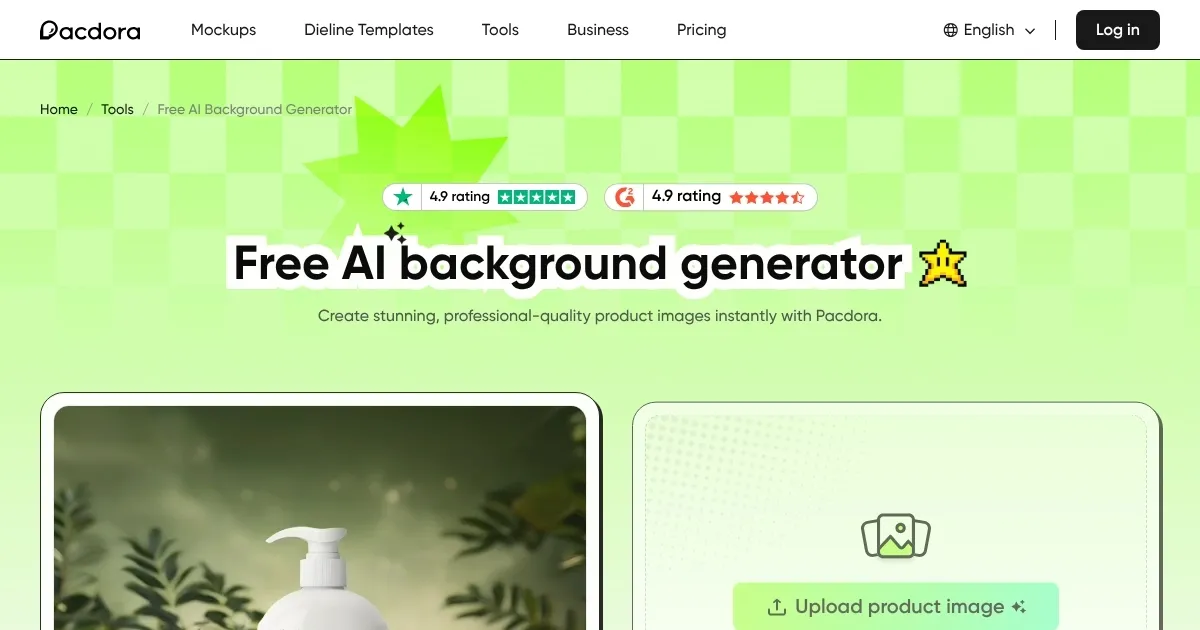
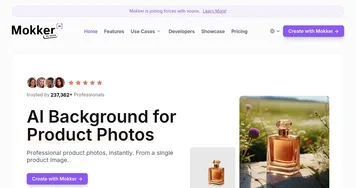
Homepage Screenshot 📸

AI Background Generator screenshot

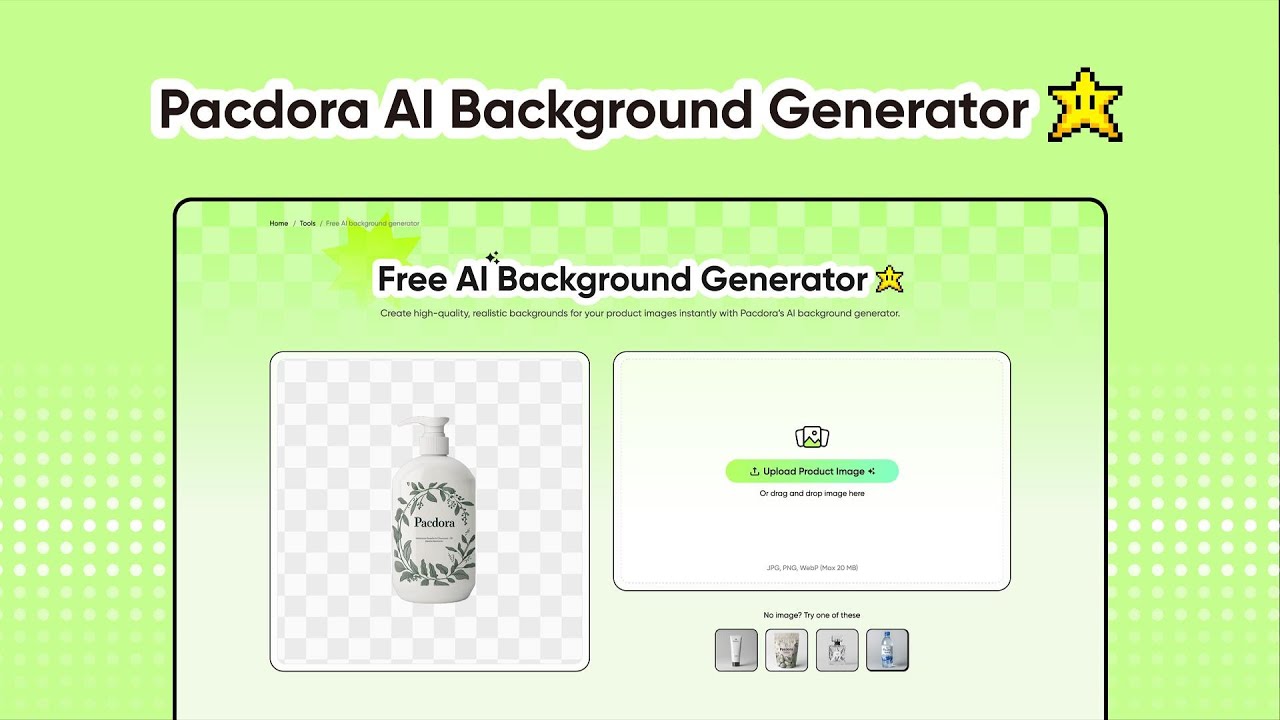
Video Overview 🎬

AI Background Generator - Video Overview

What are the key features? ✨

  • AI Background Removal: Automatically removes original backgrounds in seconds, creating a transparent PNG.
  • Custom Background Generation: Suggests and generates tailored backgrounds matching product style and lighting.
  • 3D Rendering Technology: Aligns shadows, angles, and lighting for studio-quality, realistic visuals.
  • Extensive Background Library: Offers thousands of styles, from minimalist to vibrant lifestyle scenes.
  • Multiple Export Formats: Supports 4K PNG, JPG, MP4, and shareable links for versatile use.

Who is it for? 🤔

Pacdora’s AI Background Generator is a boon for e-commerce sellers, small business owners, freelance designers, and marketers who need professional product visuals without the cost of studio photography. It’s ideal for those with minimal design experience, offering an intuitive interface that simplifies creating polished images for online stores, social media, or client presentations. Whether you’re a solo entrepreneur running an Etsy shop or a marketing team crafting brand assets, this tool saves time and delivers high-quality results, making it a go-to for budget-conscious creators aiming to elevate their visual game.

Examples of what you can use it for 💡

  • E-commerce Seller: Creates professional product images for an online store by swapping plain backgrounds for vibrant, themed scenes.
  • Social Media Marketer: Generates eye-catching visuals for Instagram posts by adding dynamic backgrounds to product photos.
  • Freelance Designer: Produces client-ready mockups with realistic 3D-rendered backgrounds for branding pitches.
  • Small Business Owner: Enhances Etsy listings with studio-quality images without hiring a photographer.
  • Content Creator: Crafts engaging visuals for YouTube thumbnails by applying custom backgrounds to product shots.

Pros & Cons ⚖️

  • Fast, intuitive background removal
  • Studio-quality 3D rendering
  • Vast library of backgrounds
  • Multiple export formats
  • No design skills needed
  • Free version has limits
  • Occasional edge detection issues

FAQs 💬

Is Pacdora’s AI Background Generator free to use?
Yes, core functions like background removal and preview are free, but high-res downloads require a subscription.
What file formats does the tool support?
Pacdora supports PNG, JPG, and WebP for uploads and exports.
Can I use Pacdora for non-product images?
While designed for products, it can work with other images, though results may vary with complex subjects.
How does Pacdora compare to Canva?
Pacdora focuses on product-specific 3D rendering, while Canva offers broader design tools with less tailored backgrounds.
Do I need design experience to use the tool?
No, the intuitive interface requires no prior design skills.
Can I export videos with Pacdora?
Yes, you can export designs as MP4 videos for marketing or branding.
Are there limits to the free version?
The free version includes watermarked downloads and limited access to premium backgrounds.
How fast is the background generation process?
Results are generated in seconds, making it ideal for quick edits.
Does Pacdora offer customer support?
Yes, Pacdora provides responsive customer support for technical issues.
Can I use Pacdora for social media content?
Absolutely, its export formats and backgrounds are optimized for social media posts.

Ready to try AI Background Generator?

Transforms product images with AI-generated, studio-quality backgrounds in seconds.

Visit AI Background Generator ↗

AI Background Generator alternatives 🔗

  1. Stable Diffusion Stable Diffusion Generates high-quality images from text prompts with versatile styles
  2. Adobe Firefly Adobe Firefly Generates images, videos, audio, and vectors using AI.
  3. Shutterstock AI Image Generator Shutterstock AI Image Generator AI-generated images available immediately
  4. Remove.bg Remove.bg A free online tool that automatically removes backgrounds from images
  5. Pixelcut Pixelcut A suite of AI-powered image editing and upscaling tools
  6. PhotoRoom PhotoRoom An AI-powered photo editing tool that removes backgrounds and enhances photos with user-friendly features.
Share
AI Background Generator screenshot enlarged
Promote AI Background Generator
light badge
Copy Embed Code
dark badge
Copy Embed Code
neutral badge
Copy Embed Code
Best AI Tools

Discover the best AI tools for any use case

Explore
  • Tool Categories
  • AI Use Cases
  • AI Events
  • AI News
  • Saved Tools
Company
  • About Us
  • Contact Us
  • Media & Partnerships
  • Suggest a Tool
Legal
  • Privacy Policy
  • Terms of Service
Copyright © 2026 Best AI Tools 415 Mission Street, 37th Floor, San Francisco, CA 94105