logo-darklogo-darklogo-darklogo-dark
  • Home
  • Browse
    • Assistant
    • Coding
    • Image
    • Productivity
    • Video
    • Voice
    • Writing
    • All Categories
    • AI Use Cases
  • My Favorites
  • Suggest a Tool
✕
Home › Meeting Assistant / Video Generation & Editing ›

ScreenApp

Published by Dusan Belic on August 30, 2023

ScreenApp

ScreenApp Homepage
Categories Meeting AssistantVideo Generation & Editing
Transforms screen recordings into searchable AI transcripts and summaries

ScreenApp

ScreenApp is an AI-powered platform designed to enhance productivity and efficiency in managing audio and video content. Its primary purpose is to enable users to record screens, videos, and audio with a simple click without downloading or installing directly from the web browser.

In addition, the application offers features like transcribing videos and audios with high accuracy and speed — summarizing content for quick understanding, and creating AI-generated notes to make content easily navigable. These functionalities make ScreenApp a useful tool for various users, including educators, sales professionals, developers, and anyone looking to document meetings, lectures, or create tutorials and presentations efficiently.

Beyond recording and summarization, ScreenApp extends its capabilities with other features like translating audio and videos into over 50 languages, providing an international reach for its content.

The platform ensures the security and privacy of the user’s data through regular security checks, secure data storage on its servers, data encryption, and the option for local storage on the user’s device.

Practical applications of ScreenApp include customer support, workflow documentation, sales, product management, and education — while its AI-driven note-taking system and the ability to automatically pinpoint and summarize key moments in videos allow users to save time and focus on the essential parts of their recordings.

ScreenApp Homepage
Categories Meeting AssistantVideo Generation & Editing

Video Overview ▶️

What are the key features? ⭐

  • AI Summarizer: Extracts key insights, action items, and summaries from recordings in seconds.
  • Video Analyzer: Scans video frames to locate specific moments and content highlights.
  • Real-time Transcription: Converts audio to text with up to 99% accuracy during live captures.
  • AI Video Watcher: Enables querying recordings for instant answers like a searchable second brain.
  • Audio Translator: Provides real-time language translation across supported platforms and devices.

Who is it for? 🤔

ScreenApp.io suits busy professionals like project managers, educators, and content creators who juggle meetings and tutorials, offering quick AI insights to reclaim time without sifting through hours of footage, while teams benefit from collaborative sharing and affordable scaling that keeps everyone aligned without extra hassle.

Examples of what you can use it for 💭

  • Project Manager: Records team calls and uses AI summaries to track action items instantly.
  • Educator: Captures lectures for transcription and frame analysis to create searchable study guides.
  • Software Engineer: Documents code walkthroughs with dictation to generate clean tutorial PDFs.
  • Marketing Expert: Translates video demos in real-time for global campaign outreach.
  • Video Creator: Queries past footage via AI watcher to repurpose clips efficiently.

Pros & Cons ⚖️

  • Fast AI summaries
  • No install needed
  • Generous free tier
  • Team-friendly pricing
  • Export lags sometimes
  • Mobile app glitches

FAQs 💬

What makes ScreenApp different from basic screen recorders?
It adds AI transcription and summarization to turn raw videos into searchable insights automatically.
Does ScreenApp require any software installation?
No, it works directly in browsers, with optional apps for iOS, Android, and Mac.
How accurate is the transcription feature?
Up to 99% for clear audio, improving with paid plans for noise reduction.
Can I integrate ScreenApp with Zoom or Google Meet?
Yes, via upload, URL import, or dedicated meeting bots for seamless capture.
What are the limits on the free plan?
Includes limited transcription minutes and basic summaries, sufficient for occasional use.
Is my data secure on ScreenApp?
Yes, with bank-level encryption, GDPR compliance, and no third-party AI training on your content.
How does pricing compare to Loom?
More affordable with unlimited AI included, versus Loom's extra fees for similar features.
Can ScreenApp translate recordings?
Yes, the Audio Translator supports real-time multilingual conversions.
What's the maximum recording length?
Up to three hours on premium plans, with optimizations for shorter clips.
How do I cancel or downgrade my plan?
Easily through account settings, with prorated refunds where applicable.

Related tools ↙️

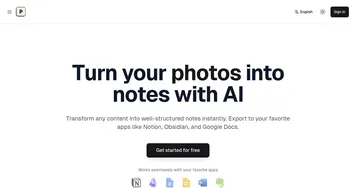
  1. Photes.io Photes.io Converts photos, PDFs, audio, and videos into structured text notes using AI
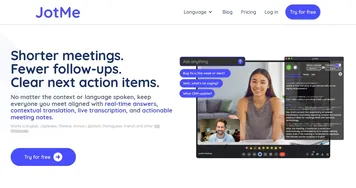
  2. JotMe JotMe Transcribes, translates, and summarizes meetings in real-time across 100+ languages
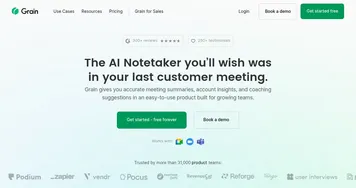
  3. Grain AI Grain AI Unlock the value and insights of your customer meetings using AI
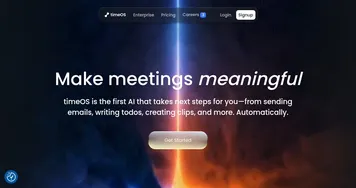
  4. timeOS timeOS Automates meeting notes, summaries, and task delegation with AI precision
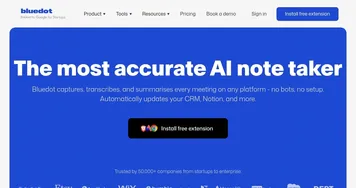
  5. Bluedot Bluedot An AI-powered Chrome extension that transforms how we handle meeting notes in Google Meet
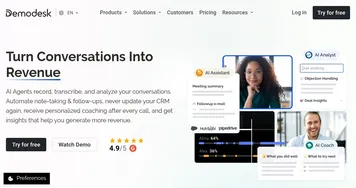
  6. Demodesk Demodesk Helping sales teams have better online meetings
Last update: November 30, 2025
Share
Promote ScreenApp
light badge
Copy Embed Code
light badge
Copy Embed Code
light badge
Copy Embed Code
About Us | Contact Us | Suggest an AI Tool | Privacy Policy | Terms of Service

Copyright © 2026 Best AI Tools
415 Mission Street, 37th Floor, San Francisco, CA 94105