logo-darklogo-darklogo-darklogo-dark
  • Home
  • Browse
    • Assistant
    • Coding
    • Image
    • Productivity
    • Video
    • Voice
    • Writing
    • All Categories
    • AI Use Cases
  • My Favorites
  • Suggest a Tool
✕
Home › Design Generator / Productivity ›

UserTesting AI

Published by Dusan Belic on June 10, 2024

UserTesting AI

UserTesting
UserTesting AI Homepage
Categories Design GeneratorProductivity
An online platform that leverages AI to streamline user experience research

UserTesting AI

UserTesting AI is an online platform that leverages AI to streamline user experience research. By automating the process of gathering and analyzing user feedback, it allows teams to focus on strategic decision-making and improving user satisfaction.

The platform synthesizes data from videos, text, and user behaviors to provide a comprehensive view of user interactions. This then helps organizations more effectively identify key themes, patterns, and areas for improvement.

For instance, UserTesting AI can summarize insights from user sessions, so instead of manually combing through hours of video or pages of survey responses – the platform will highlight the most critical moments and sentiments for you. This saves time and ensures that important feedback is noticed.

In addition, it can detect points of friction in user interactions, providing actionable insights for enhancing the user experience.

UserTesting AI also excels in sentiment analysis, which surfaces emotional responses from user feedback. By analyzing user emotions, teams can prioritize changes that will significantly impact the overall user experience.

Furthermore, the platform can generate detailed behavioral data transcripts, offering a granular view of how users interact with digital products.

UserTesting AI can be used in various scenarios, from product development and UX design to marketing campaigns and customer support. For product teams, it provides critical feedback on new features and helps ensure they meet user needs. UX designers can use it to identify and fix friction points, while marketers can test and refine their strategies based on user reactions. Customer support teams can analyze interactions to improve service, and executives can leverage these insights for strategic decision-making.

The platform suits companies of all sizes, from startups to large enterprises, aiming to enhance their digital products and services by making data-driven, user-centric decisions.

UserTesting AI Homepage
Categories Design GeneratorProductivity

Video Overview ▶️

What are the key features? ⭐

  • AI insights: Automatically extracts and highlights crucial insights and moments from diverse data sources to simplify the understanding of user feedback.
  • Survey themes: Quickly identifies and summarizes common themes from large volumes of open-ended survey responses to enable faster trend recognition.
  • Friction detection: Pinpoints and analyzes areas where users encounter difficulties to aid in refining user experiences.
  • Sentiment analysis: Surfaces emotional responses from user sessions to help gauge user satisfaction and areas of concern.
  • Behavioral data transcripts: It can create comprehensive transcripts based on user interactions to provide detailed behavioral insights through clicks and scrolls.

Who is it for? 🤔

UserTesting AI is aimed at businesses and organizations that prioritize user experience and customer feedback. It is particularly valuable for UX design teams, product development teams, marketing departments, and customer support teams that seek to gain deeper insights into user interactions. The platform suits companies of all sizes, from startups to large enterprises, looking to enhance their digital products and services by making data-driven, user-centric decisions.

Examples of what you can use it for 💭

  • Leverage user feedback to refine features and ensure they meet user needs, enhancing product success
  • Identify and address friction points and user sentiments to improve overall design and usability of digital products
  • Test and optimize marketing strategies by understanding user reactions and feedback to campaigns
  • Analyze user interactions to uncover common issues and improve support processes and customer satisfaction
  • Utilize AI-generated insights to make informed, data-driven decisions

Pros & Cons ⚖️

  • Automates user testing in different ways
  • Helps companies create better digital products
  • Different kinds of tests supported
  • Could be pricey for smaller companies

FAQs 💬

What exactly does UserTesting AI do?
UserTesting AI powers the Human Insight Platform by automating the grunt work in UX research. It processes video, audio, text, and behavioral data to spot patterns, like key themes from surveys or friction points in user flows. You get summaries of insights right away, so your team skips the hours of sifting through recordings and jumps to decisions. It's built on years of ML tweaks since 2019, blending proprietary models with open ones for reliable results.
How does the AI handle sentiment and friction detection?
The platform uses machine learning to flag positive or negative vibes in session videos, pulling out moments where users sound frustrated or thrilled. Friction detection scans clicks, scrolls, and hesitations to highlight roadblocks, like confusing checkout steps. Teams love this because it surfaces issues fast, backed by a patented setup that turns raw behavior into readable transcripts. Just keep in mind, it's great for patterns but pair it with human review for nuance.
Is UserTesting AI suitable for small teams or startups?
Probably not the best first pick if you're bootstrapping, since pricing starts around $250 per user for basics and scales up to enterprise tiers at $20,000 or more yearly. Smaller outfits often gripe about the cost on Reddit, calling it steep for occasional tests. That said, if you need quick global recruitment from their massive panel, it pays off. Alternatives like Lyssna or Maze might fit tighter budgets better.
What kind of integrations does it offer?
UserTesting AI hooks into tools like Zoom, Figma, and third-party analytics for seamless workflows. You can pull in data from surveys or prototypes directly, and it exports reports to Slack or Jira. Recent updates added LinkedIn verification for better participant quality. It's solid for enterprise stacks, but some users note it lacks native ties to niche design apps like Adobe XD.
How accurate is the AI for generating insights?
From what I've seen in Gartner reviews and G2 feedback, it's about 85-90% spot-on for summarizing themes and sentiment, especially with big datasets. The ML team vets everything to cut biases, and it handles edge cases like multilingual feedback well. But don't bet the farm on it alone; real users still catch the quirky human stuff AI might gloss over. VentureBeat calls it a game-changer for scaling without losing trust.
What's the pricing like, and are there free trials?
No flat rates here, it's custom based on seats and sessions, but expect $46,000-ish annually for a mid-tier plan with 200 tests, dropping to $25,000 with smart negotiating per Vendr data. Free trials run a few weeks, letting you test a handful of sessions. Folks on forums say contact sales early for bundles, as add-ons like advanced analytics can tack on $8,000 more.
Can I recruit my own participants, or do I have to use their panel?
You get both options. Their global network of vetted testers covers demographics galore, with quick matching via AI. Or bring your own crowd for tailored studies. This flexibility wins praise in Looppanel comparisons, though some Reddit threads warn about occasional low-quality panelists gaming screeners. Pro tip: Use their AI screener tools to filter better.
How does UserTesting AI compare to alternatives like Maze or Lyssna?
It's more enterprise-focused with deeper AI analysis, but pricier and heavier on setup. Maze edges out for quick prototype tests at lower costs, while Lyssna nails moderated sessions with Figma integrations. If you're after unmoderated basics, Userbrain's simpler plans beat it on affordability. Overall, pick UserTesting if scale and behavioral transcripts matter most.
Does it support mobile and prototype testing?
Absolutely, it handles live interviews, unmoderated mobile flows, and prototypes from Figma or InVision. AI even generates path flows to visualize journeys across devices. Reviews from aqua cloud highlight its strength in multi-locale testing, making it ideal for global apps. Just note, some users report glitches with complex gestures on older phones.
What about data privacy and AI ethics?
They take it seriously, with no cross-account data sharing and compliance for GDPR and SOC 2. AI models train on anonymized public data, not your sessions, and you control what gets processed. The help center stresses human oversight to avoid biases. Trustworthy stuff, especially for big orgs, but always audit outputs yourself.

Related tools ↙️

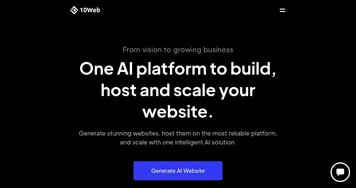
  1. 10Web 10Web A website builder that uses AI generated content and images
  2. Apply Design Apply Design Creates photorealistic virtual staging for real estate in minutes
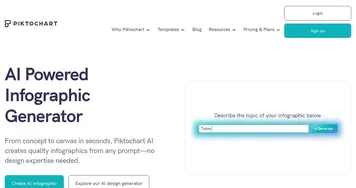
  3. Piktochart AI Piktochart AI Transform text-heavy content into visually appealing infographics
  4. RoomGPT RoomGPT An AI-powered tool that allows users to easily redesign their living spaces
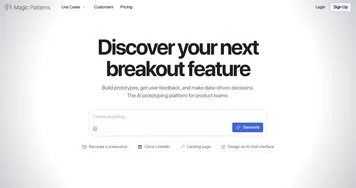
  5. Magic Patterns Magic Patterns An AI-powered design tool that helps teams quickly create user interfaces
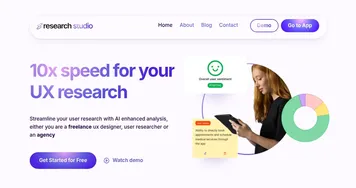
  6. Research Studio Research Studio Elevate user experience (UX) research by streamlining data analysis and organization
Last update: November 23, 2025
Share
Promote UserTesting AI
light badge
Copy Embed Code
light badge
Copy Embed Code
light badge
Copy Embed Code
About Us | Contact Us | Suggest an AI Tool | Privacy Policy | Terms of Service

Copyright © 2026 Best AI Tools
415 Mission Street, 37th Floor, San Francisco, CA 94105