logo-darklogo-darklogo-darklogo-dark
  • Tool Categories
    • 🎨Art & Creative Design505
    • 🏢Business Management644
    • 💻Coding & Development515
    • 👮Detection83
    • 🧠General Use727
    • 🏥Health & Wellness55
    • 📷Image & Photo Analysis100
    • 🖼️Image Generation & Editing618
    • 📐Interior & Architectural Design37
    • 🎓Learning & Education483
    • ⚖️Legal & Finance90
    • 🎭Lifestyle & Entertainment236
    • 📢Marketing & Advertising627
    • 🎧Music & Audio138
    • 👔Office & Workplace1,014
    • 🔬Research & Data Analysis372
    • 👥Social Media245
    • 🎥Video Generation & Editing426
    • 👧🏻Virtual Companion135
    • 🎤Voice Generation & Editing381
    • ✍️Writing & Editing808
    • All Categories
    • AI Use Cases
  • News
  • Events
    • Academic Conferences
    • Developer Conferences
    • Expos / Trade Shows
    • Industry Summits
    • Workshops / Training
    • All Events
    • Past Events
  • Saved Tools
  • Suggest a Tool
✕
Home › Research & Data Analysis › Research› Research Studio
Research Studio

Research Studio

Elevate user experience (UX) research by streamlining data analysis and organization

Research Studio is an AI-driven platform designed to elevate user experience (UX) research by streamlining data analysis and organization. By using smart widgets, it automates the process of sorting and categorizing user data into essential UX artifacts like personas, user journeys, and user stories. This automation then allows UX designers and researchers to focus more on insights and strategy rather than manual data handling.

The platform is easy-to-grasp, supporting over 15 different file formats without requiring extensive training. Its intuitive interface simplifies complex tasks such as analyzing feedback, visualizing user behavior, and creating presentations.

All this means that Research Studio works for individual freelancers, small teams, and larger agencies — offering flexible pricing plans to suit varying needs and budgets.

Research Studio can also integrate with different tools and applications commonly used in UX research to enhance collaboration and ensure seamless workflows. This integration is meant to enable teams to work more cohesively, reducing the time required for data migration and manual updates.

Furthermore, the platform’s AI capabilities are continually refined to provide more accurate and actionable insights.

In a nutshell, Research Studio could be a valuable tool for anyone involved in UX research, from freelancers to large enterprises. It saves time and resources and ensures that the research is thorough and impactful. Check it out.

Visit Research Studio ↗
Categories
🔬 Research
🔬 Research 📄 Research Paper 📊 Data Analytics
🎓 Education
🗂️ Knowledge Management 📰 Article Summarization
✍️ Writing
📝 Summarizer

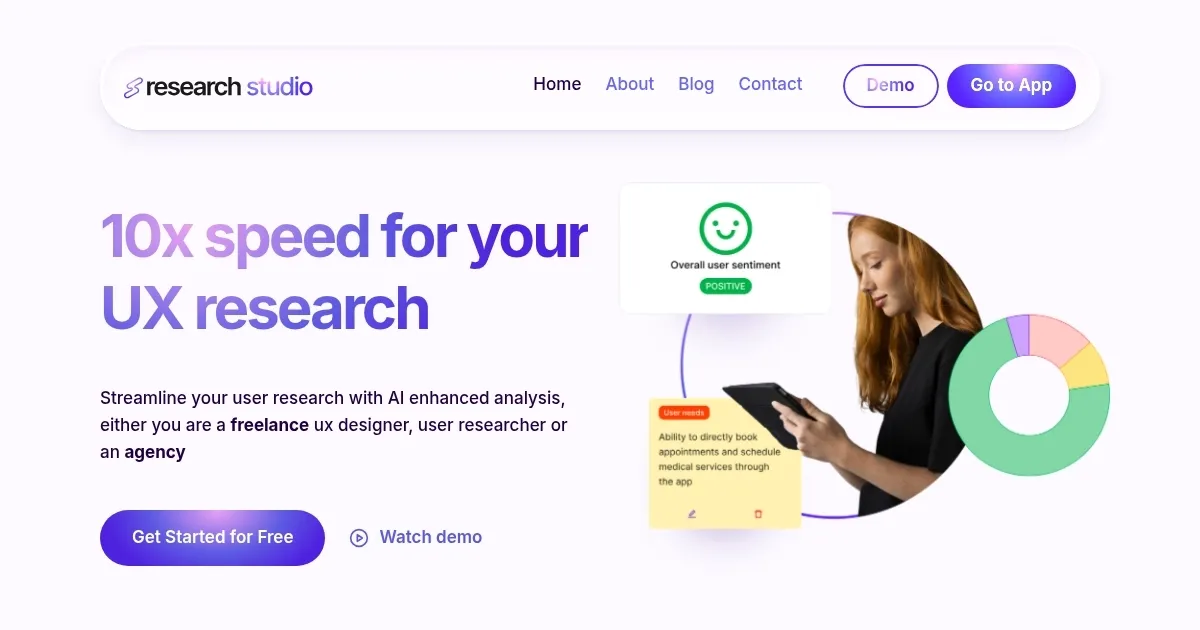
Homepage Screenshot 📸

Research Studio screenshot

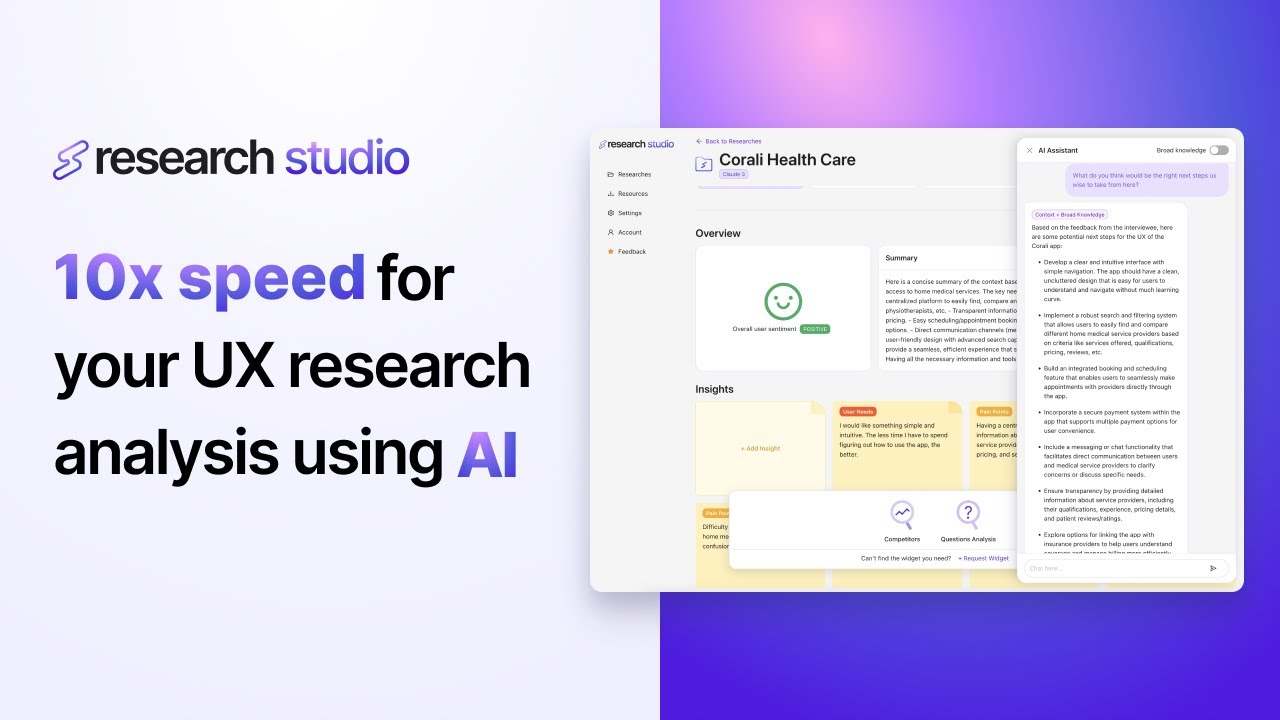
Video Overview 🎬

Research Studio - Video Overview

What are the key features? ✨

  • Persona Widget: generates accurate, evidence-based user personas in seconds via drag-and-drop from research data.
  • Jobs to Be Done Widget: categorizes and ranks user goals, motivations, and pains to align products with real needs.
  • User Journey Widget: maps customer processes, phases, engagement levels, and separates assumptions from actual aims.
  • Personal AI Assistant: answers specific questions about your uploaded dataset while maintaining context or using broad knowledge.
  • Unlimited Transcription: automatically transcribes audio and video in 99+ languages with no hourly limits.

Who is it for? 🤔

This tool helps freelance UX designers, dedicated user researchers, small to mid-size agencies, and product/marketing professionals who regularly handle qualitative data from interviews, usability tests, surveys, or customer feedback. Anyone tired of slow manual synthesis or prompt engineering will find it useful, especially if they value speed, visual workflows, and easy sharing without heavy setup.

Examples of what you can use it for 💡

  • Freelance UX designer: uploads client interview recordings and uses widgets to quickly create personas and journey maps for proposals.
  • User researcher at a startup: analyzes multiple usability test sessions to identify top pain points and jobs to be done for the next sprint.
  • Product manager: feeds competitive interview notes into the Competitors widget to gain fast operational insights on rivals.
  • Agency team lead: processes audio from stakeholder workshops, generates branded presentations, and exports to Notion for client delivery.
  • Marketing specialist: summarizes customer feedback documents to spot sentiment trends and inform campaign messaging.

Pros & Cons ⚖️

  • Super fast analysis
  • No prompting needed
  • Unlimited transcription
  • Intuitive widgets
  • Limited customization
  • Best for UX focus

FAQs 💬

What file formats does Research Studio support?
It handles 8+ formats including PDF, video, audio, Word, Excel, and common transcript files.
Is there a limit on transcription hours?
No, transcription is unlimited across supported plans.
Do I need to write prompts to get insights?
No, the tool uses drag-and-drop widgets so prompting is not required for core features.
Can it handle multiple languages?
Yes, transcription and analysis work in 99+ languages.
How does the free trial work?
Individual users get a 3-day trial and business users get 7 days for up to 5 seats, no credit card required.
Where can I export my insights?
You can instantly customize and export presentations to Notion.
Is it suitable for academic research?
It works well for qualitative data but is optimized primarily for UX, product, and marketing research.

Ready to try Research Studio?

Elevate user experience (UX) research by streamlining data analysis and organization

Visit Research Studio ↗
Research Studio alternatives 🔗

  1. Claude Claude Assists users in reasoning, coding, writing, and analyzing data with advanced AI models
  2. DeepSeek DeepSeek Delivers advanced AI models for coding and reasoning at low costs
  3. Perplexity Perplexity Delivers cited AI answers from web searches instantly
  4. WarrenAI WarrenAI An AI tool for people who want to understand the stock market better
  5. Britannica Chatbot Britannica Chatbot A digital librarian drawing from over 130,000 meticulously fact-checked articles
  6. Kimi Kimi An AI assistant that can interpret images, analyze code, and provide real-time information
Share
Research Studio screenshot enlarged
Promote Research Studio
light badge
Copy Embed Code
dark badge
Copy Embed Code
neutral badge
Copy Embed Code
Best AI Tools

Discover the best AI tools for any use case

Explore
  • Tool Categories
  • AI Use Cases
  • AI Events
  • AI News
  • Saved Tools
Company
  • About Us
  • Contact Us
  • Media & Partnerships
  • Suggest a Tool
Legal
  • Privacy Policy
  • Terms of Service
Copyright © 2026 Best AI Tools 415 Mission Street, 37th Floor, San Francisco, CA 94105