Skywork
Transforms simple prompts into research-backed docs, slides, and podcasts
Skywork can take your half-baked idea, feed it into their platform, and watch it morph into a polished report, a slick presentation, or even a podcast that sounds like it was crafted by a pro. I think it’s the kind of tool that makes you wonder how you ever got by without it, especially if your workday involves juggling research, content creation, or data analysis. Built on what they call DeepResearch technology, Skywork claims to scan hundreds of web sources per task, pulling together insights with a depth that feels almost human. It’s not just about churning out content — it’s about delivering something you can actually use, whether you’re a financial analyst crunching numbers or an educator piecing together a lecture.
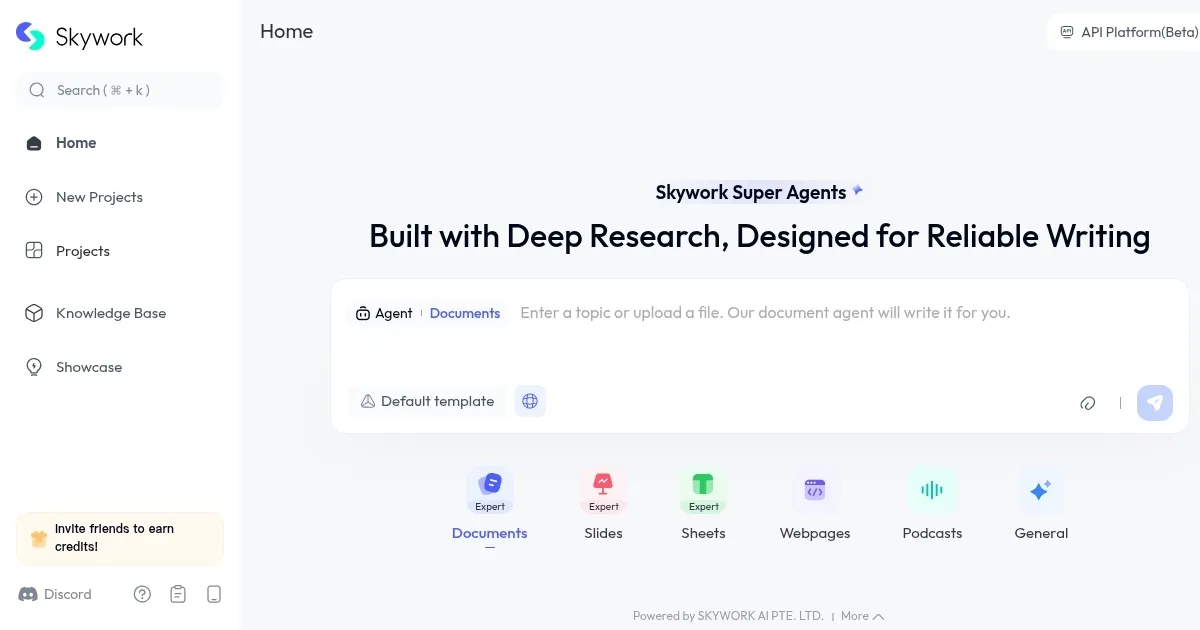
The interface is clean, almost deceptively simple. You type in a prompt, pick your output — say, a document, a spreadsheet, or a set of slides — and Skywork’s Super Agents get to work. These aren’t your average chatbots; they’re specialized AI modules, each tailored to a specific task like crafting presentations or analyzing data. The Docs Agent, for instance, can whip up a research report with citations, while the Slides Agent builds PowerPoint decks that don’t look like they were slapped together in five minutes. I’m particularly impressed by the podcast feature, which turns text into audio with surprising clarity, though it might lack the emotional nuance of a human narrator. The platform integrates with over 300 tools, from Google Docs to Excel, making it a seamless fit for most workflows. It’s like having a research assistant who never sleeps, though you might wish for a bit more hand-holding during setup.
What’s not to like? Well, the learning curve isn’t steep, but it’s there. New users might feel overwhelmed by the sheer range of options — do you really need five different agents? The free plan, while generous with 500 daily credits, can feel restrictive if you’re tackling bigger projects, and the transition to paid plans isn’t always clear. Compared to competitors like Jasper or Notion AI, Skywork stands out for its research depth and multimodal outputs, but it lacks the polished onboarding of Jasper or the all-in-one workspace feel of Notion. Still, the ability to export content in multiple formats — HTML, PDF, or even audio — is a game-changer for anyone who needs flexibility.
The surprise element here is the Clarification Card feature. It’s a small but clever touch: before the AI runs wild with your prompt, it asks clarifying questions to nail down exactly what you want. This cuts down on those frustrating moments where you get a beautifully written report… on the wrong topic. Data privacy is another strong point; Skywork guarantees your data won’t be used to train their models, which is a relief in an era where every click feels like it’s being harvested.
For those looking to get started, I’d suggest playing with the free credits first. Experiment with a small project, like a market analysis or a quick slide deck, to get a feel for the Super Agents. Don’t overcomplicate your prompts — simple, clear instructions yield the best results. If you’re in a research-heavy field, this tool might just become your new best friend.
Homepage Screenshot 📸
Video Overview 🎬

What are the key features? ✨
- DeepResearch Technology: Scans over 600 web sources to deliver research-backed content with verifiable citations.
- Super Agents: Five specialized AI agents handle documents, slides, spreadsheets, podcasts, and webpages.
- Clarification Card: Asks follow-up questions to refine user prompts for accurate outputs.
- Multimodal Outputs: Generates content in formats like PDF, HTML, and audio for versatile use.
- Tool Integration: Connects with over 300 tools, including Google Docs and Excel, for seamless workflows.
Who is it for? 🤔
Examples of what you can use it for 💡
- Financial Analyst: Generates detailed market reports with real-time data and citations.
- Educator: Creates engaging lecture slides with research-backed content and visuals.
- Content Creator: Converts blog posts into professional podcasts for audience engagement.
- Marketing Professional: Builds data-driven campaign presentations with integrated analytics.
- Researcher: Produces literature reviews with traceable sources for academic rigor.
Pros & Cons ⚖️
- Deep research capabilities
- Useful multimodal outputs
- Strong tool integrations
- Tone sometimes overly formal
FAQs 💬
Ready to try Skywork?
Transforms simple prompts into research-backed docs, slides, and podcasts
Visit SkyworkSkywork alternatives 🔗