logo-darklogo-darklogo-darklogo-dark
  • Home
  • Browse
    • Assistant
    • Coding
    • Image
    • Productivity
    • Video
    • Voice
    • Writing
    • All Categories
    • AI Use Cases
  • My Favorites
  • Suggest a Tool
✕
Home › Video Generation & Editing ›

Vidqu

Published by Dusan Belic on March 12, 2025

Vidqu

Vidqu
Vidqu Homepage
Categories Video Generation & Editing
A free AI video creation platform that lets you create high-quality videos in minutes

Vidqu

Vidqu is a free AI video creation platform that lets you create high-quality videos in minutes. It offers a suite of tools designed to enhance your multimedia projects — from face-swapping in photos and videos to translating content into over 140 languages with natural voice and lip-sync. The platform’s user-friendly interface ensures that even beginners can navigate and utilize its features with little effort.

One of Vidqu’s features, AI Video Translator, allows users to translate videos into different languages — thus making content accessible to a global audience. It includes natural voice and lip-syncing to ensure seamless and engaging translations.

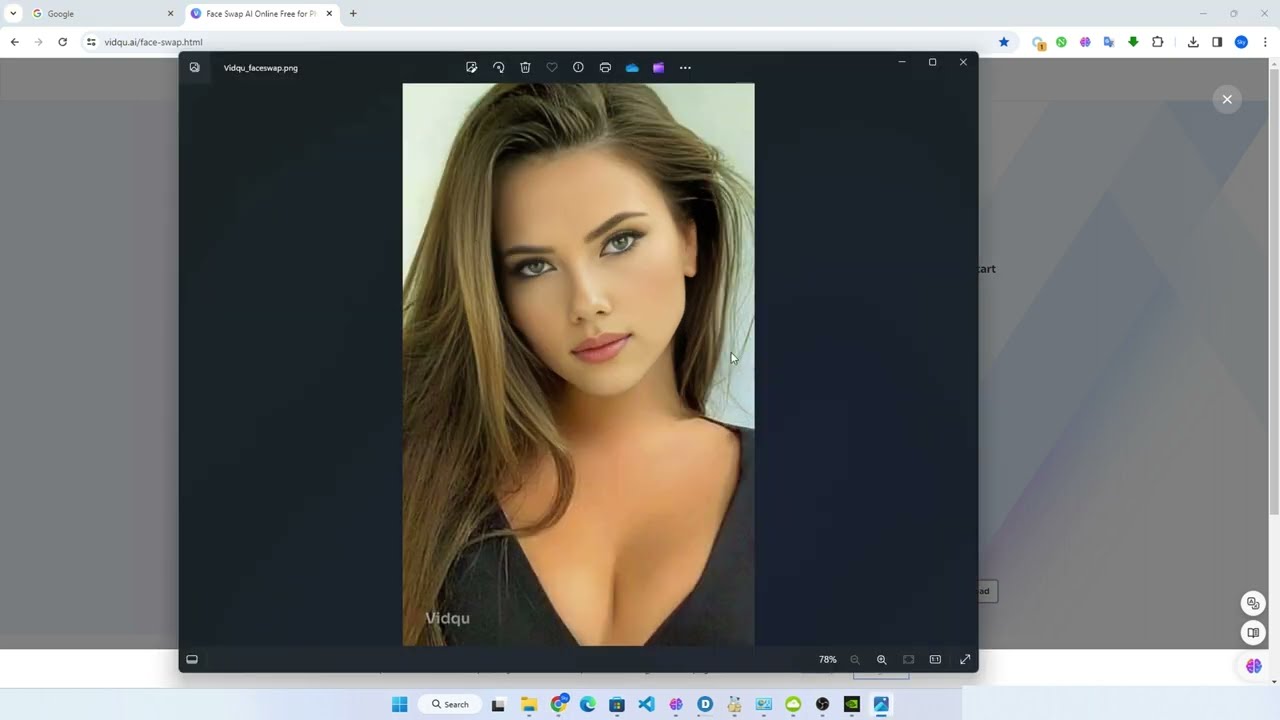
Also, there are AI Photo Face Swap and AI Video Face Swap tools, enabling users to create entertaining and personalized content by swapping faces in images and videos. Plus, let’s not forget the AI Attractiveness Test and AI Kissing Photo generator, which are meant to add a fun twist to photo editing and social interactions.

In a nutshell, Vidqu offers a robust and accessible platform for anyone looking to enhance their multimedia content with AI-driven tools. So, whether you’re a content creator aiming to expand your reach or an individual seeking fun and interactive features, Vidqu has something to offer.

Vidqu Homepage
Categories Video Generation & Editing

Video Overview ▶️

What are the key features? ⭐

  • AI Video Translator: Translate videos into over 140 languages with natural voice and lip sync.
  • AI Face Swap Tools: Easily swap faces in photos and videos to create personalized and entertaining content.
  • Multiple face swaps: For big "projects," you can swap faces in multiple photos at once to save time.
  • User-friendly interface: Navigate and utilize the platform's features with ease, even if you're a beginner.
  • Fun photo enhancements: Explore tools like the AI Attractiveness Test and AI Kissing Photo generator to add a playful element to your photos.

Who is it for? 🤔

Vidqu's target market encompasses a range of users. Content creators and social media influencers will find its tools useful for producing engaging and diverse content. Educators can utilize the translation features to reach students worldwide. Also, individuals looking for entertainment or unique social media content will appreciate the platform's fun and interactive tools.

Examples of what you can use it for 💭

  • Enhance videos with translations and face swaps to engage a broader audience
  • Create unique and shareable content to stand out on platforms like Instagram and TikTok
  • Translate educational videos to make learning materials accessible to non-native speakers
  • Develop personalized marketing campaigns with customized visuals and messages
  • Experiment with fun photo tools for personal amusement

Pros & Cons ⚖️

  • A variety of AI-powered tools for video and photo editing
  • Access a range of features without any cost
  • Translating content into different languages helps you reach a broader audience
  • May not cater to professionals seeking high-end functionalities

FAQs 💬

What is Vidqu?
Vidqu is an online platform that offers a variety of AI-powered tools for creating and editing images and videos, and people often use it for quick creative projects.
What main features does Vidqu offer?
It includes face swapping in photos and videos, image-to-video animation, text-to-image generation, video translation with lip-sync, and AI companion chat options.
Can I swap faces in videos with Vidqu?
Yes, the tool supports face swaps in videos, including multiple faces, and it aims for realistic results with natural movements.
Does Vidqu support multiple face swaps?
Absolutely, you can swap several faces at once in group photos or videos, which makes it handy for editing content with many people.
Is there an image-to-video feature?
Vidqu lets you upload a photo and turn it into an animated video using preset templates or AI interpretation.
Can Vidqu translate videos?
It has a video translator that converts content into over 140 languages, complete with natural voiceovers and lip-syncing.
Does Vidqu have AI chat or companion features?
Yes, it includes options to create and interact with customizable AI characters, like virtual companions.
Is Vidqu easy for beginners to use?
The interface is straightforward, and most tools require just uploading files and clicking generate, so newcomers find it approachable.
What file formats does Vidqu support?
It handles common ones like JPG, PNG, WEBP for images, and MP4 for videos, plus GIFs for swaps.
Is Vidqu safe and legitimate?
Reviews from various sources indicate it's a functional tool with a privacy policy in place, though some early checks flagged low trust scores that later improved.

Related tools ↙️

  1. AnimateDiff AnimateDiff Transforms text or images into animated videos using AI-driven motion
  2. Jupitrr Jupitrr An AI video maker that can effortlessly transform your recordings into engaging videos
  3. TalkingAvatar.ai TalkingAvatar.ai Create lifelike talking avatars with voice cloning and lip-sync for videos
  4. Visla AI Video Generator Visla AI Video Generator Transforming ideas into engaging educational content, ads, film prototypes, and briefings
  5. Lanta AI Lanta AI Transforms text, images, or videos into high-quality AI-generated videos
  6. CapCut Creative Suite CapCut Creative Suite Online creative suite for everyone to create stunning images and videos
Last update: December 15, 2025
Share
Promote Vidqu
light badge
Copy Embed Code
light badge
Copy Embed Code
light badge
Copy Embed Code
About Us | Contact Us | Suggest an AI Tool | Privacy Policy | Terms of Service

Copyright © 2026 Best AI Tools
415 Mission Street, 37th Floor, San Francisco, CA 94105