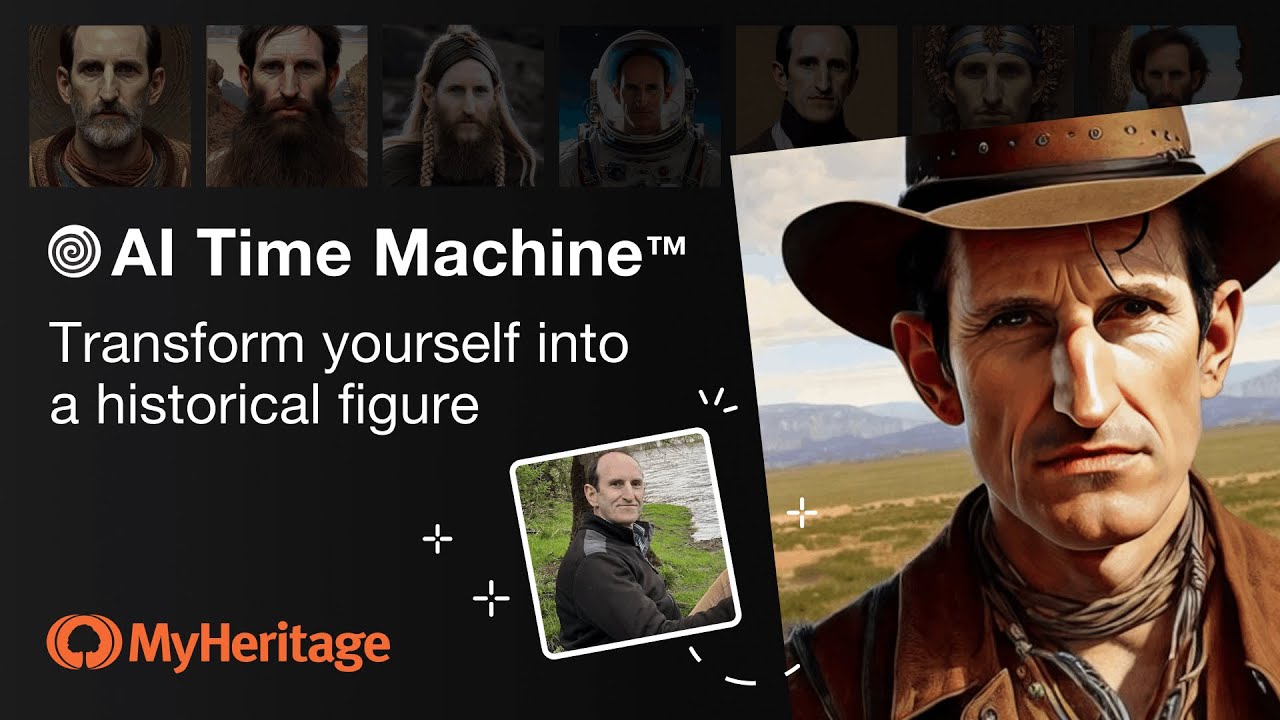
A tool from MyHeritage that creates AI-generated avatars of people in historical attire and settings
Formerly called AI Time Machine, LiveMemory is a cutting-edge feature from MyHeritage, a platform focused on genealogy and family history research. This innovative tool allows users to create AI-generated avatars of themselves or their family members to imagine their appearance in various historical periods and contexts.
By leveraging artificial intelligence, MyHeritage LiveMemory offers an engaging way to connect with history, enabling individuals to virtually “travel” through time and explore different eras, costumes, and settings as if they were part of those historical moments.
The process involves users uploading photos, after which AI technology transforms these images into historically accurate and contextually appropriate avatars. Whether one wishes to see oneself as a medieval knight, a 1920s flapper, or any other historical scenario, MyHeritage LiveMemory provides a personalized and immersive historical experience.
This feature adds a fun and educational dimension to exploring one’s ancestry and the past. It also enhances the overall experience of learning about history by providing a visual and personal connection to various time periods.
FAQs
💬
What is MyHeritage LiveMemory?
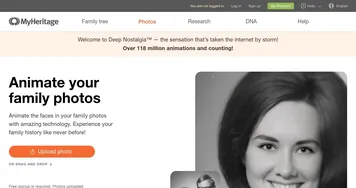
LiveMemory is an AI-powered tool from MyHeritage that turns still photos into short video clips by animating the scenes, so you can relive family moments as if they are unfolding right in front of you. It builds on earlier features like Deep Nostalgia, which just moved faces, but this one animates whole images including people, pets, or even cars.
How does LiveMemory work?
You upload a photo through the MyHeritage app or website, pick an animation style like automatic reenactment or a fun effect, and the AI generates a 5-second MP4 video in a few minutes. It gets emailed to you, and the tool simulates movements beyond the photo's edges for a more immersive feel. I think it shines best with photos that have clear action or context.
Do I need a MyHeritage account to use it?
Yes, you need a free account to start, but for more than a handful of free videos, you'll want a paid plan. Signing up is quick, and it lets you pull from your existing photo gallery if you have one.
Is LiveMemory free, or what are the costs?
You get a limited number of free videos to try it out, probably around 5 to 10 depending on promotions, but ongoing use requires a subscription. The Photo plan runs about $49.90 a year for 20 videos plus other photo tools, or the Omni plan at around $299 a year for 30 videos and full genealogy access. Complete subscribers can snag the Photo add-on for $37 with a discount.
Can I use LiveMemory on any photo?
Pretty much, as long as it's a clear image with subjects like family members or animals. It works okay on old black-and-white shots too, but results pop more with photos that have some background or movement potential. Avoid super simple portraits without context, they might just zoom in awkwardly.
What about privacy and ethics with these AI videos?
MyHeritage adds watermarks to every clip to show it's AI-made, so no one mistakes it for real footage. They don't sell your photos or use them to train their models, and a third-party handles the animation without keeping rights. Just get permission before uploading pics of living folks, that's good sense.
Does LiveMemory work on the mobile app or website?
It started on the mobile app for iOS and Android back in late 2024, but now it's on the website too since mid-2025. The app feels smoother for quick uploads from your phone, though. Update to the latest version either way.
What if the animation looks off or inaccurate?
The AI tries to stay true to the photo, but sometimes hands or complex poses glitch out, like in reviews where dog videos nailed it but human gestures felt wonky. You can delete and retry with a different photo or effect. Updates in 2025 improved realism, so newer tries probably fare better.
How many videos can I make, and what are the limits?
Free tier caps at a few per promo period, then Photo plan users get 20 a year, and Omni gets 30. They reset free uses during big updates, like the 2025 effects refresh, so keep an eye on the blog for bonuses. No daily limits mentioned, just the annual cap.
Is LiveMemory worth it for genealogy enthusiasts?
If you're into family history, absolutely, it adds that emotional punch to old photos and helps share stories in a fresh way. Users on forums rave about the nostalgia hit, though some call it a fun gimmick more than a research tool. Probably pairs best with a full MyHeritage sub for tree-building too.