ClonewebX by Softlite.io
Clones websites to page builders with a single click
ClonewebX, from Softlite.io, is a nifty tool that’s shaking up how folks build websites. Imagine you’re a designer staring at a stunning webpage, wishing you could pluck it apart and rebuild it in your favorite page builder. That’s where ClonewebX steps in, letting you clone entire sites or specific elements into platforms like Webflow, Elementor, or Bricks Builder with a single click. No need to wrestle with code or spend hours reconstructing layouts. It’s like a magic wand for web developers, marketers, or anyone who wants to skip the grunt work of manual design.
The process is surprisingly smooth. You install the ClonewebX Chrome extension, sign into your account, and navigate to the webpage you want to clone. A control panel pops up, letting you pick specific elements using a selector tool, tweak responsive settings, and export the HTML and CSS directly into your chosen builder. The tool supports popular platforms, including Webflow, Elementor (version 3.10 or higher with Flex Container), Gutenberg, Bricks, and Breakdance. It even optimizes DOM size with AI to boost rendering performance, which is a godsend for complex pages. I think this is a game-changer for anyone juggling tight deadlines or multiple projects, as it slashes hours off the design process.
But it’s not all sunshine. ClonewebX struggles with complex functionalities like e-commerce setups, hover effects, or intricate animations. If you’re trying to clone a site with fancy JavaScript-driven features, you’ll hit a wall, since the tool doesn’t handle JavaScript imports. Some users might find the learning curve a bit steep, especially when tweaking responsive settings for tablet and mobile views. And while the tool promises responsive design by default, you’ll likely need to fine-tune layouts manually for pixel-perfect results across devices. A surprise perk, though? The ability to transfer elements between builders, like moving from Elementor to Bricks, which is a rare feature among competitors.
Speaking of competitors, tools like Wix and Squarespace offer drag-and-drop simplicity but lack ClonewebX’s ability to replicate external sites directly into their ecosystems. SeedProd comes closer, with its WordPress-focused page-building, but it doesn’t match ClonewebX’s cross-platform flexibility or AI-driven optimization. User reviews, like those from UX/UI designer Emily on Softlite’s site, praise the tool for saving time and studying site structures, though some note occasional glitches with image imports.
ClonewebX offers a free plan for basic use, with paid plans unlocking more sites and premium support. Compared to competitors, its pricing feels reasonable for the niche it serves, though heavy users might want more slots for cloned projects. My advice? Start with the free plan to test it on simple sites. Play with the selector tool to get a feel for element picking, and don’t expect miracles with JavaScript-heavy pages. If you’re a WordPress fan, pair it with Gutenberg for quick wins.
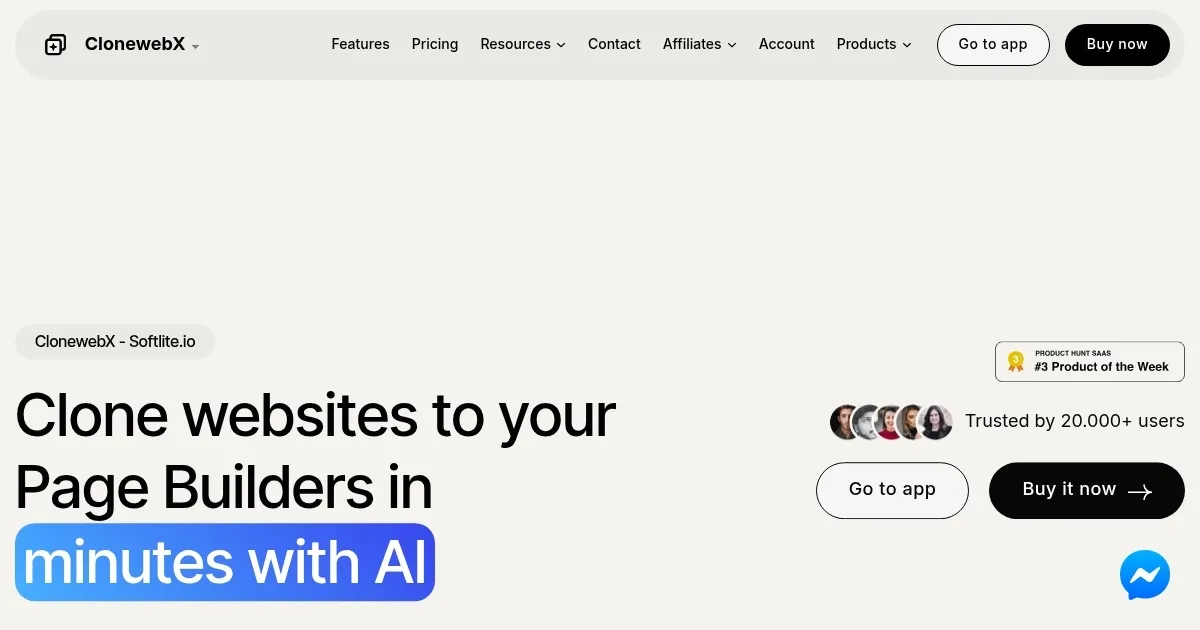
Homepage Screenshot 📸
Video Overview 🎬

What are the key features? ✨
- Clone Websites Instantly: Replicates entire webpages or specific elements into page builders with one click.
- AI DOM Optimization: Reduces DOM size to enhance rendering performance automatically.
- Cross-Platform Transfer: Moves cloned elements between builders like Elementor and Bricks.
- Responsive Design Support: Adjusts layouts for tablet and mobile with customizable max-width settings.
- Selector Tool: Allows precise element selection with a visual “eye tool” for cloning.
Who is it for? 🤔
Examples of what you can use it for 💡
- Freelance Developer: Clones a client’s existing site into Elementor for quick redesigns.
- UX/UI Designer: Replicates a competitor’s layout to study design patterns in Webflow.
- Digital Marketer: Transfers a landing page to Bricks for campaign testing.
- Small Agency Owner: Clones multiple pages into Gutenberg for cost-effective site builds.
- Hobbyist Blogger: Imports a blog layout to Breakdance for personal projects.
Pros & Cons ⚖️
- Clones sites in seconds
- Supports multiple builders
- AI optimizes performance
- No JavaScript support
FAQs 💬
ClonewebX alternatives 🔗