Fellow


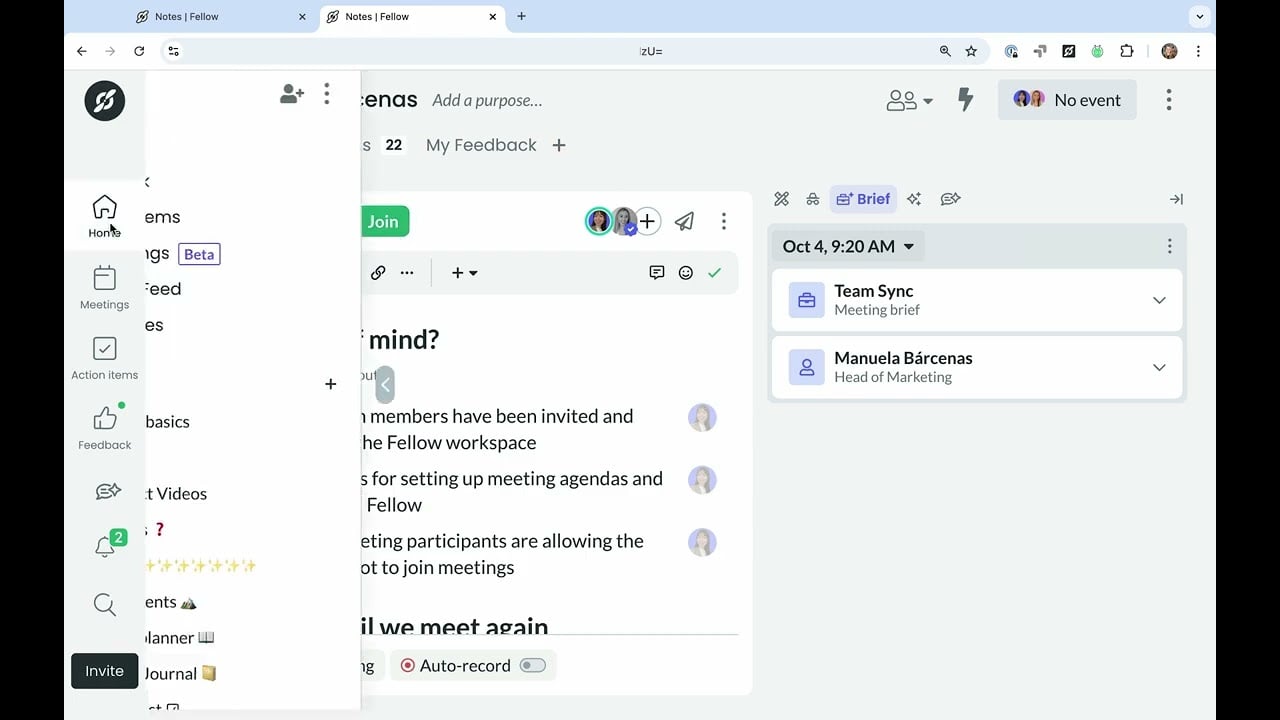
Fellow is an AI-powered tool that transforms your meetings into well-organized, productive sessions without the usual hassle. This AI-powered meeting assistant is designed to streamline your entire meeting process — from preparation to follow-up. So, whether you’re managing a small team or leading a large organization – Fellow offers tools that make meetings more efficient and collaborative.
The platform automatically records and transcribes your meetings, providing AI-generated summaries that highlight key discussion points and decisions. This means you no longer have to worry about jotting down notes during the meeting — instead, you can focus on the conversation, knowing that Fellow has you covered.
Fellow also includes the Collaborative Agendas feature, enabling teams to build shared meeting agendas that allow all participants to contribute topics and talking points ahead of time. Such a collaborative approach is meant to ensure that everyone is on the same page and that meetings are focused and productive.
The platform also offers Action Items Tracking, which kicks in after meetings to assign, visualize, and prioritize tasks in one centralized location. This promotes accountability and ensures that important action items are not overlooked, keeping projects on track.
Moreover, Fellow offers Meeting Templates, providing access to over 500 customizable templates suitable for various meeting types. This is meant to maintain consistency and efficiency across different meetings, thus saving time on preparation.
Lastly, we should mention the platform’s integrations that let the platform connect with popular tools such as Zoom, Google Meet, Microsoft Teams, Slack, Asana, and Jira. Pretty cool, we would say.
Video Overview ▶️
What are the key features? ⭐
- AI meeting transcription & summaries: Automatically records and transcribes meetings, providing AI-generated summaries that highlight key discussion points and decisions.
- Collaborative agendas: Enables teams to build shared meeting agendas, allowing all participants to contribute topics and talking points ahead of time.
- Action items tracking: Allows you to assign, visualize, and prioritize tasks in one centralized location, promoting accountability and ensuring important action items are not overlooked.
- Meeting templates: Provides access to over 500 customizable templates suitable for various meeting types to help maintain consistency and efficiency across different meetings.
- Integrations: Seamlessly connects with popular tools such as Zoom, Google Meet, Microsoft Teams, Slack, Asana, and Jira - to centralize your meeting workflows and enhance productivity.
Who is it for? 🤔
Examples of what you can use it for 💭
- Enhance engagement and accountability through collaborative agendas, shared notes, and clear action items
- Facilitate coaching and feedback sessions with structured agendas and documented outcomes
- Keep distributed teams connected and productive by centralizing meeting information and providing real-time collaboration tools
- Streamline communication and decision-making across departments with centralized notes and action tracking
- Utilize customizable meeting templates to ensure all necessary topics are covered
Pros & Cons ⚖️
- Streamlines meeting processes to reduce time spent on administrative tasks
- Facilitates real-time collaboration on meeting agendas and notes
- Connects seamlessly with a range of tools
- New users may require time to fully explore and utilize all features