
logo-darklogo-darklogo-darklogo-dark
  • Home
  • Browse
    • Assistant
    • Coding
    • Image
    • Productivity
    • Video
    • Voice
    • Writing
    • All Categories
    • AI Use Cases
  • My Favorites
  • Suggest a Tool
✕
Home › Video Generation & Editing ›

Higgsfield

Published by Dusan Belic on June 25, 2025

Higgsfield

Higgsfield
Higgsfield Homepage
Categories Video Generation & Editing
An AI video tool that can turn still images into motion clips with cinematic camera moves

Higgsfield

Higgsfield is an AI-powered video tool that can turn still images into motion clips with cinematic camera moves. In other words, its lets you make a clip in seconds — delivering professional-looking clips right from a static photo.

As a user, you start using Higgsfield by uploading or generating an image. Then, you can choose from dozens of built-in camera moves like dolly zoom, 360 orbit, crash zoom, or bullet‑time effects. In a way, it feels like having a mini film crew in your browser or phone. But the real beauty lies in how it transforms a flat image into a scene that looks like a fancy movie.

There are other AI tools that will create a video for you, including Runway, HeyGen, Stable Video and Sora. But Higgsfield stands out with its mobile‑first Diffuse app and a focus on creative camera control. It even supports API access for deeper integration.

Lastly, we should add that to get the best results, you should start with high‑res images and simple moves. According to user reports, this way, users get amazing clips 80% of the time. You got that right – 4 out of 5 people love the results Higgsfield generates. That’s nothing short of impressive!

Higgsfield Homepage
Categories Video Generation & Editing

Video Overview ▶️

What are the key features? ⭐

  • Image-to-video magic: Upload a picture, type your prompt, then transform it into a moving clip. No editing skills needed.
  • Easy camera‑motion presets: Higgsfield offers 50+ preset moves and you can layer two moves for more drama. That makes video creation fast and fun.
  • Creative prompt builder: Built‑in AI helps improve descriptions so the output matches your vision better.
  • Multiple visual styles: Choose cinematic, VHS, Super 8mm, anamorphic, abstract, and more for different moods.
  • Mobile‑first design: The Diffuse app lets creators make content anywhere, anytime.

Who is it for? 🤔

Higgsfield targets social media creators, marketers, and storytelling pros. It also helps influencers craft viral clips and agencies prototype ads rapidly. Moreover, the tool's simplicity and style appeal to anyone wanting polished visuals without a camera crew. Plus, there are marketing teams who will appreciate speed and cost compared to photo shoots. Heck, even hobbyists get a playground for cinematic effects.

Examples of what you can use it for 💭

  • Create social media clips that grab attention fast
  • Turn marketing photos into short cinematic ad videos
  • Spice up storyboards or mood boards with motion
  • Transform selfies into action‑scene videos for fun
  • Experiment with VFX presets like fire, explosions, medusa hair, and more

Pros & Cons ⚖️

  • Over 50 smooth, cinematic motion presets
  • Mobile and web‑based flexibility
  • Supports API for automation
  • Free tier has watermarks and only 25 credits
FAQs 💬

What exactly is Higgsfield AI, and who should use it?
Higgsfield AI is basically an all-in-one platform that turns text prompts, images, or even product links into short, high-quality videos and images with pro-level effects like camera zooms and transitions. It's built for social media creators, marketers, and indie filmmakers who want quick, cinematic results on mobile or desktop. If you're tired of clunky editing software, this might streamline your workflow big time.
How does Higgsfield AI's video generation work?
You start with a text prompt or upload an image, pick a motion effect from over 50 presets (think drone shots or dramatic pans), and let the AI handle the rest, including lip-sync and audio. Models like WAN 2.5 or Sora 2 crank out 10-second clips in 1080p. It's straightforward, but results shine brightest for short-form stuff like ads or reels.
Is there a free trial or plan for Higgsfield AI?
Yeah, they offer a free tier with limited daily credits for testing basics like image gen and a few video clips. No credit card needed upfront, which is nice for beginners. Paid plans kick in for unlimited access, especially during sales like the recent Black Friday deal with 65% off.
What are the pricing options for Higgsfield AI in 2025?
Plans range from a Basic at about $9/month (or less on annual) for core features, up to Creator at $89/month for unlimited models and priority rendering. Videos cost 10 credits each, but unlimited image gen comes standard on higher tiers. It's competitive, though some users gripe about hidden queues eating into "unlimited" promises.
What makes Higgsfield AI different from tools like Runway ML or Kling AI?
Higgsfield nails mobile-first cinematic controls and one-click UGC ads, with seamless audio sync in WAN 2.5, while Runway edges out on longer edits and advanced VFX. Kling's great for consistency, but Higgsfield feels more accessible for quick social clips. If you're on the go, I'd lean Higgsfield; for studio work, maybe Runway.
Can beginners use Higgsfield AI without much experience?
Absolutely, the interface is intuitive with prompt enhancers and preset templates that guide you. No steep learning curve here, though tweaking for perfect results might take a few tries. Users on Reddit say it's a step up from Canva for AI newbies.
What are the main pros and cons of Higgsfield AI?
Pros include killer motion effects, fast mobile rendering, and unlimited image gen on paid plans, which save tons of time for marketers. Cons? Clips max at 10 seconds, occasional bugs like warped gestures, and queues during peak times. Still, the wow factor often outweighs the glitches for short content.
Does Higgsfield AI support custom characters or personalization?
Yep, tools like Soul ID let you upload selfies for hyper-realistic avatars with consistent faces across videos. It's solid for branded content, but character consistency can wobble in complex scenes, per 2025 reviews.
How's the customer support and community for Higgsfield AI?
Support's responsive via email, with quick fixes for billing issues, but some Trustpilot folks wait days for tech help. The community on Reddit's r/HiggsfieldAI is buzzing with prompt shares and tips, making it easy to learn from others.
Is Higgsfield AI safe for commercial use, and what about privacy?
Totally, outputs are yours to use commercially, no watermarks on paid plans. They use secure processing for uploads like selfies, but always check their policy. No major breaches reported in 2025, which builds trust.

Related tools ↙️

  1. GliaCloud GliaCloud Generate videos from news, social posts, live sports events, and stats in minutes
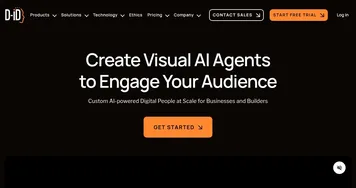
  2. D-ID D-ID An platform that generates stunning AI avatar videos
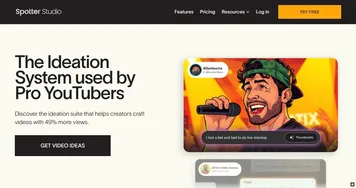
  3. Spotter Studio Spotter Studio An AI-powered ideation for brainstorming, researching, and planning videos for YouTube
  4. Prequel Prequel Photo and video editing app with an easy-to-use creative toolkit, aesthetic effects and filters
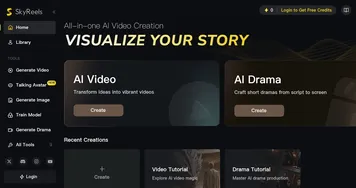
  5. SkyReels SkyReels Transforms text and images into cinematic videos with AI-driven storytelling
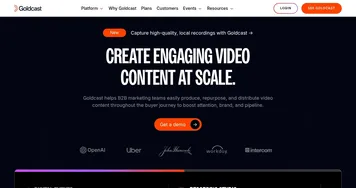
  6. Goldcast Goldcast An AI-powered video campaign platform for marketers for creating engaging videos
Last update: November 17, 2025
Share
Promote Higgsfield
light badge
Copy Embed Code
light badge
Copy Embed Code
light badge
Copy Embed Code
About Us | Contact Us | Suggest an AI Tool | Privacy Policy | Terms of Service

Copyright © 2026 Best AI Tools
415 Mission Street, 37th Floor, San Francisco, CA 94105