logo-darklogo-darklogo-darklogo-dark
  • Home
  • Browse
    • Assistant
    • Coding
    • Image
    • Productivity
    • Video
    • Voice
    • Writing
    • All Categories
    • AI Use Cases
  • My Favorites
  • Suggest a Tool
✕
Home › Coding & Development ›

Jules

Published by Dusan Belic on May 20, 2025

Jules by Google

Jules
Jules Homepage
Categories Coding & Development
An AI coding assistant that helps developers handle tasks such as fixing bugs and updating code

Jules

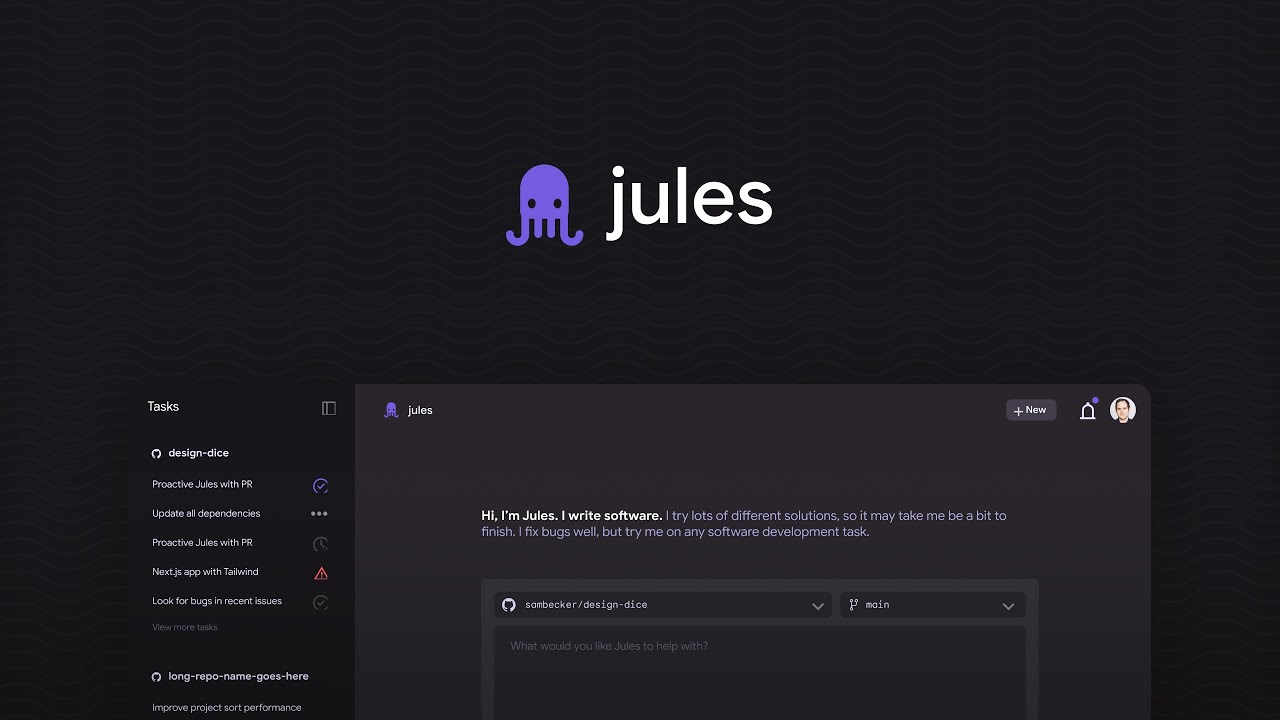
Jules is Google’s AI coding assistant that helps developers handle repetitive tasks like fixing bugs and updating code. As such, it is designed to make coding easier AND faster.

What makes Jules really cool is the fact that it can work on its own, running in the background while you focus on other things. It uses Google’s advanced AI model, Gemini 2.5 Pro, to understand your code and make smart changes. This means you can assign tasks to Jules, and it will take care of them without constant supervision. This way, it acts like a helpful assistant who knows exactly what to do.

It is important to emphasize that Jules isn’t just another code completion tool. It goes beyond that by creating detailed plans to fix issues, updating multiple files, and even preparing pull requests for GitHub. All this makes it a powerful tool for developers who want to save time and reduce manual work. So, it doesn’t just suggest code snippets like GitHub Copilot, Augment Code and Windsurf — it takes action to implement changes.

One of the best things about Jules is that it’s asynchronous. Because of this, you can work on tasks in the background while you continue with other parts of your project. Plus, you don’t have to wait for it to finish before moving on. Jules also provides audio summaries of the changes it makes, so you can quickly understand what’s been done without reading through lines of code.

As of May 2025, Jules is in public beta, which means it’s available for developers to try out and provide feedback. It integrates with GitHub to make adding to your existing workflow easy. You can assign tasks to Jules directly from your GitHub issues, and it will handle them while you do other things.

Now, because it’s in beta, Jules can make mistakes, so it’s advisable to review the changes it makes before merging them into your codebase. Nevertheless, we can envision a future where tools like Jules emerge as a must-have for developer teams worldwide, increasing the productivity of software companies along the way.

All in all, Jules is a promising tool for developers looking to enhance their productivity by automating routine tasks. While it’s still in beta, its features and integration with existing workflows make it a valuable assistant in the coding process. Check it out.

Jules Homepage
Categories Coding & Development

Video Overview ▶️

What are the key features? ⭐

  • Asynchronous operation: Jules works in the background, allowing you to focus on other tasks while it handles coding issues.
  • Detailed planning: It creates comprehensive plans to address coding problems, ensuring that changes are made thoughtfully while maintaining the quality and integrity of your code.
  • GitHub integration: Jules integrates seamlessly with GitHub, allowing you to assign tasks directly from your issues and manage pull requests efficiently.
  • Audio summaries: After completing tasks, Jules provides audio summaries of the changes made - helping you quickly understand updates without reading through all the code.
  • Secure environment: Jules operates in a secure Google Cloud virtual machine, ensuring that your code remains private and protected during the process.

Who is it for? 🤔

Jules is designed for developers who want to automate routine coding tasks and focus on more complex aspects of their projects. It can be particularly useful for teams working on large codebases where managing bugs, updates, and documentation can be time-consuming. By handling these tasks, Jules helps developers maintain (and improve) productivity and code quality.

Examples of what you can use it for 💭

  • Assign known issues to Jules, and it will develop a plan to fix them
  • Need to update dependencies or refactor code? Jules can handle these tasks efficiently, while keeping your project up-to-date
  • Use Jules to write tests for your code, helping ensure that new features work as intended and reducing the risk of bugs
  • Let Jules add or update documentation for your code, making it easier for others to understand and maintain
  • Describe a new feature, and Jules can help implement it, handling the coding tasks while you focus on design and functionality

Pros & Cons ⚖️

  • Automates repetitive tasks, freeing up time for more important work
  • Seamless integration with GitHub
  • Audio summaries and detailed plans help you quickly grasp changes
  • Still in beta, so it may have some bugs or limitations

FAQs 💬

What exactly does Jules do?
Jules autonomously handles coding tasks like bug fixes, feature additions, test writing, dependency updates, and refactoring by working directly on your GitHub repo in a secure cloud VM, then submitting pull requests for review.
How is Jules different from tools like Cursor or GitHub Copilot?
Unlike synchronous completion tools that assist in real time within your editor, Jules runs asynchronously as an independent agent, cloning the full repo, planning multi-file changes, and working in the background without requiring constant oversight.
Do I need to install anything to use Jules?
You access Jules through its web interface at jules.google.com with a Google account, though it integrates natively with GitHub; a CLI tool and API are also available for more advanced workflows.
What kind of tasks is Jules best at?
It excels at repetitive or maintenance work such as fixing bugs, writing unit tests, bumping package versions, migrating project structures, or implementing straightforward features based on clear prompts.
Does Jules understand my entire codebase?
Yes, it clones the full repository into a secure VM and reasons across the complete context, which helps it make coherent, project-aware changes rather than isolated snippets.
How do I control what Jules changes?
You review and approve the agent's plan upfront, monitor diffs during execution, and decide whether to merge the final pull request it creates on GitHub.
Can Jules run tests or verify its own work?
It runs existing test suites, generates new tests when needed, and validates changes within its VM environment to ensure functionality before proposing the PR.
Is Jules suitable for beginners or only experienced developers?
Experienced developers benefit most from delegating tedium, but beginners can use it too for learning by reviewing its structured plans and changes, though clear prompts and oversight remain key.
What if Jules makes a mistake in its changes?
You always review the PR before merging, and features like the built-in critic help catch issues early, but like any tool, iteration or prompt refinement may be needed for tricky cases.
Does Jules work with private repositories?
Yes, it supports private GitHub repos after you grant the necessary permissions via the Jules GitHub app integration.

Related tools ↙️

  1. WebWave WebWave An AI-powered drag-and-drop website builder that makes creating websites easy
  2. Syntha AI Syntha AI Generates, converts, and optimizes code across 60+ languages
  3. Supermaven Supermaven A code completion tool designed to help developers write code faster
  4. Memex Memex Turns ideas into software using natural language, no coding required
  5. SuperAGI SuperAGI An open-source autonomous AI framework to develop and deploy autonomous agents quickly & reliably
  6. Relume Relume Generates AI-powered sitemaps, wireframes, and style guides for faster web design
Last update: December 24, 2025
Share
Promote Jules
light badge
Copy Embed Code
light badge
Copy Embed Code
light badge
Copy Embed Code
About Us | Contact Us | Suggest an AI Tool | Privacy Policy | Terms of Service

Copyright © 2026 Best AI Tools
415 Mission Street, 37th Floor, San Francisco, CA 94105