logo-darklogo-darklogo-darklogo-dark
  • Tool Categories
    • 🎨Art & Creative Design505
    • 🏢Business Management644
    • 💻Coding & Development515
    • 👮Detection83
    • 🧠General Use727
    • 🏥Health & Wellness55
    • 📷Image & Photo Analysis100
    • 🖼️Image Generation & Editing618
    • 📐Interior & Architectural Design37
    • 🎓Learning & Education483
    • ⚖️Legal & Finance90
    • 🎭Lifestyle & Entertainment236
    • 📢Marketing & Advertising627
    • 🎧Music & Audio138
    • 👔Office & Workplace1,014
    • 🔬Research & Data Analysis372
    • 👥Social Media245
    • 🎥Video Generation & Editing426
    • 👧🏻Virtual Companion135
    • 🎤Voice Generation & Editing381
    • ✍️Writing & Editing808
    • All Categories
    • AI Use Cases
  • News
  • Events
    • Academic Conferences
    • Developer Conferences
    • Expos / Trade Shows
    • Industry Summits
    • Workshops / Training
    • All Events
    • Past Events
  • Saved Tools
  • Suggest a Tool
✕
Home › Office & Workplace › Meeting Assistant› MeetGeek
MeetGeek

MeetGeek

An AI-powered assistant for recording, transcription, and summarization of online meetings

MeetGeek is an AI-powered meeting assistant that automates the recording, transcription, and summarization of online meetings. By integrating with platforms like Zoom, Google Meet, and Microsoft Teams – it ensures that every meeting is accurately documented, allowing participants to focus on the discussion without the distraction of manual note-taking.

MeetGeek is especially good at generating AI-driven summaries that highlight key points, action items, and decisions made during meetings. This functionality enables everyone involved to quickly grasp essential information and follow up on tasks. Moreover, the platform offers a conversation repository — providing a centralized, searchable archive of past meetings, recordings, transcripts, and highlights.

MeetGeek also provides team collaboration tools that allow users to define sharing rules for meeting content, ensuring that relevant information is accessible to the appropriate team members. The platform offers meeting templates, which are meant to help users set up and conduct meetings more effectively. Plus, for those seeking a personalized experience, MeetGeek offers custom branding options, allowing businesses to tailor the meeting interface to align with their brand identity.

When it comes to security, MeetGeek prioritizes data protection by implementing end-to-end encryption for both data at rest and in transit. This commitment to security is there to ensure that sensitive meeting information remains confidential and protected from unauthorized access.

In summary, with its comprehensive suite of features and emphasis on security – MeetGeek serves as a valuable tool for organizations looking to streamline their meeting processes and enhance team collaboration.

Visit MeetGeek ↗
Categories
👔 Work
🤝 Meeting Assistant 🗒️ Note Taking 📝 Note Generation ⚡ Work Productivity
🎤 Voice
📝 Transcriber 💬 Speech-to-Text 🔠 Audio To Text 🎤 Recording
✍️ Writing
📝 Summarizer

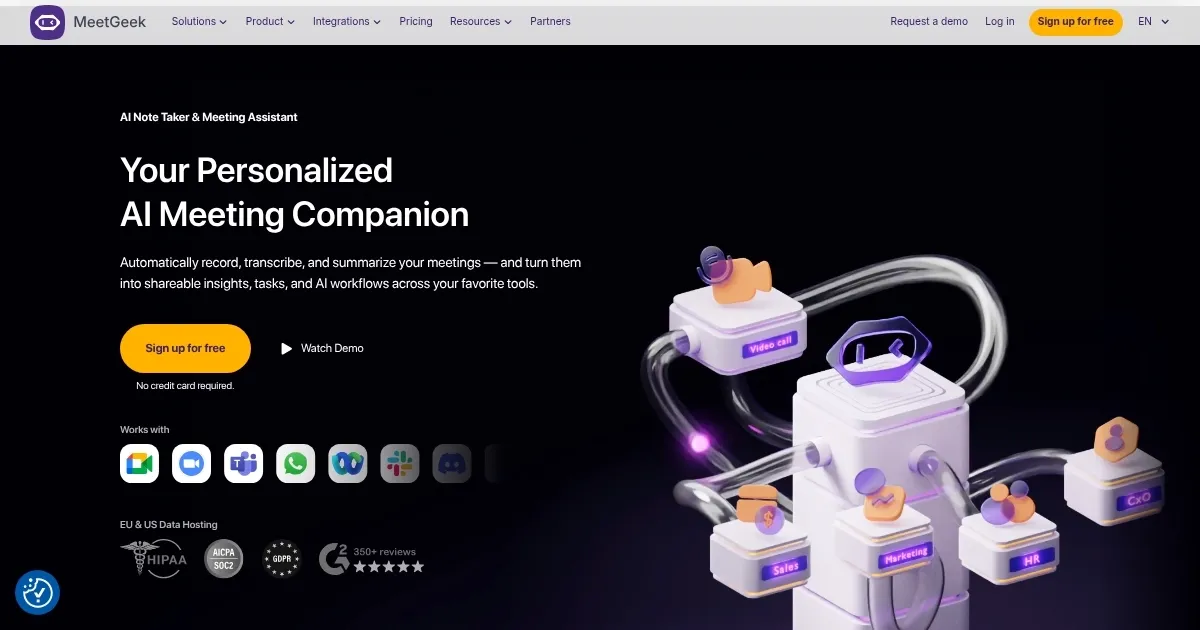
Homepage Screenshot 📸

MeetGeek screenshot

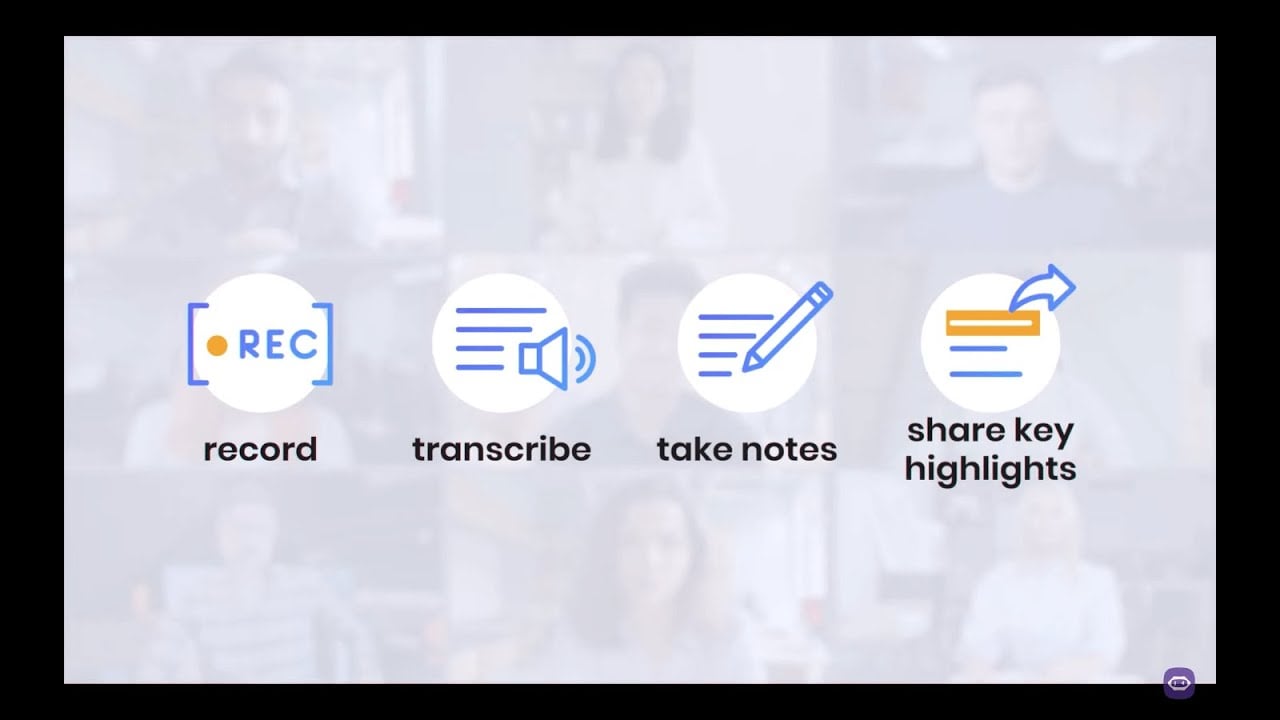
Video Overview 🎬

MeetGeek - Video Overview

What are the key features? ✨

  • Automated recording & transcription: MeetGeek automatically records and transcribes meetings across platforms like Zoom, Microsoft Teams, and Google Meet, capturing every detail without manual effort.
  • AI-generated summaries: The platform provides concise summaries highlighting key points, action items, and decisions.
  • Action items & topic detection: MeetGeek identifies and extracts important topics and tasks discussed during meetings.
  • Seamless integrations: It integrates with tools like Slack, HubSpot, and various CRMs, synchronizing meeting content and insights with existing workflows.
  • Conversation intelligence: MeetGeek offers analytics on engagement, speaker distribution, and other metrics.

Who is it for? 🤔

MeetGeek is designed for various professionals and teams, including sales representatives, HR personnel, customer success managers, marketers, and collaborative workgroups. Its automated features and seamless integrations make it valuable for organizations looking to enhance meeting efficiency, ensure accurate record-keeping, and derive actionable insights from their virtual interactions.

Examples of what you can use it for 💡

  • Sales professionals can utilize MeetGeek to capture detailed records of client meetings
  • HR departments can streamline recruitment by recording and transcribing interviews
  • Customer success managers can gain deeper insights into client needs and feedback through detailed call transcripts
  • Marketers can access firsthand data from customer interactions
  • Teams can maintain a centralized, searchable repository of meeting records

Pros & Cons ⚖️

  • Automatic meeting transcription and summaries
  • Integrates with popular video-calling platforms
  • Provides actionable insights post-meeting
  • Limited language support for transcriptions

FAQs 💬

What does MeetGeek actually do?
MeetGeek automatically joins your online meetings on Zoom, Google Meet, Microsoft Teams, and more to record video and audio, transcribe conversations in over 50 languages, generate smart summaries, extract action items, and provide insights like speaker talk time or engagement levels.
Does MeetGeek work for in-person meetings too?
Yes, it supports offline recordings through its mobile apps, so you can capture face-to-face conversations and get the same AI transcription and summaries afterward.
How accurate is the transcription and summarization?
The transcription is generally very accurate, especially for English and major languages, and the AI creates context-aware summaries that adapt to different meeting types like sales calls, interviews, or team syncs, though some users note occasional issues with accents or complex jargon.
What video conferencing platforms does it integrate with?
MeetGeek works seamlessly with Zoom, Google Meet, Microsoft Teams, Webex, and even Discord, plus it offers a no-bot option via browser extension for meetings where you prefer not to add a participant.
Can teams share meetings and notes easily?
Absolutely, it builds a searchable library of all past meetings where you can organize calls into folders, share summaries or highlights with colleagues, and collaborate without needing to re-watch everything.
Does it offer any automation features?
Yes, you can set up automated workflows to send summaries to tools like Slack, Notion, or your CRM, detect action items, and even use AI chat to ask questions about past conversations.
Is MeetGeek secure for sensitive meetings?
It uses strong encryption (256-bit AES and SSL/TLS), complies with SOC 2, HIPAA, GDPR, and CCPA, and offers options for data hosting in the EU or US, which makes it suitable for enterprise and regulated teams.
How does MeetGeek handle different meeting types?
The AI automatically detects the type of meeting (sales, onboarding, interviews, team discussions, etc.) and applies the right summary template to give you tailored notes and insights.
Can I use MeetGeek without installing anything extra?
It mostly works through calendar integration and auto-joining as a bot, but there's also a Chrome extension for no-bot recording and mobile apps for offline use.
What kind of insights does it provide beyond basic summaries?
It delivers conversation intelligence like talk time distribution, engagement trends, key topics timeline, and performance metrics, which help with coaching, sales improvement, or team productivity.

Ready to try MeetGeek?

An AI-powered assistant for recording, transcription, and summarization of online meetings

Visit MeetGeek ↗

MeetGeek alternatives 🔗

  1. Slack AI Slack AI Search smarter, summarize conversations instantly, and be at your most productive
  2. FigJam AI FigJam AI Instantly visualize ideas, suggest best practices, and automate tedious tasks
  3. ClickUp Brain ClickUp Brain Automates workflows with contextual AI for tasks, meetings, and content creation
  4. Miro AI Miro AI Visual collaboration platform that lets you build the next big thing with a prompt and a chat
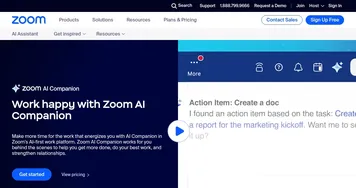
  5. Zoom AI Companion Zoom AI Companion Get high-quality results when drafting emails and chat messages, summarizing meetings and chat threads
  6. TurboScribe TurboScribe Transcribes audio and video files to accurate text instantly
Share
MeetGeek screenshot enlarged
Promote MeetGeek
light badge
Copy Embed Code
dark badge
Copy Embed Code
neutral badge
Copy Embed Code
Best AI Tools

Discover the best AI tools for any use case

Explore
  • Tool Categories
  • AI Use Cases
  • AI Events
  • AI News
  • Saved Tools
Company
  • About Us
  • Contact Us
  • Media & Partnerships
  • Suggest a Tool
Legal
  • Privacy Policy
  • Terms of Service
Copyright © 2026 Best AI Tools 415 Mission Street, 37th Floor, San Francisco, CA 94105