logo-darklogo-darklogo-darklogo-dark
  • Home
  • Browse
    • Assistant
    • Coding
    • Image
    • Productivity
    • Video
    • Voice
    • Writing
    • All Categories
    • AI Use Cases
  • My Favorites
  • Suggest a Tool
✕
Home › Design Generator ›

Piktochart AI

Published by Dusan Belic on June 17, 2024

Piktochart AI

Piktochart
Piktochart AI Homepage
Categories Design Generator
Transform text-heavy content into visually appealing infographics

Piktochart AI

Piktochart is an easy-to-use AI tool that can transform text-heavy content into visually appealing infographics with minimal effort. By simply entering a topic or text prompt, users can generate a range of infographics templates for various subjects and themes.

Piktochart’s drag-and-drop editor allows users to customize their infographics by adding images, icons, charts, and other visual elements. This editor makes sure users can tailor their infographics to meet specific needs and preferences.

Speaking of needs, Piktochart is useful for the likes of educators, marketers, and business professionals. All of them will be able to communicate their messages more effectively, using easy-to-grasp infographics.

The tool also includes a vast library of icons, images, and fonts that could be used to make infographics better — or designed in a way that aligns with the brand identity.

In a nutshell, Piktochart aims to democratize infographic design, making it accessible to a broader audience. It is easy to use while offering advanced customization features — that further allow users to produce high-quality, visually engaging infographics. Check it out.

Piktochart AI Homepage
Categories Design Generator

Video Overview ▶️

What are the key features? ⭐

  • Infographic creation: Piktochart AI allows anyone to create infographics in seconds by simply entering a topic or a subject.
  • Templates: You can start with AI-generated templates and customize every element to align with your brand and message.
  • Rich library: The tool provides users with access to a vast library of images, icons, and visual assets to enhance their infographics.
  • Different output formats: Save and download infographics in various formats such as JPG, PNG, and PDF to make sharing and embedding easy.
  • User-friendly interface: You don't need design skills to use Piktochart AI. The interface is intuitive, allowing users to create professional-quality infographics with little effort.

Who is it for? 🤔

Piktochart AI is made for businesses, educators, marketers, and communicators who need to create high-quality infographics without design expertise. It is ideal for professionals looking to enhance their visual storytelling, streamline content creation, and communicate complex information through visual design. The tool is also beneficial for teams in need of consistent and on-brand visual content for various purposes.

Examples of what you can use it for 💭

  • Visualize complex business data and insights in a clear way to present to stakeholders
  • Transform text-heavy educational materials into interactive and visually appealing infographics
  • Create compelling marketing visuals to attract and convert leads
  • Develop clear and on-brand visuals for internal reports and communications to improve information dissemination
  • Generate visually striking content for social media platforms

Pros & Cons ⚖️

  • Makes it easy to create infographics
  • Templates alone are worth the price
  • And so is the included library of clipart, icons and fonts
  • Not enough for Illustrator pros to switch boats
FAQs 💬

What is Piktochart AI?
Piktochart AI is a generative design tool that turns simple text prompts, pasted content, or uploaded documents into editable visuals like infographics, reports, presentations, and posters in seconds. It uses machine learning to create structured layouts with charts, images, and text, making professional designs accessible without any graphic skills. Users love how it speeds up workflows for educators, marketers, and teams.
Do I need design experience to use Piktochart AI?
No, you don't need any design background at all. The drag-and-drop editor and AI suggestions guide you through customization, so beginners can produce polished visuals quickly. Reviews from non-designers highlight its intuitive interface as a game-changer for quick projects.
How does Piktochart AI generate visuals from my content?
Enter a topic prompt up to 120 characters, paste text, or upload a file like PDF or DOCX, and the AI analyzes it to build a template with outlines, charts, and images in under 10 seconds. You can then edit everything in the platform's editor for a perfect fit.
What file formats can I upload to Piktochart AI?
It supports TXT, DOCX, and PDF files up to 10MB, but scanned or image-based PDFs might not work well. For best results, use text-based documents, and the AI will preserve key elements like existing charts during generation.
Can Piktochart AI create charts or graphs automatically?
Yes, it generates charts from your content's data, like turning numbers into bars or pies, but it doesn't yet handle raw CSV uploads directly. The "Preserve Content" feature keeps your original tables intact while redesigning around them.
What types of visuals can I make with Piktochart AI?
You can create infographics, reports, presentations, posters, flyers, banners, and even handbooks in formats like lists, timelines, comparisons, or charts. It's great for educational aids, marketing materials, or business reports.
How customizable are the AI-generated visuals?
Fully customizable, right after generation. Swap images, tweak colors to match your brand, rearrange sections, or add icons from the library using the easy editor. Business users get extra tools like brand kits for consistent styling.
Is there a free version of Piktochart AI, and what are the limits?
Yes, the free plan gives 60 AI credits monthly for generations, plus access to templates and basic editing. It's perfect for testing, though advanced exports and more credits come with paid upgrades.
Can I collaborate on Piktochart AI projects with a team?
Absolutely, share workspaces for real-time edits, comments, and revisions, much like Google Docs. It's ideal for teams in marketing or education to brainstorm and finalize visuals together.
What are some common use cases for Piktochart AI?
Teachers make lesson infographics, marketers create campaign reports, HR builds onboarding guides, and students craft project posters. It's praised for turning dense data into engaging stories fast.

Related tools ↙️

  1. Relume Relume Generates AI-powered sitemaps, wireframes, and style guides for faster web design
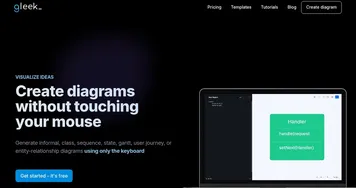
  2. Gleek Gleek Generates diagrams from text descriptions using keyboard-only input
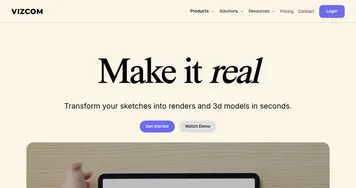
  3. Vizcom Vizcom An AI tool that turns your sketches into stunning concept drawings in seconds
  4. 10Web 10Web A website builder that uses AI generated content and images
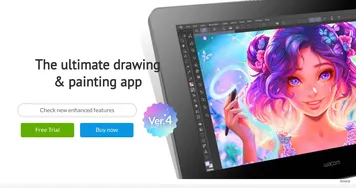
  5. Clip Studio Paint Clip Studio Paint An AI-drive digital art tool with an extensive suite of features, options, and more
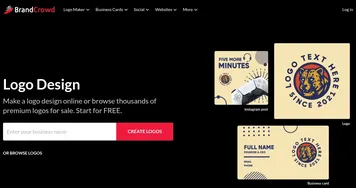
  6. BrandCrowd BrandCrowd Creates customizable logos, business cards, and social media designs in minutes
Last update: December 3, 2025
Share
Promote Piktochart AI
light badge
Copy Embed Code
light badge
Copy Embed Code
light badge
Copy Embed Code
About Us | Contact Us | Suggest an AI Tool | Privacy Policy | Terms of Service

Copyright © 2026 Best AI Tools
415 Mission Street, 37th Floor, San Francisco, CA 94105