logo-darklogo-darklogo-darklogo-dark
  • Tool Categories
    • ๐ŸŽจArt & Creative Design505
    • ๐ŸขBusiness Management644
    • ๐Ÿ’ปCoding & Development515
    • ๐Ÿ‘ฎDetection83
    • ๐Ÿง General Use727
    • ๐ŸฅHealth & Wellness55
    • ๐Ÿ“ทImage & Photo Analysis100
    • ๐Ÿ–ผ๏ธImage Generation & Editing618
    • ๐Ÿ“Interior & Architectural Design37
    • ๐ŸŽ“Learning & Education483
    • โš–๏ธLegal & Finance90
    • ๐ŸŽญLifestyle & Entertainment236
    • ๐Ÿ“ขMarketing & Advertising627
    • ๐ŸŽงMusic & Audio138
    • ๐Ÿ‘”Office & Workplace1,014
    • ๐Ÿ”ฌResearch & Data Analysis372
    • ๐Ÿ‘ฅSocial Media245
    • ๐ŸŽฅVideo Generation & Editing426
    • ๐Ÿ‘ง๐ŸปVirtual Companion135
    • ๐ŸŽคVoice Generation & Editing381
    • โœ๏ธWriting & Editing808
    • All Categories
    • AI Use Cases
  • News
  • Events
    • Academic Conferences
    • Developer Conferences
    • Expos / Trade Shows
    • Industry Summits
    • Workshops / Training
    • All Events
    • Past Events
  • Saved Tools
  • Suggest a Tool
โœ•
Home › Office & Workplace › Diagram Generation› Gleek
Gleek

Gleek

Generates diagrams from text descriptions using keyboard-only input

Gleek is a text-to-diagram tool that generates UML, ER, flowcharts, and other diagrams from keyboard input. It uses a custom syntax to create diagrams quickly, targeting developers and software architects. The cloud-based platform supports real-time collaboration, diagram sharing, and integrations with Confluence and Azure DevOps. The free plan limits users to five diagrams and 40 objects, with PNG exports and ads. Premium plans unlock Git integration, SVG exports, and the Gleek AI Chat for generating diagrams from natural language.

Key features include a keyboard-driven syntax, autocomplete, and pre-designed templates for UML class, sequence, and ER diagrams. Users can create diagrams like system context or microservices architecture in minutes. The dashboard organizes diagrams with search functionality. Git integration allows premium users to store diagrams in repositories. Compared to ChatUML, Gleek is more developer-centric but less visually customizable. Diagramming AI offers similar diagramming but relies on drag-and-drop, while Napkin AIย has broader enterprise features.

The free plan suits small projects but limits exports and storage. Premium plans offer more flexibility and ad-free use. The syntax takes a short learning curve, and some users may prefer graphical editors for precise styling. The AI Chat feature, exclusive to premium, simplifies diagram creation. Recent updates include a faster layout engine and SVG export options.

Gleek excels for rapid diagramming in collaborative settings. Developers can try the free plan to test compatibility. Use templates for quick starts, and consider premium for team projects or advanced integrations.

Visit Gleek ↗
Categories
๐Ÿ‘” Work
๐Ÿ“ Diagram Generation ๐Ÿ“ˆ Charting ๐Ÿ–๏ธ Whiteboard
๐ŸŽ“ Education
๐Ÿ—บ๏ธ Mind Mapping
๐Ÿ’ป Coding
๐Ÿ‘จโ€๐Ÿ’ป Development

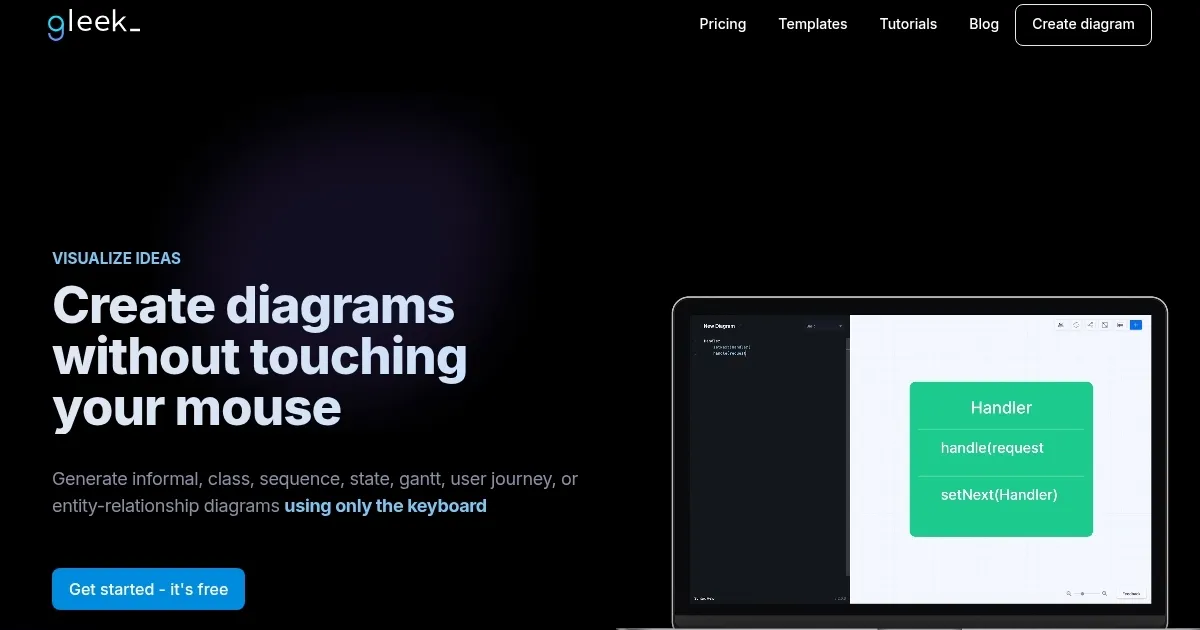
Homepage Screenshot 📸

Gleek screenshot

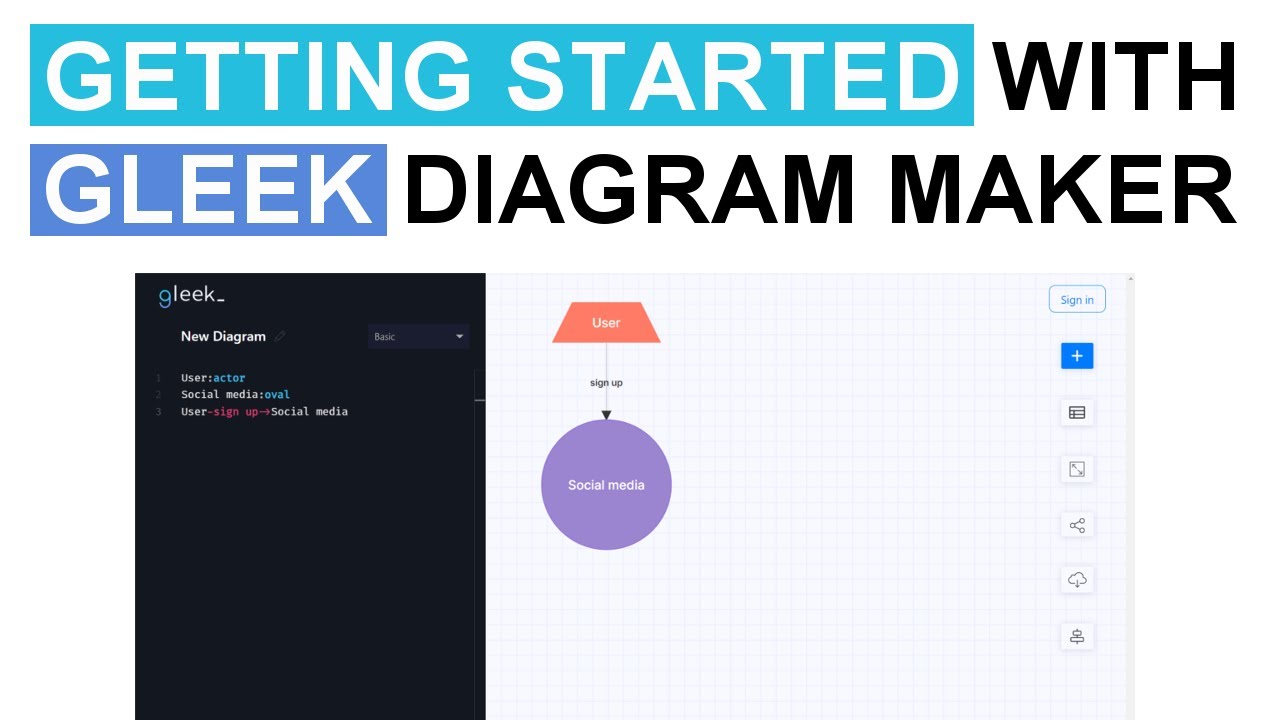
Video Overview 🎬

Gleek - Video Overview

What are the key features? ✨

  • Text-to-Diagram Syntax: Creates diagrams from simple text input using a custom scripting language.
  • Real-Time Collaboration: Enables team members to work on diagrams simultaneously in the cloud.
  • Pre-Designed Templates: Offers templates for UML, ER, and flowchart diagrams to speed up creation.
  • Git Integration: Allows premium users to store diagrams in Git repositories with version control.
  • Export Options: Supports PNG and SVG exports, with premium plans offering more formats.

Who is it for? 🤔

Gleek.io is ideal for software developers, architects, and technical teams who need to create diagrams quickly without drag-and-drop interfaces. It suits those comfortable with coding and working on system architecture, database design, or process mapping, especially in collaborative or remote settings.

Examples of what you can use it for 💡

  • Software Developer: Creates UML class diagrams to visualize system structure before coding.
  • Database Designer: Uses ER diagrams to map out database relationships in Crowโ€™s Foot notation.
  • Project Manager: Generates flowcharts to outline project workflows during planning meetings.
  • DevOps Engineer: Embeds sequence diagrams in Azure DevOps to clarify task interactions.
  • Team Collaborator: Shares real-time diagrams with remote team members for brainstorming.

Pros & Cons ⚖️

  • Fast text-based diagramming
  • Useful templates included
  • Free plan available
  • Basic visual customization

FAQs 💬

What types of diagrams can Gleek create?
Gleek supports UML class, sequence, object, ER, flowchart, and mind map diagrams.
Is Gleek free to use?
Yes, Gleek offers a free plan with a five-diagram limit and basic features.
Do I need to know coding to use Gleek?
No, but familiarity with simple syntax helps, as itโ€™s text-based.
Can I collaborate with my team on Gleek?
Yes, real-time collaboration is supported, especially in premium plans.
Does Gleek integrate with other tools?
Yes, it integrates with Confluence, Azure DevOps, and Git for premium users.
What are the export options for diagrams?
Free users can export as PNG; premium users can export as SVG and more.
Is there an AI feature in Gleek?
Yes, Gleek AI Chat generates diagrams from text, but itโ€™s premium-only.
Where are diagrams stored in the free plan?
Free plan diagrams are stored locally in the browserโ€™s IndexDB.
Can I use Gleek offline?
No, itโ€™s a cloud-based tool requiring an internet connection.
How secure is Gleek for my data?
Gleek uses Braintree for secure transactions and protects user data.

Ready to try Gleek?

Generates diagrams from text descriptions using keyboard-only input

Visit Gleek ↗

Gleek alternatives 🔗

  1. FigJam AI FigJam AI Instantly visualize ideas, suggest best practices, and automate tedious tasks
  2. Miro AI Miro AI Visual collaboration platform that lets you build the next big thing with a prompt and a chat
  3. Napkin AI Napkin AI Turn text into visually engaging content like infographics, flowcharts, and diagrams
  4. Mermaid Chart Mermaid Chart A diagramming tool that allows users to create a range of diagrams using text
  5. Whimsical AI: Text-to-Flowchart Whimsical AI: Text-to-Flowchart Transforms text prompts into editable flowcharts instantly
  6. Whimsical Mind Maps Whimsical Mind Maps An AI-powered tool for the quick and collaborative creation of mind maps
Share
Gleek screenshot enlarged
Promote Gleek
light badge
Copy Embed Code
dark badge
Copy Embed Code
neutral badge
Copy Embed Code
Best AI Tools

Discover the best AI tools for any use case

Explore
  • Tool Categories
  • AI Use Cases
  • AI Events
  • AI News
  • Saved Tools
Company
  • About Us
  • Contact Us
  • Media & Partnerships
  • Suggest a Tool
Legal
  • Privacy Policy
  • Terms of Service
Copyright © 2026 Best AI Tools 415 Mission Street, 37th Floor, San Francisco, CA 94105