PouncerAI
Optimizes Upwork profiles and generates tailored proposals to land more freelance gigs
Freelancers know the drill on Upwork. You pour hours into tweaking that profile, only to watch invites trickle in like rain in a drought. Then there’s the proposal grind, staring at a blank screen while the clock ticks away your connects. Enter PouncerAI, a nifty Chrome extension that promises to flip the script with AI smarts tailored just for the platform. I dove into it recently, and let me tell you, it’s like having a sharp-eyed coach whispering fixes in your ear.
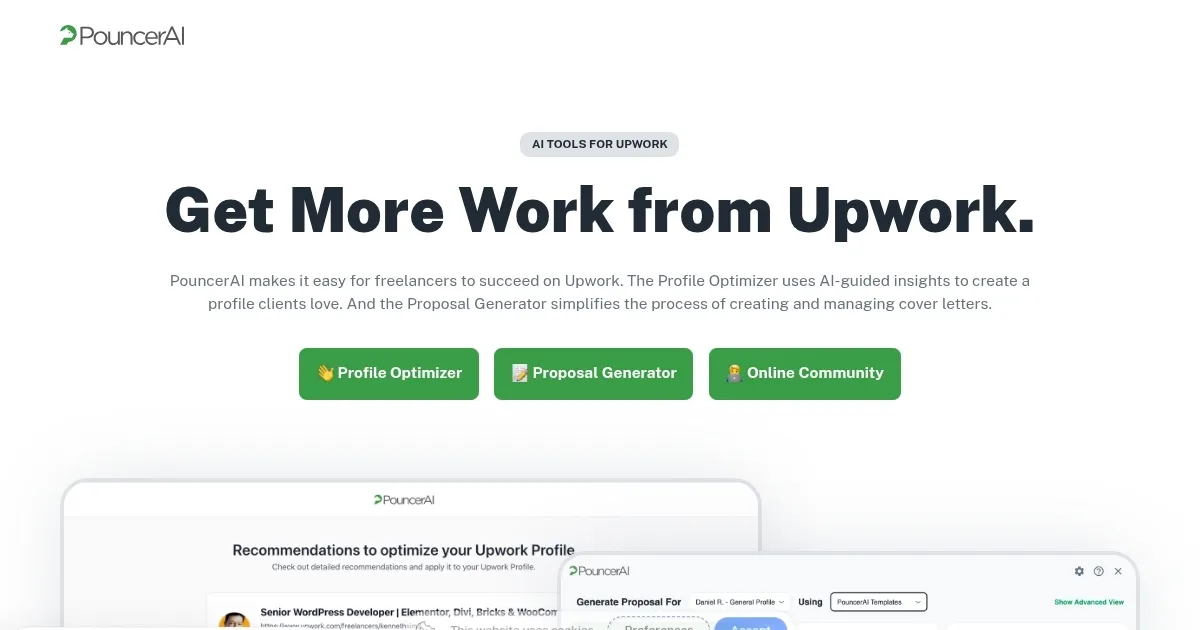
The Profile Optimizer hits first. You import your Upwork details with a click, and boom, it scans everything, from your title to your skills showcase. It spits out suggestions grounded in what actually works, drawing from patterns in top-earning profiles. Think rewrites that punch up your overview to highlight results over buzzwords, or tweaks to your portfolio sections that make clients linger longer. One user I read about, a WordPress dev, saw invites double after a quick overhaul. It’s not magic, but the AI’s insights feel eerily spot-on, probably because the creators, Daniel Reiling and Sean Jackson, built it from their own freelance frustrations. They know the game inside out.
Now, the Proposal Generator, that’s where things get fun. Spot a job while browsing? Hit the button, and it pulls job specs, meshes them with your profile, and crafts a cover letter that sounds like you, not some robot. No more generic drivel. It uses templates honed for Upwork’s picky clients, covering 95 percent of gigs from writing to dev work. I tried it on a mock project, and the output nailed pain points with specifics, like referencing a client’s recent funding round. Users rave about the UpStyler Toolbar too, letting you jazz up text with bold, bullets, even emojis, all without leaving the page. It’s seamless, and that flow keeps you applying faster.
Of course, nothing’s flawless. Some folks gripe about mobile quirks, since it’s Chrome-bound, so on-the-go tweaks feel clunky. And while it shines for proposals, it won’t auto-send them, which means you’re still clicking submit. Compared to rivals like Upwork’s own Uma AI, which feels more baked-in but generic, or Jasper AI‘s broader writing tools that lack Upwork focus, PouncerAI wins on specificity. Uma might suggest basics, but Pouncer digs deeper into platform nuances. Pricing wise, it starts affordable with a free tier for basics, scaling up reasonably against Jasper’s steeper plans.
What surprises? The community angle. Beyond tools, PouncerAI hooks you into courses, newsletters, and events that tackle the lonely side of freelancing. It’s like a virtual water cooler for Upwork warriors. One testimonial stuck with me, from an agency owner who cut profile time in half for her team, boosting SEO and stands out. That ripple effect, turning solo hustles into team wins, that’s the quiet power here.
So, if you’re knee-deep in Upwork bids and feeling the burn, give PouncerAI a spin during its trial. Start with the optimizer, apply those tweaks, then test a proposal on a low-stakes job. Track your invites over a week, adjust as needed. You’ll likely find it’s not just saving time, but sharpening your edge in a crowded field. Worth the leap.
Homepage Screenshot 📸
Video Overview 🎬
What are the key features? ✨
- Profile Optimizer: Analyzes Upwork profiles to deliver AI-guided rewrites and suggestions that enhance client appeal and SEO.
- Proposal Generator: Crafts personalized cover letters using job-specific templates to improve response rates on applications.
- UpStyler Toolbar: Provides inline formatting tools like bold, italics, and emojis for polished proposals directly in the browser.
- Job Alerts: Scans and notifies users of new Upwork postings in real time via RSS feeds for quick application opportunities.
- Community Resources: Offers free courses, newsletters, and events to support ongoing Upwork success and networking.
Who is it for? 🤔
Examples of what you can use it for 💡
- WordPress Developer: Uses the Profile Optimizer to highlight past projects and skills, drawing more invites for website builds.
- Content Writer: Generates tailored proposals referencing client briefs to secure blog and copywriting contracts swiftly.
- Graphic Designer: Applies the UpStyler Toolbar to format portfolio links in cover letters, landing visual branding jobs faster.
- Marketing Agency Owner: Manages multiple freelancer profiles with AI suggestions to boost team SEO and client acquisition.
- Virtual Assistant: Leverages job alerts to apply early to admin roles, using community courses to refine application strategies.
Pros & Cons ⚖️
- Seamless integration
- Time-saving AI tools
- Natural-sounding outputs
- Affordable tiers
- Mobile limitations
- No auto-sending
FAQs 💬
Ready to try PouncerAI?
Optimizes Upwork profiles and generates tailored proposals to land more freelance gigs
Visit PouncerAIPouncerAI alternatives 🔗