logo-darklogo-darklogo-darklogo-dark
  • Home
  • Browse
    • Assistant
    • Coding
    • Image
    • Productivity
    • Video
    • Voice
    • Writing
    • All Categories
    • AI Use Cases
  • My Favorites
  • Suggest a Tool
✕
Home › Meeting Assistant ›

Read AI

Published by Dusan Belic on July 10, 2023

Read AI

Read
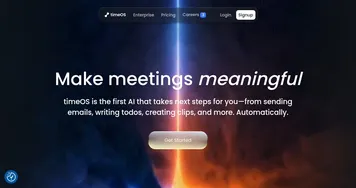
Read AI Homepage
Categories Meeting Assistant
AI-generated summaries, transcripts, playback, and highlights to improve your meetings

Read AI

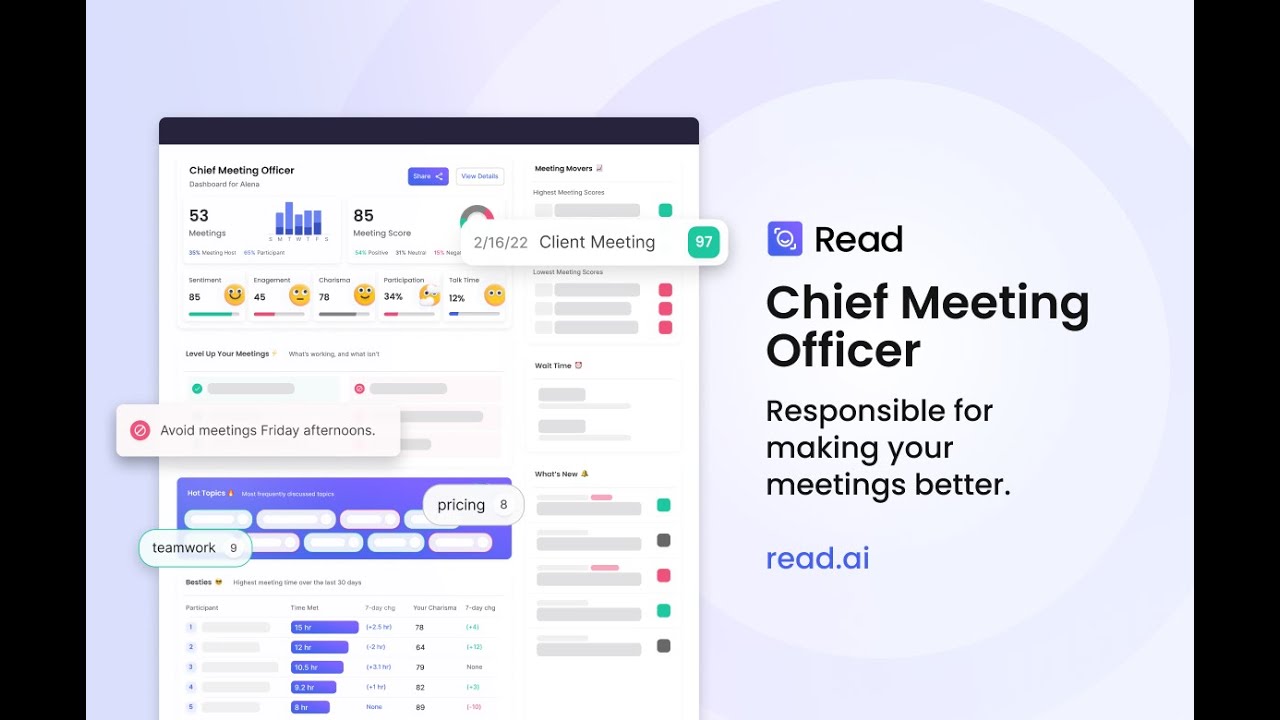
Read AI is a fancy tool designed to optimize and streamline meeting processes. It offers a suite of features aimed at making meetings more efficient and productive — including automatic meeting summaries, transcription enhanced with audience reactions, AI-driven video playback highlights, and the ability to record and playback meetings.

In addition, Read AI provides a smart scheduler for better meeting planning, generates transcripts, identifies action items, and formulates key questions. The tool also supports team meeting management by allowing reports to be shared across teams, thus facilitating better communication and collaboration among participants.

Furthermore, Read AI’s capabilities extend to providing unbiased, programmatic feedback by analyzing data from millions of interactions and taking into account visual cues for a comprehensive understanding of the meeting dynamics. It is designed to work with popular video conferencing and calendar solutions, integrating smoothly into existing workflows.

Lastly, the AI learns from past meetings to offer recommendations for optimizing and improving future meetings — ensuring ongoing enhancement of meeting quality and team interaction.

Read AI Homepage
Categories Meeting Assistant

Video Overview ▶️

What are the key features? ⭐

  • Automated meeting reports: Provides summaries, transcripts, and highlights of meetings to ensure important information is easily accessible.
  • Real-time metrics: Offers real-time analytics during meetings to track engagement and participation.
  • Speaker coach: Provides feedback on speaking habits and tips to improve communication skills.
  • Multi-language support: Supports transcription and translation in multiple languages.
  • Integrations: Seamlessly integrates with services such as Zoom, Teams, and Google Meet.

Who is it for? 🤔

Read AI is made for businesses and organizations that conduct frequent meetings, such as corporations, educational institutions, and government agencies. It is ideal for professionals looking to enhance productivity and communication through automated tools and real-time analytics. The platform is also beneficial for project managers, team leaders, and anyone else responsible for maintaining clear and organized records of meetings and communications.

Examples of what you can use it for 💭

  • Automatically generate summaries and action items to keep track of discussions and decisions
  • Use meeting transcripts and summaries to update project records and ensure alignment
  • Utilize speaker coaching to improve communication skills and meeting effectiveness
  • Enhance collaboration with transcription and translation features for teams speaking different languages
  • Provide clients with detailed meeting summaries and action items for transparency and accountability

Pros & Cons ⚖️

  • Makes meetings much more productive
  • Written records help keep team members accountable
  • Multi-language support for transcripts
  • There are quite a few AI-enabled tools for meetings, not sure this one's the best

FAQs 💬

What is Read AI, and who is it best for?
Read AI is an AI-powered copilot that records, transcribes, and summarizes meetings across platforms like Zoom, Google Meet, and Microsoft Teams, while also pulling insights from emails and chats. It suits busy professionals and teams in sales, marketing, or remote setups who want to cut down on note-taking, though I think it's especially handy for larger organizations juggling multiple tools.
How accurate is Read AI's transcription and summarization?
It delivers high transcription accuracy, often nailing speaker identification in virtual calls, and generates solid summaries with action items. Users report it's reliable for English but might falter in noisy in-person meetings or with accents; probably expect 90-95% accuracy based on 2025 reviews.
What are the main features of Read AI?
Core tools include auto-summaries, action item tracking, sentiment analysis, AI coaching for better speaking habits, and a Search Copilot for querying past conversations. It also supports 20+ languages and integrates with Slack, Salesforce, and Notion. The new Operator feature captures even hallway chats via desktop apps.
How much does Read AI cost, and is there a free version?
Yes, the free plan covers 5 meetings monthly with basic summaries and unlimited search. Pro runs $15-19.75 per user/month (annual billing) for unlimited transcripts and premium integrations, while Enterprise+ is $29.75-39.75 with HIPAA compliance. Zoom users get extras bundled in.
Does Read AI integrate with my tools?
It connects seamlessly with Zoom, Teams, Google Meet, Gmail, Slack, HubSpot, Jira, and more via Zapier. For enterprise folks, it syncs with CRMs to auto-update records. Setup takes minutes once you link your calendar.
Is Read AI secure and privacy-friendly?
It's SOC 2 Type 2, GDPR, and HIPAA compliant with no default data training on your info. That said, some users flag concerns over broad calendar access and auto-joining meetings without clear opt-in. I might suggest reviewing permissions upfront.
What do users like most about Read AI?
Folks rave about time savings from automated notes and the Search Copilot's quick insights across chats and docs. It's praised for boosting team collaboration, with one review calling it a "personal assistant fix" for email and meetings.
What are the biggest drawbacks of Read AI?
Common gripes include the bot auto-joining meetings without consent, leading to privacy headaches, and a clunky interface for removal. The free tier limits you to five meetings, and sentiment analysis can feel off in diverse teams.
How does Read AI compare to alternatives like Otter.ai or Fireflies?
Read AI edges out with deeper analytics and cross-tool search, but Otter.ai wins on real-time collaboration and lower entry pricing. Fireflies offers better in-person accuracy without bots. If privacy's key, try Jamie AI for no-meeting-joiner vibes.
Can I try Read AI before committing?
Absolutely, the free plan lets you test five meetings without a card, and Zoom Pro users unlock premiums for free. Most find it easy to onboard, but check integrations first to ensure it meshes with your workflow.

Related tools ↙️

  1. Supernormal Supernormal Helps you create amazing meeting notes without lifting a finger
  2. Recall.ai Recall.ai Streamlines meeting data access with APIs for recordings, transcripts, and metadata
  3. Noota Noota An AI meeting assistant with automatic note-taking, meeting reports, real-time coaching, and more
  4. Spinach.ai Spinach.ai An AI-powered Scrum assistant that helps teams run faster, smarter, and more productive meetings
  5. Granola Granola An AI-powered tool that makes your meeting notes not just manageable, but also delightful
  6. Avoma Avoma AI meeting assistant that will help you before, during, and after every meeting
Last update: November 19, 2025
Share
Promote Read AI
light badge
Copy Embed Code
light badge
Copy Embed Code
light badge
Copy Embed Code
About Us | Contact Us | Suggest an AI Tool | Privacy Policy | Terms of Service

Copyright © 2026 Best AI Tools
415 Mission Street, 37th Floor, San Francisco, CA 94105