Rollout
Creates professional websites using AI-driven chat interface
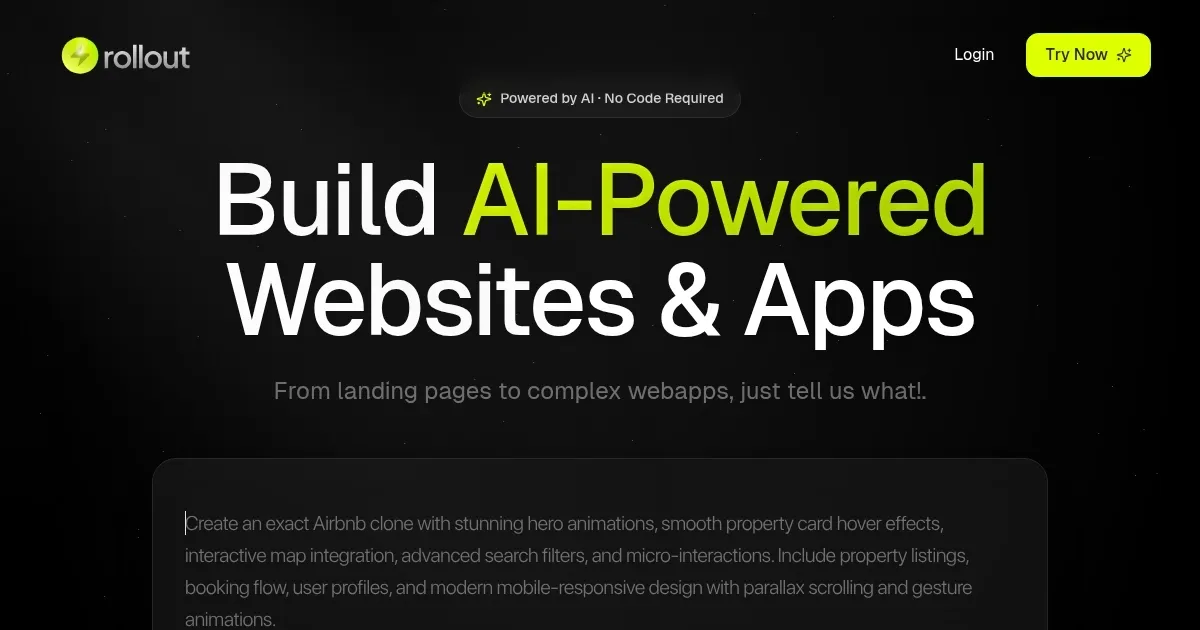
Rollout is the kind of tool that makes you wonder why website building ever felt like pulling teeth. It’s a sleek, AI-powered platform that promises to turn your vague ideas into polished websites faster than you can say “responsive design.” You type a description of what you want — say, a portfolio site or an e-commerce shop — and Rollout’s chat-based interface conjures up a fully functional site. No coding. No endless tweaking in clunky editors. Just you, a keyboard, and a vision. I think it’s the sort of thing that could make even the most tech-averse freelancer feel like a web design wizard.
The magic lies in its simplicity. Rollout’s AI interprets your prompts, whether you’re typing “modern portfolio with bold colors” or uploading an image for inspiration. Within seconds, you get a site that’s not just functional but looks like it took a team of designers weeks to craft. You can tweak layouts, fonts, and colors through a drag-and-drop editor, which feels intuitive even if you’ve never touched a website builder before. The platform also bakes in SEO optimization and mobile responsiveness, so your site doesn’t just look good — it performs. For those needing more, higher tiers unlock e-commerce functionality and downloadable code bases, giving coders a chance to dive deeper. Compared to Wix or Squarespace, Rollout feels snappier, especially for quick turnarounds, though it might lack the template depth of those giants.
What’s not to like? Well, the AI’s suggestions can sometimes feel a bit generic, requiring manual tweaks to nail your brand’s vibe. If you’re a control freak who wants pixel-perfect customization, you might find Rollout’s no-code focus a tad limiting. Also, while the platform’s lifetime deal on AppSumo is a steal, the tiered plans mean you’ll need to upgrade for advanced features like team collaboration or white labeling. Still, the speed and ease are hard to beat. I was surprised by how well the AI-generated copywriting feature worked — producing decent text that only needed light editing to sound human.
Rollout shines for anyone who needs a site up fast without sacrificing quality. Freelancers, small business owners, or agencies juggling multiple clients will appreciate the time savings. The platform’s collaboration tools let teams edit and comment in real time, which is a godsend for streamlining client feedback. It’s not perfect for complex, bespoke projects — think custom CRMs or intricate web apps — but for landing pages, portfolios, or online stores, it’s a dream. The exportable code base is a nice touch for developers who want to take the site elsewhere.
Here’s the practical takeaway: if you’re tired of wrestling with traditional website builders, give Rollout a spin. Start with a simple prompt, play with the customization tools, and don’t be afraid to lean on the AI copywriting for quick content. Check the AppSumo deal for lifetime access to avoid subscription headaches, and pick a tier that matches your project needs. You’ll have a site live before your coffee gets cold.
Homepage Screenshot 📸
Video Overview 🎬

What are the key features? ✨
- AI Website Creation: Generates complete websites from user prompts in seconds.
- Chat Interface: Allows users to describe site needs conversationally for rapid design.
- No-Code Customization: Enables layout, color, and font adjustments via drag-and-drop.
- SEO Optimization: Includes tools to improve search engine rankings and visibility.
- E-commerce Functionality: Supports online stores with inventory and transaction management.
Who is it for? 🤔
Examples of what you can use it for 💡
- Freelancer: Builds client portfolios rapidly using AI-generated templates.
- Small Business Owner: Creates an e-commerce site to sell products online.
- Agency: Collaborates with teams to refine client websites in real time.
- Developer: Exports code base for further customization on external servers.
- Marketer: Designs SEO-optimized landing pages for campaigns.
Pros & Cons ⚖️
- Fast website creation with AI
- Intuitive chat-based interface
- Strong SEO and mobile support
- Generic AI design outputs
- Limited advanced customization
FAQs 💬
Rollout alternatives 🔗