
logo-darklogo-darklogo-darklogo-dark
  • Home
  • Browse
    • Assistant
    • Coding
    • Image
    • Productivity
    • Video
    • Voice
    • Writing
    • All Categories
    • AI Use Cases
  • My Favorites
  • Suggest a Tool
✕
Home › Spreadsheet›
Published by Dusan Belic on July 10, 2023

Rows

Rows
Rows Homepage
Categories Spreadsheet
Build better spreadsheets faster with your personal data analyst

Rows

Rows is the only spreadsheet with the capabilities of an AI Analyst and a native OpenAI integration. Both are available to everyone and free to use.

With Rows, you can leverage AI to drag automation across ranges of cells, combine the AI actions with any other spreadsheet formula, and use cell references to create “dynamic AI experiences.”

You get to use AI to summarize and make sense of your data by asking questions about it. The AI tech will kick in from there, providing you with easy-to-understand answers.

That being said, Rows could be used as a helpful tool in your marketing campaigns, providing you with first drafts, keyword ideas and themes, blog post titles and outlines.

Or you can use it for just about anything with the “ASK_OPENAI” command to send custom prompts and use specific AI models from OpenAI.

Rows Homepage
Categories Spreadsheet

Video Overview ▶️

What are the key features? ⭐

  • Your personal data analyst: Use the power of AI to analyze, summarize and transform data. Build better spreadsheets, faster. Also, summarize the key takeaways from your dataset at a glance, see the trends and patterns, and ask questions about your data.
  • Classify and tag text: Bring clarity to unstructured data by tagging and classifying any type of text automatically. For instance, you can do this with social media posts, support tickets, feedback surveys, and product reviews.
  • Execute marketing campaigns: Never start from blank again - let AI write the first draft of anything for you. Generate keyword ideas and themes, blog post titles and outlines.
  • Summarize and transform text: Apply logic rules to text, summarize and translate it to any language. This can be applied to product feedback, addresses, lead lists, and NPS surveys, among other things.
  • Ask anything: Merge the versatility of a spreadsheet with the potential of AI to augment your work. Use ASK_OPENAI to send custom prompts and use specific AI models from OpenAI.

Who is it for? 🤔

Rows is made for spreadsheet fans, providing them with added intelligence to uncover insights about their data. Using AI, everyone gets a helping hand right in their spreadsheet. No need to leave the app - get everything from the place you got accustomed to. The best part is that you can query your data in plain English and get meaningful responses. In addition, Rows could also prove valuable to marketers, who could benefit from the tool's text-generation capabilities for keywords, titles, and more.

Examples of what you can use it for 💭

  • Easily analyze all kinds of data in your spreadsheet
  • Classify and tag text with the help of AI
  • Get help in your marketing campaigns
  • Summarize and transform text
  • Uncover insights about your data by asking questions in plain English

Pros & Cons ⚖️

  • It's a spreadsheet software on steroids
  • Especially handy for marketing campaign management
  • And the same goes for other data sets, where you need to uncover trends
  • Will Excel and Google Sheets users switch over? Not likely

FAQs 💬

What exactly is Rows?
Rows turns a modern spreadsheet into an intelligent platform where you ask questions in plain English and get automated data imports, transformations, insights, and charts without writing formulas or code.
How does the AI Analyst feature work?
The AI Analyst lets you type natural language requests right in the spreadsheet, like summarizing data, forecasting trends, or cleaning tables, and it handles multi-step analysis automatically while showing its reasoning.
Can Rows handle data from external sources?
Yes, it pulls live data from over 50 integrations including Google Analytics, social media ads, PDFs, images, APIs, and even web pages, then transforms it into usable tables.
Is Rows suitable for non-technical users?
Absolutely, its main strength is making advanced analysis accessible without SQL, Python, or complex formulas, so business teams, marketers, and analysts use it easily.
Does Rows support text analysis like sentiment or classification?
It does, you can classify customer feedback, run sentiment analysis, extract key information from text, or enrich data with real-world context about companies and locations.
How private is my data when using Rows?
Rows sends only minimal data needed for prompts (like headers and sample rows) to the AI models, never uses it for training, and keeps everything private and secure.
Can I use Rows on mobile devices?
Yes, the platform works well on phones, letting you ask for summaries, filter data, build quick reports, or get instant answers from your spreadsheets.
What kinds of advanced analysis can Rows perform?
It handles forecasting, outlier detection, what-if scenarios, cohort analysis, segmentation, pivots, and even some statistical tests without any coding.
How does Rows compare to traditional spreadsheets like Excel or Google Sheets?
Rows builds on spreadsheet basics but adds native AI for faster workflows, live data connections, and no-code automation that goes beyond what add-ons provide in Excel or Sheets.
Is there a free way to try Rows?
Yes, you can start for free with access to core AI features, though paid plans unlock unlimited usage for heavier tasks.
Visit Rows

Related tools ↙️

  1. Endex Endex Automates financial modeling and data analysis directly within Excel using AI agents
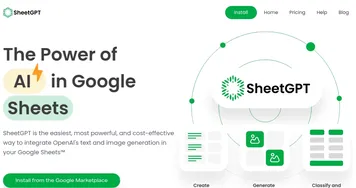
  2. SheetGPT SheetGPT Integrates AI text and image generation into Google Sheets for content creation and data analysis
  3. Excelmatic Excelmatic Analyzes Excel files via natural language for quick insights and charts
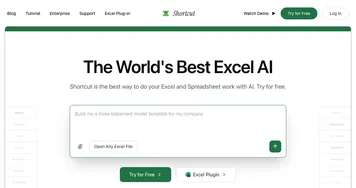
  4. Shortcut Shortcut Automates complex Excel tasks using AI agents
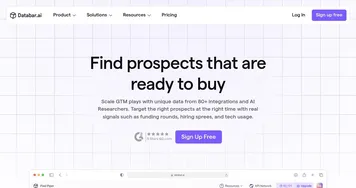
  5. Databar.ai Databar.ai Collect and enrich data from multiple sources using a no-code spreadsheet interface
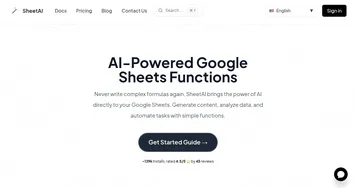
  6. SheetAI SheetAI Automates tasks and generates insights in Google Sheets using AI
Last update: January 25, 2026
Share
Promote Rows
light badge
Copy Embed Code
dark badge
Copy Embed Code
neutral badge
Copy Embed Code
About Us | Contact Us | Suggest an AI Tool | Privacy Policy | Terms of Service

Copyright © 2026 Best AI Tools
415 Mission Street, 37th Floor, San Francisco, CA 94105