Shortcut
Automates complex Excel tasks using AI agents
I spent a morning fiddling with Shortcut last week, nothing intense, just enough to see if it could handle my usual spreadsheet headaches without turning into a total time sink. Picture this: I’m staring at a blank Excel-like grid, sidebar chat open, and I toss in a prompt to analyze sales data for a mock e-commerce project. Boom, it starts pulling numbers, building pivot tables, and even suggesting growth forecasts based on patterns I hadn’t spotted. The agent feels alive, iterating when I say “add seasonality adjustments,” fixing a formula glitch on its own. It’s like whispering to a clever intern who actually listens, and in under ten minutes, I’ve got a dashboard that would’ve taken me an hour solo.
The core magic is in features like the data fetcher, which grabs real-time info from sources like Yahoo Finance or SEC EDGAR without me lifting a finger. During my test, I asked for a competitor comps sheet on tech stocks; it compiled revenue multiples, EBITDA margins, and EV calculations, highlighting outliers in yellow for easy review. Quick edits mode shone here too, letting me tweak inputs conversationally, like “bump the discount rate to 8%,” and watch the model ripple through. Witty how it flags “potential over-optimism in projections” sometimes, almost like it’s got a dry sense of humor about bad assumptions. I chuckled at that, makes the grind less robotic.
Not everything clicked perfectly, though. On a multi-tab forecast, it slowed to a crawl, chugging for five minutes on what felt like basic links between sheets, and the formatting spat out a chart with axes swapped, forcing a manual nudge. Compared to Row Zero, which excels at collaborative real-time editing but skimps on deep analytics, Shortcut’s strength is that autonomous push toward completion. Or Gigasheet, solid for big data cleans but pricier for casual use – Shortcut’s tiers seem more accessible, with pro plans matching their unlimited queries without the enterprise bloat. One unexpected twist: it self-corrected a data pull error mid-task, swapping in fresh quarterly figures when the initial ones mismatched, saving me from a debug rabbit hole.
From my brief spin, folks might dig the empowerment for non-experts, like solopreneurs building budgets without formula panic. But power users could gripe about the web dependency, wishing for fuller offline support. Still, the plug-in option for higher tiers surprised me, embedding the AI directly in Excel for seamless tweaks. Sharp observation: it shines on structured tasks but wobbles on vague ones, so precise prompts pay off.
I think it’s worth a shot if spreadsheets eat your day; just verify key outputs to avoid those rare slip-ups. Pair it with your existing tools for hybrid wins, and you’ll likely find it cuts the tedium without stealing the show.
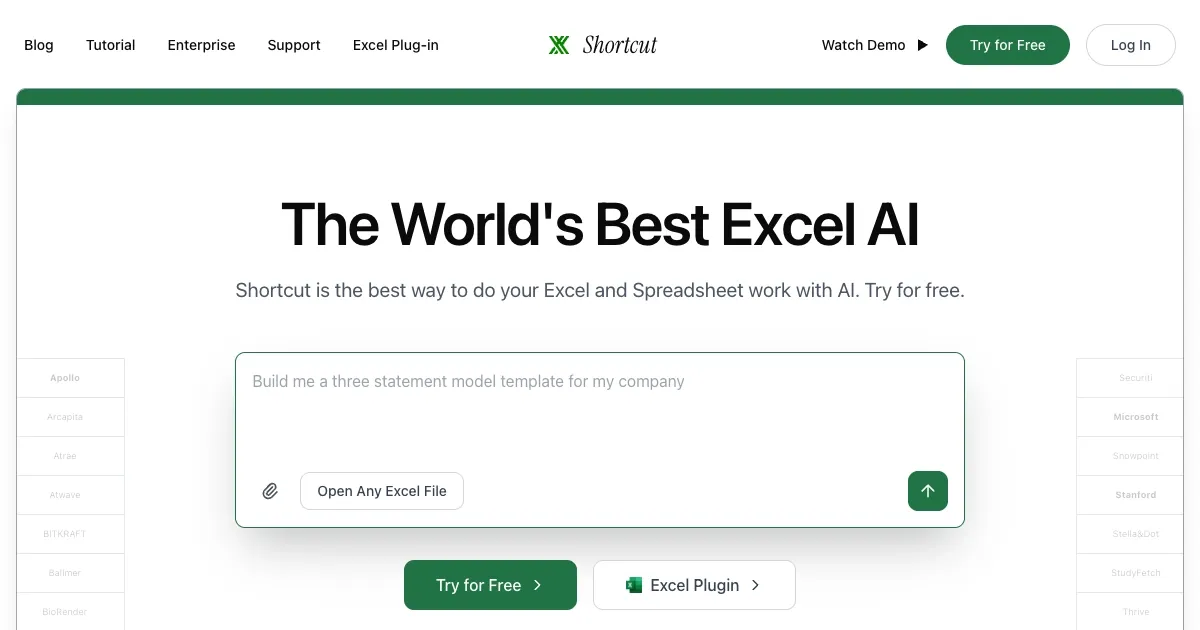
Homepage Screenshot 📸
Video Overview 🎬

What are the key features? ✨
- AI Agent Automation: Processes natural language prompts to build and edit spreadsheets autonomously, handling multi-step tasks like data analysis and modeling.
- Data Fetcher: Pulls real-time information from sources such as SEC filings, APIs, and financial databases to populate cells accurately.
- Formula Generator: Creates complex calculations, including DCF models and sensitivity analyses, with built-in error correction.
- Chart Builder: Generates visualizations like pivot tables and graphs based on data, with options for customization.
- Quick Edits Mode: Allows conversational refinements to outputs, enabling iterative improvements without restarting tasks.
Who is it for? 🤔
Examples of what you can use it for 💡
- Financial Analyst: Builds discounted cash flow models by prompting for revenue projections and market data, automating what takes hours manually.
- Investment Banker: Compiles comparable company analyses by fetching multiples and financials from multiple sources into a single sheet.
- Small Business Owner: Generates sales forecasts and budget visualizations from uploaded CSV files, identifying trends for decision-making.
- Data Consultant: Cleans and analyzes large datasets, creating pivot tables and charts to present findings efficiently.
- Consultant: Updates existing models with new quarterly data, running sensitivity tests to evaluate scenarios.
Pros & Cons ⚖️
- Natural language prompts
- Self-corrects errors
- Excel plug-in option
- Slow on large files
- Formatting issues
FAQs 💬
Shortcut alternatives 🔗