AI Excel Bot by Query Labs
A fancy tool designed to significantly streamline various spreadsheet tasks
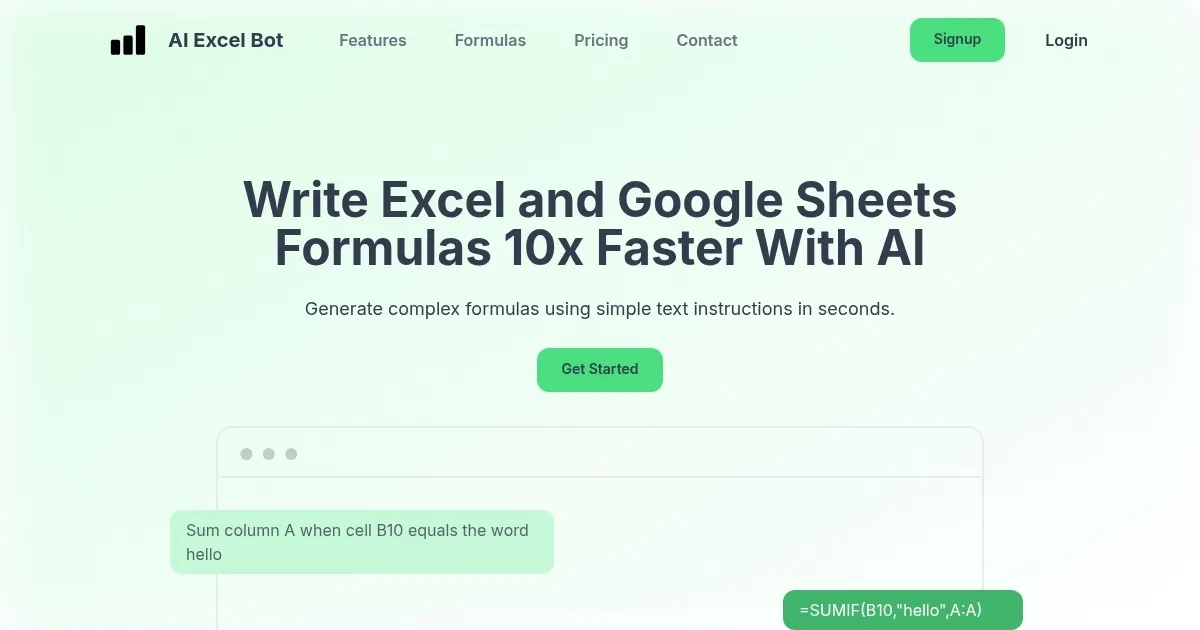
AI Excel Bot is a fancy tool designed to significantly streamline various spreadsheet tasks. By converting plain English instructions into complex Excel formulas, it eliminates the guesswork and reduces the time spent deciphering intricate functions.
For instance, I recently needed to extract unique values from a dataset — a task that would typically require a combination of functions like INDEX, MATCH, and COUNTIF. With AI Excel Bot, I simply described my goal in natural language, and it promptly generated the precise formula I needed. This feature is particularly useful for those who may not be well-versed in Excel’s extensive formula library.
The platform is designed to be intuitive, allowing users to easily input their requirements and receive accurate formulas in return. This simplicity doesn’t compromise its capabilities — the bot handles a range of functions, from basic arithmetic to more advanced operations involving arrays and conditional logic. In addition, AI Excel Bot offers explanations for the generated formulas, breaking them down step by step. This educational component provides an immediate solution and enhances the user’s understanding of Excel’s functionalities — fostering long-term proficiency.
However, there are areas where AI Excel Bot could improve. While it excels in generating formulas, it currently doesn’t support the creation of Visual Basic for Applications (VBA) code. Also, the tool’s ability to interpret context is sometimes limited — in cases where a dataset contains ambiguous or complex structures, the generated formulas may require manual adjustment.
AI Excel Bot offers a reasonably-priced subscription, making its service accessible to a broad audience.
In other words, for users who frequently work with Excel and require assistance with complex formulas – the AI Excel Bot can help them achieve significant productivity. Check it out.
Homepage Screenshot 📸
Video Overview 🎬

What are the key features? ✨
- Natural language processing: Allows users to write instructions in everyday language, which the bot then converts into accurate Excel or Google Sheets formulas.
- Compatibility with Excel & Google Sheets: Works with both platforms, providing flexibility for users regardless of their preferred spreadsheet application.
- Instant formula generation: Generates formulas in seconds, significantly reducing the time spent on manual formula creation and enhancing productivity.
- User-friendly interface: Designed with simplicity in mind, making it accessible for users of all skill levels to navigate and utilize effectively.
- Chrome extension: Offers a browser extension, allowing users to access the bot directly from their web browser for added convenience.
Who is it for? 🤔
Examples of what you can use it for 💡
- Finance professionals can quickly generate complex formulas needed for financial analysis
- Data analysts can streamline their workflow by using the bot to create intricate formulas
- Students learning spreadsheet functions can use the bot to understand and apply various formulas
- Business owners can manage their data more efficiently by generating necessary formulas without extensive spreadsheet knowledge
- Project managers can utilize the bot to create formulas that help in tracking progress, budgeting, and scheduling
Pros & Cons ⚖️
- Transforms plain language instructions into accurate formulas
- Speeds up the process of formula creation
- Minimizes the risk of mistakes that can occur with manual formula writing
- Doesn't support more complex functions or advanced Excel capabilities
Ready to try AI Excel Bot?
A fancy tool designed to significantly streamline various spreadsheet tasks
Visit AI Excel BotAI Excel Bot alternatives 🔗