logo-darklogo-darklogo-darklogo-dark
  • Tool Categories
    • 🎨Art & Creative Design505
    • 🏢Business Management644
    • 💻Coding & Development515
    • 👮Detection83
    • 🧠General Use727
    • 🏥Health & Wellness55
    • 📷Image & Photo Analysis100
    • 🖼️Image Generation & Editing618
    • 📐Interior & Architectural Design37
    • 🎓Learning & Education483
    • ⚖️Legal & Finance90
    • 🎭Lifestyle & Entertainment236
    • 📢Marketing & Advertising627
    • 🎧Music & Audio138
    • 👔Office & Workplace1,014
    • 🔬Research & Data Analysis372
    • 👥Social Media245
    • 🎥Video Generation & Editing426
    • 👧🏻Virtual Companion135
    • 🎤Voice Generation & Editing381
    • ✍️Writing & Editing808
    • All Categories
    • AI Use Cases
  • News
  • Events
    • Academic Conferences
    • Developer Conferences
    • Expos / Trade Shows
    • Industry Summits
    • Workshops / Training
    • All Events
    • Past Events
  • Saved Tools
  • Suggest a Tool
✕
Home › Office & Workplace › Spreadsheet› Coefficient AI
Coefficient AI

Coefficient AI

Supercharge your spreadsheets with GPT-powered AI tools for connecting data

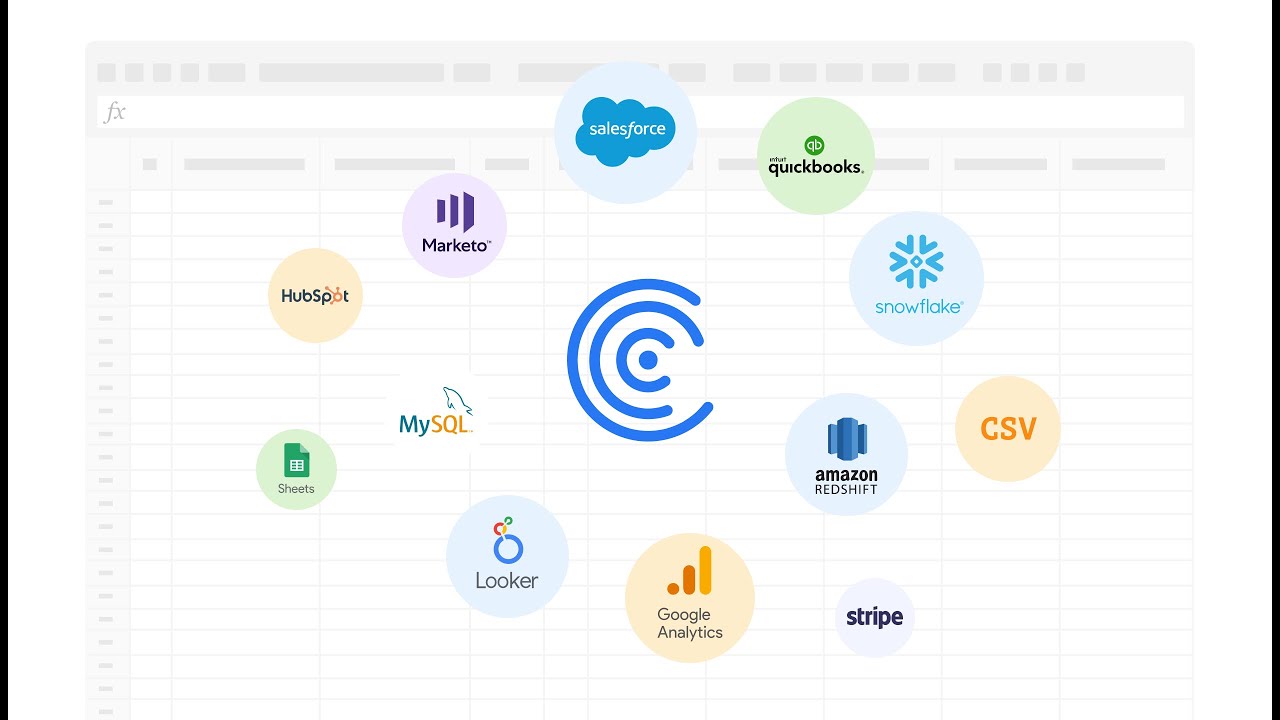
Coefficient AI lets you supercharge your Google Sheets with GPT-powered tools for connecting data, building reports, and automatically analyzing and visualizing trends in your data.

The tool lets you use text instructions to pull in any business data you need. You can also sync live data from other systems you use, such as Salesforce, Shopify, Tableau, and Snowflake.

Then, Coefficient will use all that data to build the reports and dashboards you want in the fastest and most flexible way.

It also adds new formulas for cleaning, formatting, querying, enriching, and analyzing your data, and more — all in an effort to increase your “spreadsheet productivity,” as Coefficient calls it.

Finally, we should mention that the tool lets you auto-generate formulas, pivot tables, and charts using text prompts. That’s pretty cool when you think about it.

Visit Coefficient AI ↗
Categories
👔 Work
📋 Spreadsheet 📗 Excel ⚡ Work Productivity 📈 Charting 📊 Report Generation
🔬 Research
📊 Data Analytics
💻 Coding
🗃️ SQL

Homepage Screenshot 📸

Coefficient AI screenshot

Video Overview 🎬

What are the key features? ✨

  • Live Data Connectors: Automatically syncs real-time data from 100+ business systems like Salesforce, HubSpot, Shopify, Snowflake, and more into Google Sheets or Excel.
  • Sheets Assistant (GPT Copilot): Uses natural language to generate formulas, pivot tables, charts, and insights directly inside Google Sheets.
  • =GPTX() Functions: Family of AI-powered spreadsheet functions for cleaning, summarizing, enriching, and analyzing data right in cells.
  • Auto Visualizations: Intelligently analyzes tables and creates insightful charts with trends using simple text instructions.
  • Two-Way Sync & Automations: Supports writing data back to sources and setting scheduled refreshes, alerts, and workflows.

Who is it for? 🤔

Coefficient AI proves most helpful for marketers, sales ops specialists, financial analysts, and business operators who rely on Google Sheets for reporting and analysis but waste hours on manual data imports, formula writing, and chart building. Its especially valuable for teams that need live CRM, ad platform, or database metrics without learning SQL or switching tools.

Examples of what you can use it for 💡

  • Marketing Analyst: Pulls live Google Analytics and ad platform data, then asks AI to build performance dashboards and trend charts automatically.
  • Sales Operations: Syncs Salesforce or HubSpot deals pipeline, generates monthly forecast pivots, and sets auto-refresh with email alerts.
  • Finance User: Connects accounting or ERP data, uses natural language to create revenue recognition tables and variance analysis visuals.
  • E-commerce Manager: Imports Shopify sales and inventory, asks AI to summarize top products and predict stock needs with charts.
  • Data-savvy Manager: Enriches customer lists with sentiment analysis from reviews using =GPTX() functions for quick segmentation.

Pros & Cons ⚖️

  • Makes Google Sheets much more powerful
  • Lets you create sheets and charts with text prompts
  • Integrates live data into your sheets
  • It could take some time to master the advanced features

FAQs 💬

What does Coefficient AI actually do in Google Sheets?
It connects live data from business tools, then lets you use plain English to generate formulas, pivots, charts, and insights automatically via its Sheets Assistant copilot.
Does Coefficient work with Excel too?
Yes for data connectors and sync, but the full natural-language AI Sheets Assistant is currently available only in Google Sheets.
What kinds of data sources can I connect?
It supports over 100 systems including Salesforce, HubSpot, Shopify, Snowflake, Tableau, MySQL, Google Analytics, and many APIs.
How does the AI know what my data means?
The assistant reads your spreadsheet structure and context, so it builds outputs based on actual columns and values instead of generic guesses.
Can I automate reports with Coefficient?
Yes, set scheduled refreshes, email/Slack alerts, and recurring snapshots so reports stay current without manual work.
Is there a free version or trial?
Coefficient offers a free trial with access to connectors and basic AI features so you can test it before choosing a paid plan.
How does Coefficient compare to built-in Google Sheets AI?
It goes deeper by handling live external data sync and creating full editable pivots/charts, while built-in tools focus more on explanations and simple suggestions.
Do I need coding or SQL knowledge?
No. The whole point is to use everyday language for analysis and report building instead of formulas or queries.

Ready to try Coefficient AI?

Supercharge your spreadsheets with GPT-powered AI tools for connecting data

Visit Coefficient AI ↗

Coefficient AI alternatives 🔗

  1. Skywork Skywork Transforms simple prompts into research-backed docs, slides, and podcasts
  2. Glide Glide Makes it easy to build and deploy custom apps your business needs, and the team will love
  3. Julius Julius An advanced AI tool designed to simplify data analysis and visualization
  4. Bricks Bricks An AI-powered spreadsheet platform for data analysis, reporting, and visualization tasks
  5. Hex Magic Hex Magic AI-powered tools for humans doing amazing things with data
  6. Rows Rows Build better spreadsheets faster with your personal data analyst
Share
Coefficient AI screenshot enlarged
Promote Coefficient AI
light badge
Copy Embed Code
dark badge
Copy Embed Code
neutral badge
Copy Embed Code
Best AI Tools

Discover the best AI tools for any use case

Explore
  • Tool Categories
  • AI Use Cases
  • AI Events
  • AI News
  • Saved Tools
Company
  • About Us
  • Contact Us
  • Media & Partnerships
  • Suggest a Tool
Legal
  • Privacy Policy
  • Terms of Service
Copyright © 2026 Best AI Tools 415 Mission Street, 37th Floor, San Francisco, CA 94105