logo-darklogo-darklogo-darklogo-dark
  • Tool Categories
    • 🎨Art & Creative Design505
    • 🏢Business Management644
    • 💻Coding & Development514
    • 👮Detection83
    • 🧠General Use728
    • 🏥Health & Wellness55
    • 📷Image & Photo Analysis100
    • 🖼️Image Generation & Editing618
    • 📐Interior & Architectural Design37
    • 🎓Learning & Education483
    • ⚖️Legal & Finance90
    • 🎭Lifestyle & Entertainment236
    • 📢Marketing & Advertising627
    • 🎧Music & Audio138
    • 👔Office & Workplace1,014
    • 🔬Research & Data Analysis373
    • 👥Social Media245
    • 🎥Video Generation & Editing426
    • 👧🏻Virtual Companion135
    • 🎤Voice Generation & Editing381
    • ✍️Writing & Editing808
    • All Categories
    • AI Use Cases
  • News
  • Events
    • Academic Conferences
    • Developer Conferences
    • Expos / Trade Shows
    • Industry Summits
    • Workshops / Training
    • All Events
    • Past Events
  • Saved Tools
  • Suggest a Tool
✕
Home › Coding & Development › SQL› SQLAI.ai
SQLAI.ai

SQLAI.ai

Generates, optimizes, and explains SQL/NoSQL queries using AI in seconds

SQLAI.ai is an AI-powered platform that generates, optimizes, validates, and explains SQL and NoSQL queries for over 30 database engines, including MySQL, PostgreSQL, and MongoDB. It supports large schemas with over 600 tables and offers tools for beginners and professionals to streamline database tasks. The platform uses natural language processing to convert plain text into precise queries, making it accessible for users with minimal SQL knowledge.

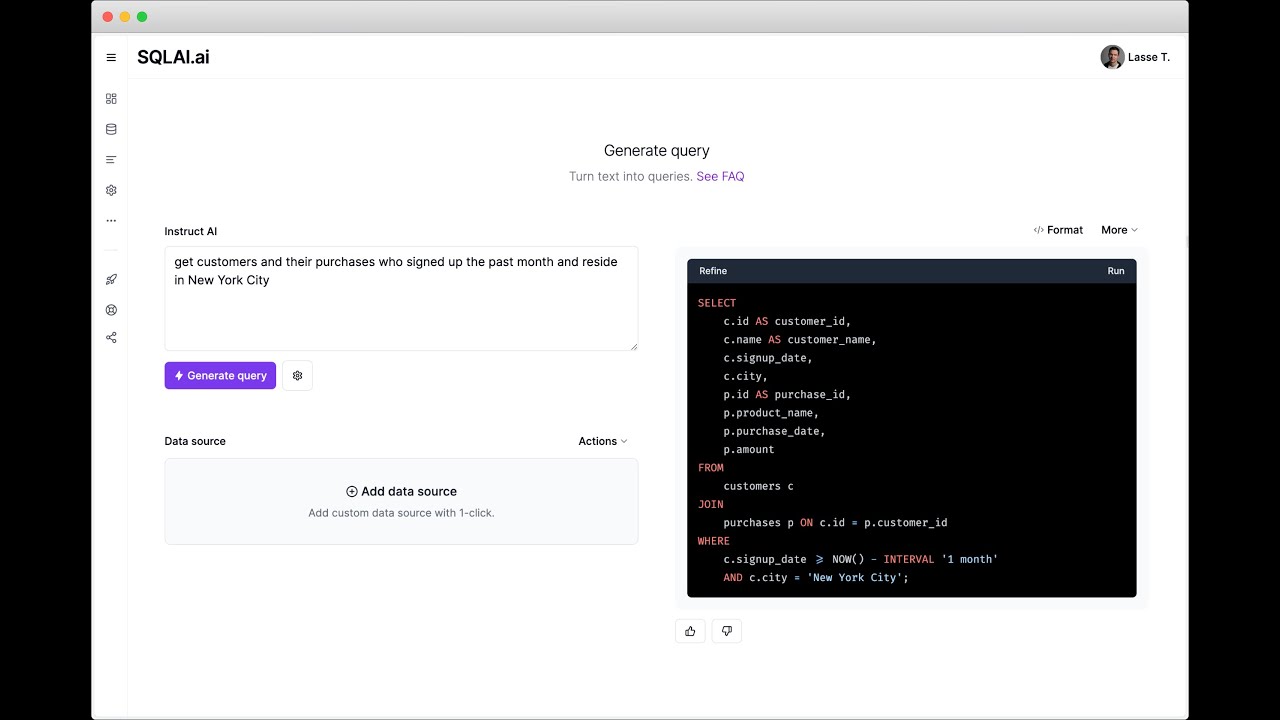
The SQL Generator creates queries from everyday language, such as “list recent orders,” producing accurate code in seconds. The Optimize SQL feature provides step-by-step suggestions to improve query performance, like removing redundant clauses. Validate SQL Syntax scans for errors and offers fixes with explanations, while Format SQL enhances readability. The Explain SQL tool breaks down queries into simple terms, often with visuals, aiding learning. Data Source Rules let users set custom constraints, like limiting result rows, for consistent outputs.

SQLAI.ai supports connecting data sources via AI importer, query runs, or direct database connections, using only schema data for security. The Schema Autosuggest feature speeds up query creation by suggesting table and column names. Query Helper Tools, like Run Query and View Diff, simplify workflows. The platform’s ability to handle NoSQL databases sets it apart from competitors like DBeaver, which focuses on SQL databases, or PopSQL, which prioritizes collaboration.

Drawbacks include limitations in the free plan, such as restricted query runs and data source connections, which may push users toward paid plans. The interface can feel complex for new users due to its many features. Pricing is competitive with tools like DataGrip but varies based on usage needs.

For best results, start with the free plan to explore core features. Add a data source to improve query accuracy. Use the Explain SQL tool to understand complex queries. Check the Help Center for setup guides and best practices.

Visit SQLAI.ai ↗
Categories
💻 Coding
🗃️ SQL ⌨️ Code Generation 🤖 Code Assistant 👨‍💻 Development
🔬 Research
📊 Data Analytics

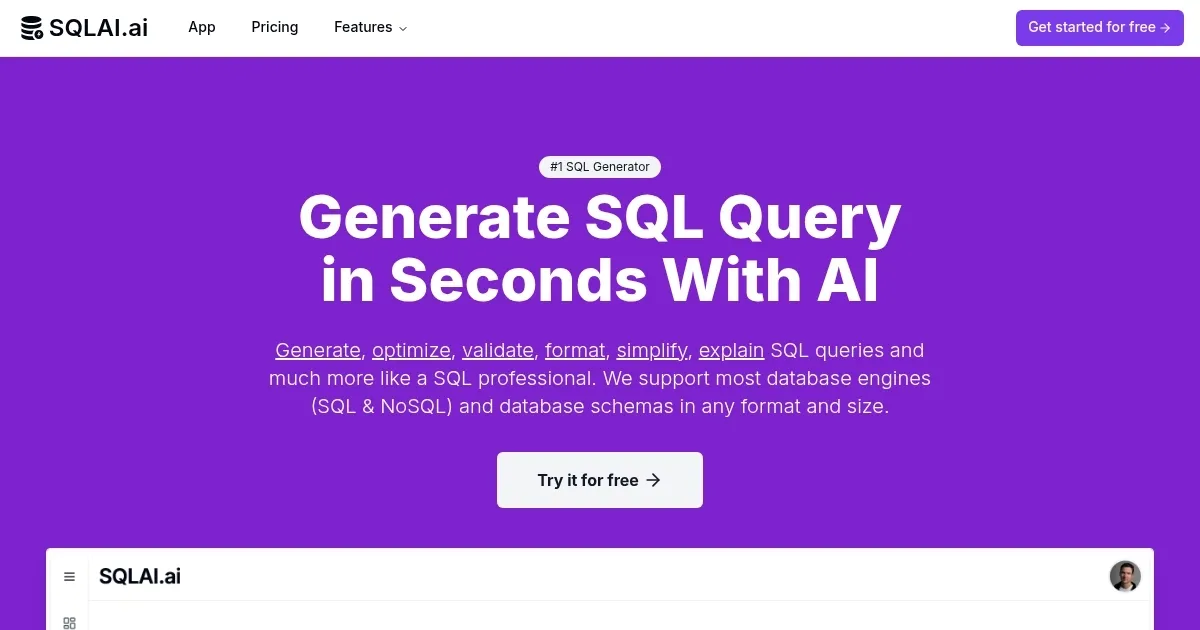
Homepage Screenshot 📸

SQLAI.ai screenshot

Video Overview 🎬

SQLAI.ai - Video Overview

What are the key features? ✨

  • SQL Generator: Converts natural language into accurate SQL/NoSQL queries.
  • Optimize SQL: Suggests performance improvements for faster query execution.
  • Explain SQL: Breaks down queries with clear explanations and visuals.
  • Schema Autosuggest: Suggests table/column names while typing instructions.
  • Data Source Rules: Sets custom constraints for consistent query outputs.

Who is it for? 🤔

SQLAI.ai is made for a wide range of users, from beginners learning SQL to seasoned data analysts and developers managing complex databases. It benefits students who need clear query explanations, small business owners seeking quick data insights without hiring a data team, and professionals working with diverse SQL and NoSQL databases like MySQL, MongoDB, or BigQuery. Its AI-driven features make it a fit for anyone looking to save time on query creation and optimization, especially those handling large schemas or needing accessible tools to bridge skill gaps.

Examples of what you can use it for 💡

  • Data Analyst: Generates complex SQL queries to analyze sales trends quickly.
  • Student: Uses Explain SQL to understand query logic for coursework.
  • Developer: Optimizes NoSQL queries for MongoDB to improve app performance.
  • Small Business Owner: Runs queries on connected data sources for insights.
  • Database Administrator: Converts Oracle queries to PostgreSQL for migrations.

Pros & Cons ⚖️

  • Supports SQL and NoSQL databases.
  • Clear query explanations with visuals.
  • Handles large schemas (600+ tables).
  • Free plan limits query runs.
  • No offline mode available.

FAQs 💬

What databases does SQLAI.ai support?
SQLAI.ai supports over 30 SQL and NoSQL engines, including MySQL, PostgreSQL, MongoDB, and BigQuery.
Can beginners use SQLAI.ai effectively?
Yes, its natural language input and Explain SQL feature make it accessible for beginners.
Is my data secure with SQLAI.ai?
It uses only schema data, not actual data, and employs industry-standard encryption.
Does it handle large database schemas?
Yes, it supports schemas with over 600 tables without losing accuracy.
Can I run queries directly on my database?
Yes, connect a data source to run AI-generated queries for instant insights.
Is there a free plan available?
Yes, a free plan offers limited query runs and features, with a beta app available.
How does it compare to PopSQL?
SQLAI.ai focuses on AI automation, while PopSQL emphasizes team collaboration.
Can I convert queries between databases?
Yes, the SQL Query Converter supports migrations, like Oracle to PostgreSQL.
Does it integrate with other tools?
It offers VS Code editor integration for manual query adjustments.
What if I need help getting started?
The Help Center provides FAQs and guides for setup and best practices.

Ready to try SQLAI.ai?

Generates, optimizes, and explains SQL/NoSQL queries using AI in seconds

Visit SQLAI.ai ↗
SQLAI.ai alternatives 🔗

  1. DataGrip DataGrip Streamlines database management and SQL querying for multiple platforms
  2. Hex Magic Hex Magic AI-powered tools for humans doing amazing things with data
  3. Coefficient AI Coefficient AI Supercharge your spreadsheets with GPT-powered AI tools for connecting data
  4. GPTExcel GPTExcel AI spreadsheet tool that generates and explains Excel formulas
  5. formula bot formula bot Revolutionize your analytics workflow, from data prep to analysis with AI
  6. Kanaries Kanaries Automates exploratory data analysis and creates interactive visualizations from datasets with one click
Share
SQLAI.ai screenshot enlarged
Best AI Tools

Discover the best AI tools for any use case

Explore
  • Tool Categories
  • AI Use Cases
  • AI Events
  • AI News
  • Saved Tools
Company
  • About Us
  • Contact Us
  • Media & Partnerships
  • Suggest a Tool
Legal
  • Privacy Policy
  • Terms of Service
Copyright © 2026 Best AI Tools 415 Mission Street, 37th Floor, San Francisco, CA 94105