logo-darklogo-darklogo-darklogo-dark
  • Tool Categories
    • 🎨Art & Creative Design505
    • 🏢Business Management644
    • 💻Coding & Development515
    • 👮Detection83
    • 🧠General Use727
    • 🏥Health & Wellness55
    • 📷Image & Photo Analysis100
    • 🖼️Image Generation & Editing618
    • 📐Interior & Architectural Design37
    • 🎓Learning & Education483
    • ⚖️Legal & Finance90
    • 🎭Lifestyle & Entertainment236
    • 📢Marketing & Advertising627
    • 🎧Music & Audio138
    • 👔Office & Workplace1,014
    • 🔬Research & Data Analysis372
    • 👥Social Media245
    • 🎥Video Generation & Editing426
    • 👧🏻Virtual Companion135
    • 🎤Voice Generation & Editing381
    • ✍️Writing & Editing808
    • All Categories
    • AI Use Cases
  • News
  • Events
    • Academic Conferences
    • Developer Conferences
    • Expos / Trade Shows
    • Industry Summits
    • Workshops / Training
    • All Events
    • Past Events
  • Saved Tools
  • Suggest a Tool
✕
Home › Business Management › Enterprise› All in One Accessibility
All in One Accessibility

All in One Accessibility by Skynet Technologies

Enhances website accessibility with AI-driven compliance.

All in One Accessibility from Skynet Technologies is an AI-driven widget that enhances website compliance with WCAG 2.0, 2.1, 2.2, and ADA standards, offering over 70 features and support for 140+ languages. It installs in two minutes via a script in the website footer, ensuring minimal impact on load times (under 100ms). The tool supports users with vision, hearing, motor, cognitive, and learning impairments through features like screen readers, Accessibility Profiles, and AI-generated image alt text. It integrates with over 300 platforms, including WordPress, Shopify, and Joomla. Customization options include widget color, size, and position, plus Single Sign-On with Google or Apple IDs for easy admin access.

Key features include Auto-Detect Language, which adjusts to the user’s browser language, and Accessibility Profiles for tailored settings like dyslexia or epilepsy. The tool achieves up to 90% WCAG compliance, depending on site structure. Competitors like UserWay and AccessiBe offer similar automation, but All in One Accessibility excels in language support and platform compatibility. Pricing includes a 10-day free trial and tiered plans, competitive with rivals. Drawbacks include a slightly cluttered dashboard and the need for manual fixes on complex sites. A surprise feature is the virtual keyboard, aiding motor-impaired users.

To get started, install the widget, customize its appearance, and use the free accessibility scan to identify issues. Regular scans after site updates ensure ongoing compliance.

Visit All in One Accessibility ↗
Categories
🏢 Business
🏢 Enterprise
💻 Coding
👨‍💻 Development

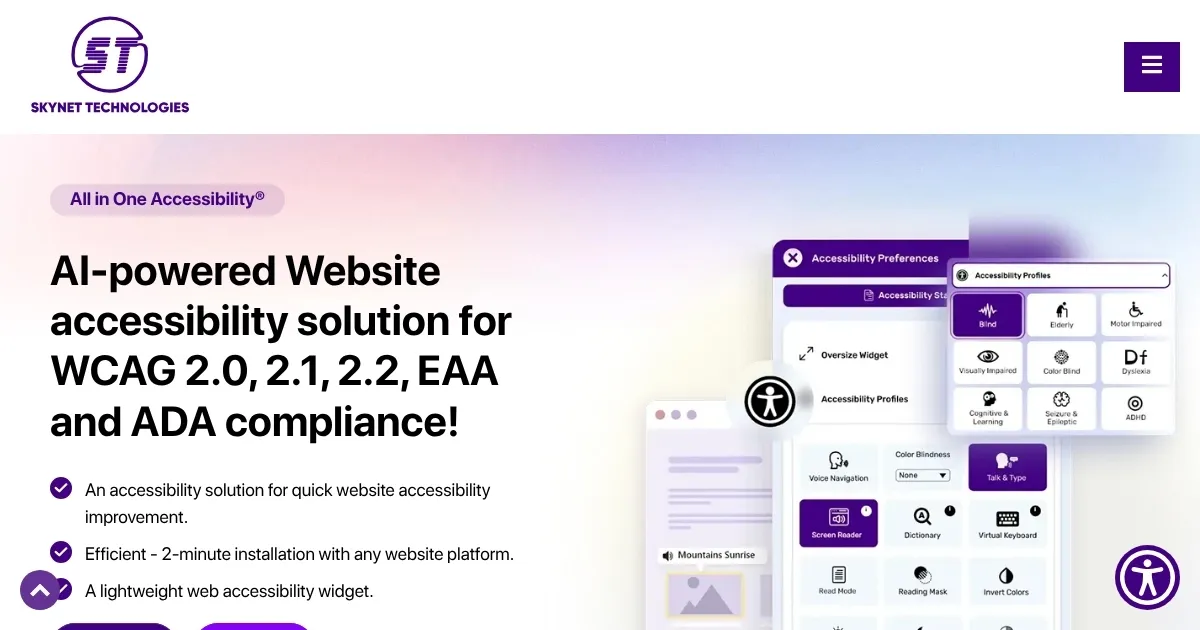
Homepage Screenshot 📸

All in One Accessibility screenshot

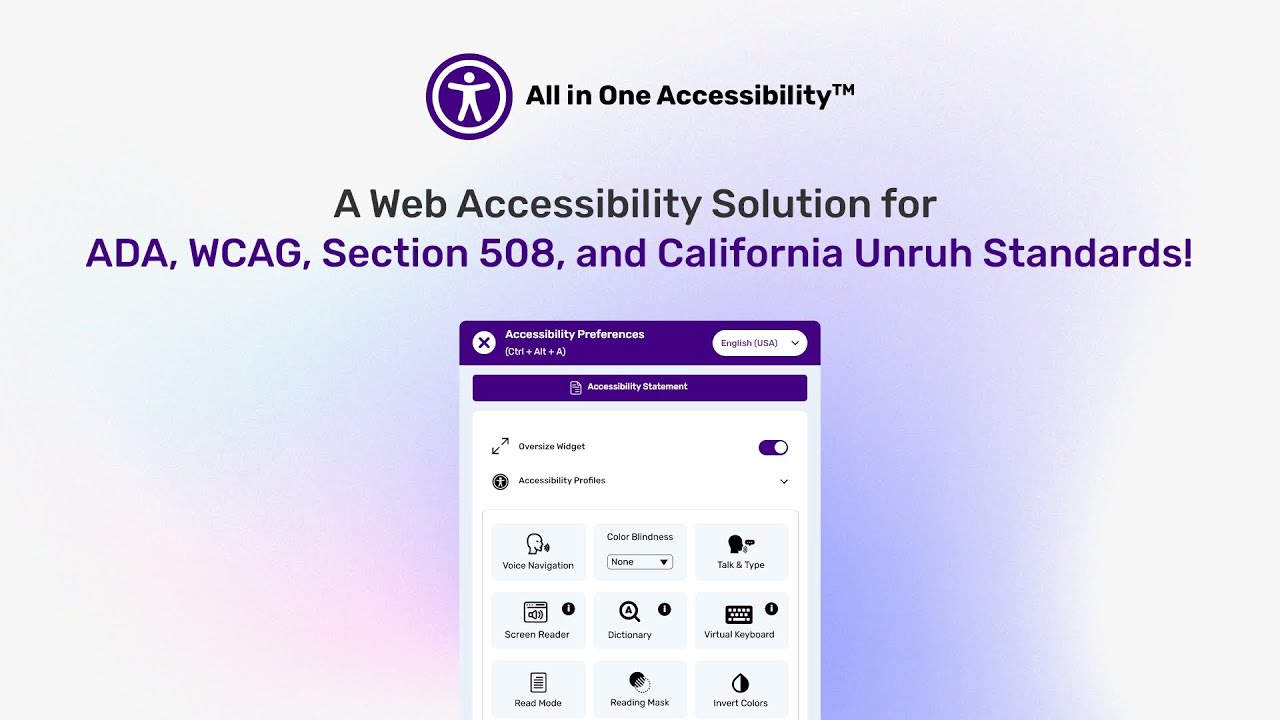
Video Overview 🎬

All in One Accessibility - Video Overview

What are the key features? ✨

  • Accessibility Profiles: Tailors settings for specific disabilities like dyslexia or epilepsy.
  • Auto-Detect Language: Adjusts widget language to match the user’s browser settings.
  • Screen Reader: Reads site content aloud for visually impaired users.
  • Virtual Keyboard: Enables navigation for users with motor impairments.
  • AI Image Alt Text: Automatically generates alt text for images to aid accessibility.

Who is it for? 🤔

All in One Accessibility is a lifeline for website owners, developers, and businesses aiming to make their digital spaces inclusive, especially small to medium-sized enterprises, e-commerce platforms, educational institutions, and government agencies. It’s ideal for those seeking quick compliance with global accessibility standards like WCAG and ADA without deep technical expertise, offering a user-friendly way to serve diverse audiences while minimizing legal risks.

Examples of what you can use it for 💡

  • E-commerce Owner: Uses the widget to ensure shoppers with disabilities can navigate product pages easily.
  • University Webmaster: Implements Accessibility Profiles to make course materials readable for students with dyslexia.
  • Healthcare Provider: Adds screen reader support to help patients with vision impairments access appointment portals.
  • Small Business Owner: Installs the widget to comply with ADA and avoid accessibility lawsuits.
  • Event Organizer: Customizes the widget to make ticketing pages accessible in multiple languages.

Pros & Cons ⚖️

  • Installs in just 2 minutes.
  • Supports 140+ languages.
  • Customizable widget design.
  • Robust AI-driven features.
  • Free 10-day trial offered.
  • Dashboard can feel cluttered.
  • May need manual tweaks.

FAQs 💬

Does All in One Accessibility support my CMS platform?
It integrates with over 300 platforms, including WordPress, Shopify, Joomla, and Magento.
How long does installation take?
The widget installs in about 2 minutes by adding a script to your website’s footer.
Is there a free trial available?
Yes, a 10-day free trial lets you test all features without upfront payment.
Can it handle multiple languages?
The tool supports over 140 languages with auto-detection based on browser settings.
Does it ensure full WCAG compliance?
It achieves up to 90% compliance, but complex sites may require manual adjustments.
Is it suitable for small businesses?
Yes, tiered pricing and easy integration make it accessible for small businesses.
Can I customize the widget’s appearance?
You can adjust icon size, color, position, and more to match your site’s design.
Does it support color blindness?
Yes, it offers eight color blindness settings to enhance visibility.
Will it slow down my website?
The widget loads asynchronously in under 100ms, minimizing speed impact.
Can it be used for subdomains?
Subdomains require an enterprise or multi-website plan, or separate plans per domain.

Ready to try All in One Accessibility?

Enhances website accessibility with AI-driven compliance.

Visit All in One Accessibility ↗
All in One Accessibility alternatives 🔗

  1. Slack AI Slack AI Search smarter, summarize conversations instantly, and be at your most productive
  2. Salesforce Einstein Salesforce Einstein Generative AI for CRM, designed to supercharge your productivity
  3. Box AI Box AI An assistant that taps into your enterprise content and documents
  4. Zendesk AI Zendesk AI An AI tool built on billions of real customer service interactions that understands customer experience
  5. Zia Zia AI-powered business assistant from Zoho
  6. Amazon Q Amazon Q Your generative AI–powered assistant designed for work that can be tailored to your business
Share
All in One Accessibility screenshot enlarged
Promote All in One Accessibility
light badge
Copy Embed Code
dark badge
Copy Embed Code
neutral badge
Copy Embed Code
Best AI Tools

Discover the best AI tools for any use case

Explore
  • Tool Categories
  • AI Use Cases
  • AI Events
  • AI News
  • Saved Tools
Company
  • About Us
  • Contact Us
  • Media & Partnerships
  • Suggest a Tool
Legal
  • Privacy Policy
  • Terms of Service
Copyright © 2026 Best AI Tools 415 Mission Street, 37th Floor, San Francisco, CA 94105