
logo-darklogo-darklogo-darklogo-dark
  • Home
  • Browse
    • Assistant
    • Coding
    • Image
    • Productivity
    • Video
    • Voice
    • Writing
    • All Categories
    • AI Use Cases
  • My Favorites
  • Suggest a Tool
✕
Home › Spreadsheet›
Published by Dusan Belic on November 18, 2024

Bricks

Bricks
Bricks Homepage
Categories Spreadsheet
An AI-powered spreadsheet platform for data analysis, reporting, and visualization tasks

Bricks

Bricks is an AI-powered spreadsheet platform designed to streamline data analysis, reporting, and visualization tasks. By integrating advanced AI capabilities, it enables users to create dashboards, reports, presentations, and various visual elements with ease — eliminating the need for extensive spreadsheet expertise. This approach allows professionals to focus on interpreting data insights rather than getting bogged down by manual data manipulation.

Bricks comes with a collection of pre-built “blocks,” which include charts, data tables, diagrams, timelines, and roadmaps. These components are designed to work with users’ data, facilitating quick and efficient creation of complex visualizations. In addition, Bricks offers a range of templates crafted by industry experts — enabling users to jumpstart their projects and maintain consistency across reports and presentations.

The platform stores user data securely on AWS, employing industry-leading data protection measures. Also, Bricks ensures that user data is never utilized for AI training purposes, the fact that provides users with confidence that their information remains confidential and protected.

The bottom line is — by combining the functionalities of spreadsheets, presentations, and reporting tools into a single platform — Bricks enhances team collaboration and productivity. Further, its AI-driven features simplify complex data tasks, making it an invaluable tool for professionals seeking to optimize their data workflows and deliver data-driven insights. Check it out.

Bricks Homepage
Categories Spreadsheet

Video Overview ▶️

Bricks - Video Overview

What are the key features? ⭐

  • AI assistance: Bricks utilizes artificial intelligence to automate tasks such as formula creation, data manipulation, and data cleaning.
  • Templates: The platform offers a variety of customizable templates designed by industry professionals, facilitating quick creation of reports, presentations, and other documents.
  • Visualization tools: Users can seamlessly incorporate charts, timelines, roadmaps, and other visuals into their documents, all backed by their data, to enhance clarity and engagement.
  • Cross-platform accessibility: Bricks is accessible on web, mobile, iPad, and desktop, allowing users to work from their preferred devices without compromising functionality.
  • Data privacy & security: Bricks stores data securely on AWS with industry-leading protection measures, ensuring data is never used for AI training.

Who is it for? 🤔

Bricks is made for professionals and teams across different industries who require an integrated solution for data analysis, reporting, and presentation creation. Its user-friendly interface and AI-driven features make it suitable for business analysts, project managers, financial advisors, educators, and marketing professionals looking to enhance productivity and collaboration.

Examples of what you can use it for 💭

  • Generate comprehensive reports combining data analysis and visual presentations
  • Teams can create and manage project timelines, roadmaps, and task lists within a single platform
  • Financial professionals can utilize Bricks to analyze large datasets, create dynamic financial models, and present findings through integrated visuals
  • Educators and trainers can develop interactive presentations and documents that incorporate data analysis and visualization
  • Marketing teams can analyze campaign data, track performance metrics, and present insights through customized reports and visuals.

Pros & Cons ⚖️

  • Combines spreadsheets, presentations, and data reports
  • AI enhances data analysis and visualization
  • Offers templates for various data needs
  • Might require time to master for beginners
FAQs 💬

What exactly does Bricks do?
Bricks acts as an AI data analyst that instantly turns your uploaded CSV, Excel, or similar data files into beautiful, interactive dashboards and reports, complete with charts, KPIs, tables, and written insights.
Do I need technical skills or data experience to use Bricks?
No, you don't need any coding, SQL, formulas, or design background, the AI handles most of the heavy lifting automatically so anyone comfortable with basic tools like email or browsers can create professional-looking results.
What kinds of data can I upload to Bricks?
You can upload CSV files, Excel spreadsheets, and in some cases PDF data, plus connect from Google Sheets or certain databases for seamless imports.
How fast is the dashboard creation process?
It usually takes seconds to minutes, you upload your file and the AI generates a complete, polished dashboard right away, often getting you about 80% of the way there before any tweaks.
Can I customize the dashboards after the AI generates them?
Yes, absolutely, you have full control to drag and drop elements, change colors or layouts manually, or just type natural language instructions like "add a pie chart for sales by region" to let the AI handle edits.
Does Bricks support interactive features in the dashboards?
Definitely, the dashboards let you click data points to filter everything dynamically, uncover trends, and explore insights interactively across the whole view.
Can I reuse dashboard layouts for new data sets?
Yes, you can save templates of your favorite layouts and apply them to fresh data uploads with one click, plus refresh everything instantly when you add updated files.
Is my data secure and private when using Bricks?
Bricks keeps your data fully encrypted, private, and secure, they never use it to train AI models and you retain full ownership.
How does Bricks compare to tools like Tableau or Power BI?
Users often say it feels much simpler and faster for everyday spreadsheet data, especially when you want strong storytelling and visuals without the steep learning curve or heavy setup those bigger BI tools require.
Can Bricks help turn data into presentations or slides?
Yes, it integrates dashboards and reports directly into presentation formats, you can build data-driven slides with live charts and share them as interactive links, PDFs, or collaborative decks.
Visit Bricks

Related tools ↙️

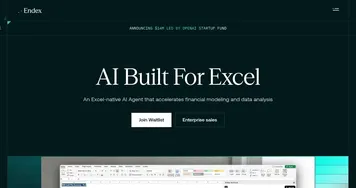
  1. Endex Endex Automates financial modeling and data analysis directly within Excel using AI agents
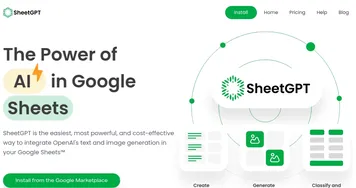
  2. SheetGPT SheetGPT Integrates AI text and image generation into Google Sheets for content creation and data analysis
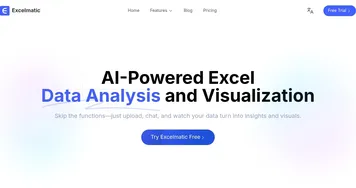
  3. Excelmatic Excelmatic Analyzes Excel files via natural language for quick insights and charts
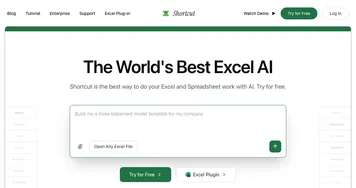
  4. Shortcut Shortcut Automates complex Excel tasks using AI agents
  5. Databar.ai Databar.ai Collect and enrich data from multiple sources using a no-code spreadsheet interface
  6. SheetAI SheetAI Automates tasks and generates insights in Google Sheets using AI
Last update: December 28, 2025
Share
Promote Bricks
light badge
Copy Embed Code
dark badge
Copy Embed Code
neutral badge
Copy Embed Code
About Us | Contact Us | Suggest an AI Tool | Privacy Policy | Terms of Service

Copyright © 2026 Best AI Tools
415 Mission Street, 37th Floor, San Francisco, CA 94105