logo-darklogo-darklogo-darklogo-dark
  • Home
  • Browse
    • Assistant
    • Coding
    • Image
    • Productivity
    • Video
    • Voice
    • Writing
    • All Categories
    • AI Use Cases
  • My Favorites
  • Suggest a Tool
✕
Home › Art & Creative Design / Image Generation & Editing ›

Clipdrop

Published by Dusan Belic on July 10, 2023

Clipdrop by stability.ai

Clipdrop
Clipdrop Homepage
Categories Art & Creative DesignImage Generation & Editing
Image editor for removing backgrounds, upscaling, relighting, and more

Clipdrop

Clipdrop offers a set of AI-enabled image editing tools that let creators “create stunning visuals in seconds.”

Before editing, however, you may want to create a new image from scratch. Clipdrop offers a tool for that, as well. Powered by the popular Stable Diffusion model, it lets you generate high-resolution, realistic images with a simple prompt. And, if you don’t like the initial result – you can always ask for more variants of the image.

There is also the Uncrop tool that lets you extend existing images, the one that will transform your doodles into real images, and the AI upscaler that can make your images bigger — all while removing noise.

Next comes the Cleanup tool, using which you can remove objects, people, text and other defects from your pictures.

Plus, there is a tool for removing the background from your images and extracting the main subject with ease, one for replacing the background, as well as the Sky Replacer, so you can always get sunny days in your photos.

All in all, we would say that Clipdrop did an excellent job of collecting different image editing tools in a single place.

Clipdrop Homepage
Categories Art & Creative DesignImage Generation & Editing

Video Overview ▶️

What are the key features? ⭐

  • Create new images: Clipdrop offers a tool, powered by the popular Stable Diffusion AI model, that lets you generate high-resolution realistic images with a text prompt. There is also a tool that lets you create multiple variants of an image and one that can transform your doodles into real images in seconds.
  • Extend images: You can either "uncrop" your photos to any image format or upscale them by 2x or 4x in seconds, all while removing noise and recovering details.
  • Clean-up images: Remove objects, people, text and other defects from your pictures automatically. Or you can remove the entire background of the image to extract the main subject from a picture.
  • Modify images: A few tools are provided for this purpose, one of which can relight your images with "beautiful lights." The other one is used for replacing backgrounds, and there is also the one that lets you replace a gray sky with a blue sky in a snap.
  • All-in-one: Instead of visiting several different websites, Clipdrop lets you do everything in one place. All the different tools are easily accessible from their homepage, and it's up to you to click on the tool that you need for the job.
  • Mobile app: You can do all of the things mentioned above on your smartphone while you're out and about.

Who is it for? 🤔

With all of us taking photos all the time, Clipdrop is targeting a massive audience that extends well beyond designers. Sometimes we want to remove a person or a strange object from the photo, replace the background, or just add blue skies to the mix. Clipdrop made sure there was a tool for all kinds of image editing purposes on its site, making sure all kinds of users would find its offering appealing. The best part is that many of the tools can be tried and even used for free. Those who need more will have to pay for the privilege, of course.

Examples of what you can use it for 💭

  • Create new realistic images in HD
  • Remove background and unwanted objects from your photos
  • Extend your photos, make them bigger
  • Replace dull backgrounds with more exciting ones
  • Add a blue sky to your photos

Pros & Cons ⚖️

  • Multiple image editing tools in one place
  • Reasonable pricing
  • Mobile app lets you play with your photos while on the go
  • Free plan will add a watermark to generated and upscaled images
FAQs 💬

What is ClipDrop?
ClipDrop is an AI-powered platform that lets users create and edit images quickly, using tools like background removal and upscaling. It makes visual work easier for beginners and pros alike, drawing on advanced models from Stability AI.
What are the main tools in ClipDrop?
Key tools include Remove Background for clean subject extraction, Cleanup for erasing objects, Image Upscaler for boosting resolution, and Replace Background for swapping scenes. These handle everything from simple tweaks to full generations.
Is ClipDrop easy to use for non-designers?
Yes, its simple upload-and-edit interface keeps things straightforward, so you don't need design skills to get pro results. I think most folks pick it up in minutes, though complex edits might take a bit of trial.
What file formats does ClipDrop support?
It works with common ones like JPEG, PNG, and WebP, up to certain resolution limits based on your plan. This covers most everyday needs without hassle.
Can I use ClipDrop on mobile devices?
Absolutely, apps for iOS and Android let you capture and edit right from your phone's camera. It's handy for on-the-go fixes, syncing seamlessly to desktop too.
Does ClipDrop integrate with other software?
It plugs into Adobe Photoshop and Figma via extensions, plus offers an API for custom apps. This streamlines workflows if you're already in those ecosystems.
What makes ClipDrop's background removal special?
The AI nails edges like hair or fur with high accuracy, way better than basic tools. Users say it saves hours compared to manual masking.
Is there a free version of ClipDrop?
Yep, the free tier gives access to core features like basic removal and upscaling, with limits on downloads and quality. It's a solid way to test before committing.
How accurate is ClipDrop for object removal?
Pretty reliable for most scenes, using inpainting to fill gaps naturally. It might struggle with busy backgrounds, but retries often fix that.
Can ClipDrop generate images from text prompts?
Sure, its text-to-image tool creates visuals from descriptions, powered by Stable Diffusion. Results vary by prompt detail, but they're often sharp and creative.

Related tools ↙️

  1. Sourceful Sourceful Generates AI-powered packaging concepts refined by experts for print-ready results
  2. Bubble AI Bubble AI Builds full-stack web apps using AI prompts and visual no-code tools
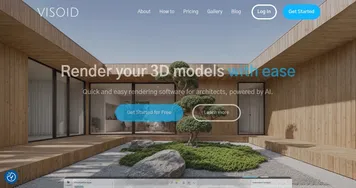
  3. Visoid Visoid Creates stunning 3D architectural visualizations from models in minutes using AI
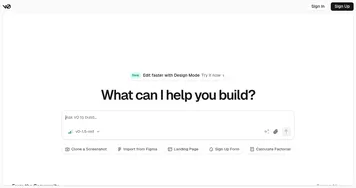
  4. v0.dev v0.dev Generates React UI components from text prompts using AI
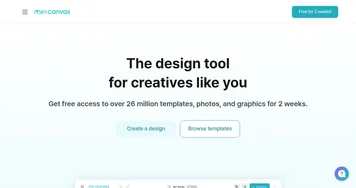
  5. MiriCanvas MiriCanvas Creates stunning designs with AI-powered templates and editing tools
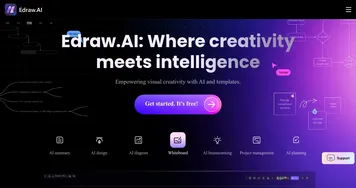
  6. Edraw.AI Edraw.AI An innovative platform that combines AI with diagram creation
Last update: December 9, 2025
Share
Promote Clipdrop
light badge
Copy Embed Code
light badge
Copy Embed Code
light badge
Copy Embed Code
About Us | Contact Us | Suggest an AI Tool | Privacy Policy | Terms of Service

Copyright © 2026 Best AI Tools
415 Mission Street, 37th Floor, San Francisco, CA 94105