
logo-darklogo-darklogo-darklogo-dark
  • Home
  • Browse
    • Assistant
    • Coding
    • Image
    • Productivity
    • Video
    • Voice
    • Writing
    • All Categories
    • AI Use Cases
  • My Favorites
  • Suggest a Tool
✕
Home › Image & Photo Analysis ›

DeepSwap

Published by Dusan Belic on June 8, 2023

DeepSwap

DeepSwap
DeepSwap Homepage
Categories Image & Photo Analysis
An AI-based service that lets users create realistic face swaps in photos and videos

DeepSwap

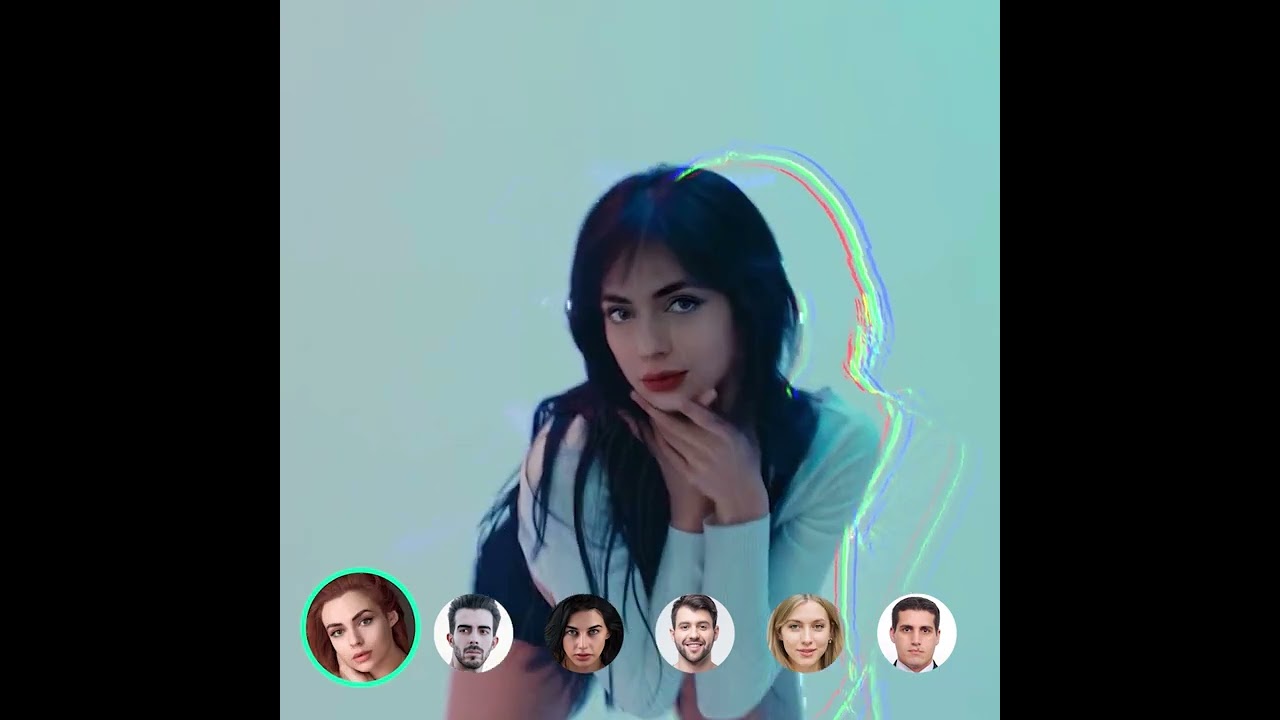
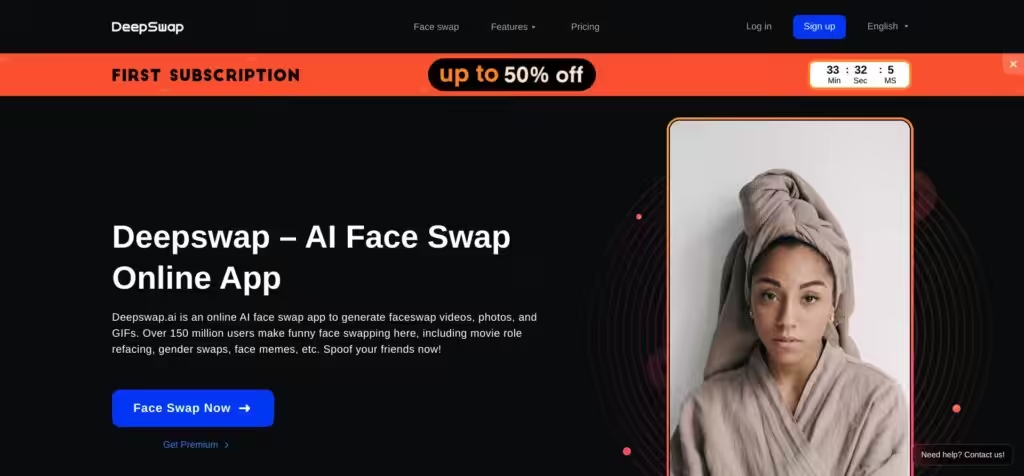
DeepSwap is an online app specializing in swapping faces in photos and videos. In other words, it lets you create realistic, high-quality face swaps with just a few clicks.

The tool leverages machine learning algorithms to understand facial features and movements. DeepSwap does that by mapping the source face onto the target — creating a convincing face swap as a result.

It offers a simple interface where you upload your source image and target video or photo and let it do its magic. The resulting face swap can be previewed and, if satisfied, downloaded to your computer.

People use the service for a multitude of reasons, including for fun and entertainment, as well as for their marketing activities.

While DeepSwap is a powerful tool, it is essential to use it responsibly. As many Internet users suggest, respecting people’s privacy and not using the technology for misleading or harmful purposes is crucial.

DeepSwap Homepage
Categories Image & Photo Analysis

Video Overview ▶️

What are the key features? ⭐

  • Fast processing: DeepSwap prides itself on its fast processing times, which can be particularly important when working on larger projects or tight deadlines.
  • Support for multiple formats: DeepSwap supports various video and photo formats.
  • No watermarks: Unlike some other platforms, DeepSwap won't add a watermark to your creations, allowing for a cleaner and more professional end product.
  • Reface multiple faces at once: You can reshape up to 6 faces in the same clip, which is unachievable with other products in such a short processing time.
  • Meme and GIF maker: This could be important for social media aficionados as it could help them boost the effectiveness of their content marketing efforts.

Who is it for? 🤔

DeepSwap is primarily targeted toward creative professionals such as filmmakers, content creators, social media experts, and digital marketers who are looking to generate manipulated videos or photos quickly and effortlessly. It is also appealing to educators and researchers in the fields of AI and computer vision, given its advanced face-swapping technology. Finally, some everyday consumers want to have fun creating personalized content for social media or entertainment purposes.

Examples of what you can use it for 💭

  • Create memes and fun content in a short amount of time
  • Personalize marketing materials with your or your customers' faces
  • Enhance educational content to make it more engaging
  • Experiment with film and animation to see how different faces change the dynamics or emotions of the scene
  • Create unique, personalized greetings

Pros & Cons ⚖️

  • Easy to use - upload your source image and target video or photo
  • Impressive results in a short amount of time
  • We've seen amazing memes created with DeepSwap
  • We've also seen some ethically questionable content created with DeepSwap
FAQs 💬

What exactly does DeepSwap do?
DeepSwap uses AI to swap faces in photos, videos, and GIFs with high realism, plus it offers video generation from images, background removal, image enhancement, and photo-to-anime tools.
How realistic are the face swaps?
The platform's self-developed model achieves over 90% similarity in many cases, handles expressions and lighting well, and performs especially strong in challenging scenes compared to basic open-source options.
Can I swap multiple faces in one video?
Yes, it supports up to six faces in a single video clip, which works great for group edits or complex scenes.
What file types can I upload?
You can upload photos, videos, and GIFs for face swapping, and images for video generation or other editing features.
How fast is the processing?
Most short videos process in seconds to under a minute thanks to high-performance GPUs, though longer clips take more time.
Do I need to install anything?
No, DeepSwap runs entirely online through your browser, so no software download is required.
Is there a free way to try it?
Basic features are accessible without payment, but advanced models, longer videos, and higher priority processing usually require credits or a subscription.
How private is my content?
Uploaded content isn't stored long-term or used for training, and you can delete everything with one click for strong privacy protection.
What makes it different from other face swap tools?
It stands out with multi-face video support, fast speeds, extra tools like anime conversion, and strong privacy focus, often rated higher for realism in user tests.
Who is this tool best for?
It's ideal for content creators, social media users, marketers, or anyone wanting fun, high-quality face edits without complex editing software.

Related tools ↙️

  1. LiveMemory LiveMemory A tool from MyHeritage that creates AI-generated avatars of people in historical attire and settings
  2. Fotor Fotor Enhances and edits photos with AI-powered tools and creative features
  3. Remove.bg Remove.bg A free online tool that automatically removes backgrounds from images
  4. Colorcinch Colorcinch An AI-powered tool that turns images into cartoon-like images with just one click
  5. Prisma Prisma Use AI to turn photos into art in one tap
  6. Deep Nostalgia Deep Nostalgia An AI-driven service that animates photos, making it seem as though people are moving and expressing emotions.
Last update: January 5, 2026
Share
Promote DeepSwap
light badge
Copy Embed Code
light badge
Copy Embed Code
light badge
Copy Embed Code
About Us | Contact Us | Suggest an AI Tool | Privacy Policy | Terms of Service

Copyright © 2026 Best AI Tools
415 Mission Street, 37th Floor, San Francisco, CA 94105