Detect.ai
Identifies AI-generated text with high accuracy across multiple languages
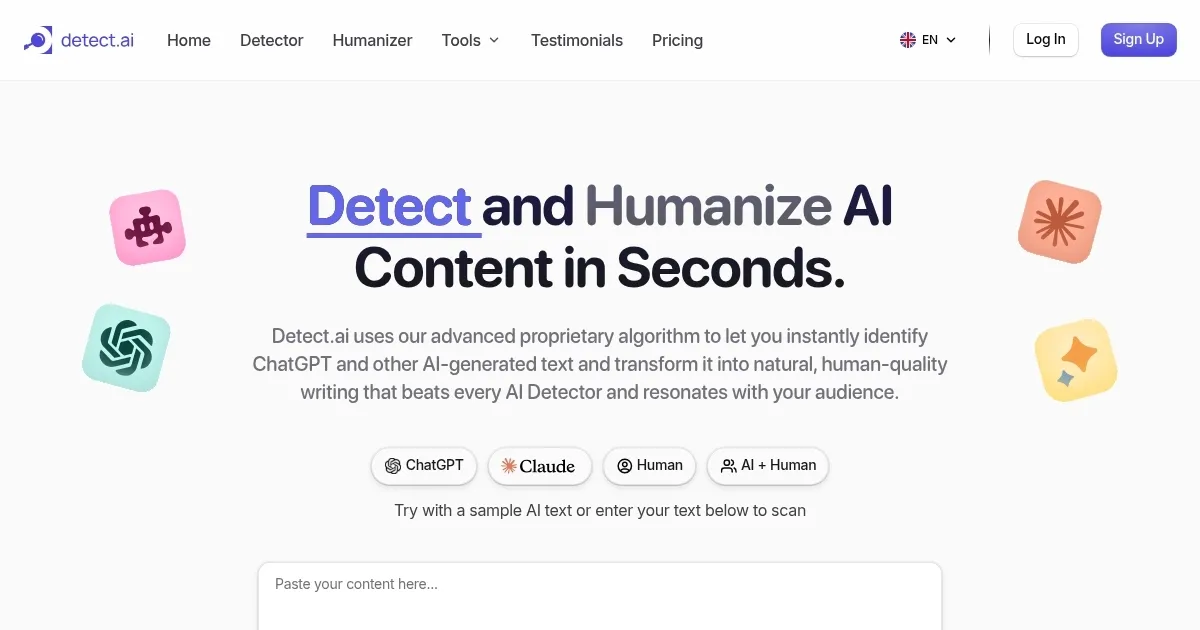
Detect.ai bursts onto the scene as a sharp-eyed guardian of content authenticity, a tool that feels like it’s got a magnifying glass trained on the digital world’s underbelly. It’s built to spot AI-generated text from heavyweights like ChatGPT, Gemini, and Claude, promising to help creators, educators, and marketers keep their work human — or at least human enough to pass muster. I think it’s a bit like a digital bloodhound, sniffing out the subtle tells of machine-written prose with a confidence that’s hard to ignore. The interface is clean, almost deceptively simple, letting you paste text or upload files with ease. You get a quick verdict: a percentage score that tells you how likely it is that a machine penned your words. It’s fast, it’s precise, and it’s got a knack for making you feel like you’re one step ahead of the AI tidal wave.
What stands out is the tool’s Humanizer feature. It’s not just about catching AI in the act, it’s about rewriting machine text to sound like it came from a person, which is a neat trick for anyone worried about their content getting flagged. The sentence-by-sentence breakdown is another gem, highlighting specific lines that scream “robot” so you can zero in on what needs fixing. It supports multiple languages — English, Spanish, French, German — and that’s a big deal for global teams or multilingual creators. I can’t help but admire how it balances technical muscle with user-friendly design. You don’t need a PhD to navigate it, just a few clicks and you’re in.
But it’s not flawless. The free version has a word limit that might cramp your style if you’re analyzing hefty documents. I found myself wishing for a bit more flexibility there. Some users on forums like Reddit grumble about occasional false positives, where human-written text gets flagged as AI, especially if it’s overly polished or formulaic. That’s a hiccup, though not a dealbreaker. Compared to competitors like Originality.ai or GPTZero, Detect.ai holds its own with its Humanizer edge and multilingual support, but it lacks the deep plagiarism checks that Originality.ai offers or the Chrome extension convenience of GPTZero.
The surprise here? The tool’s ability to handle AI-refined text, not just fully AI-generated stuff. It can spot when a human’s work has been tweaked by a machine, which is a level of nuance I didn’t expect. It’s like catching a whisper of AI in a human’s voice. Pricing-wise, it’s got a free tier, but you’ll need a paid plan for heavy lifting, which seems in line with what competitors charge. The speed of analysis is another plus, churning through text in seconds, though I’d love to see it tackle images or code down the line.
For anyone using Detect.ai, start with small batches of text to get a feel for its accuracy. Play with the Humanizer to see how it reshapes AI text, and always double-check flagged sections manually. It’s a tool, not a judge. Keep it in your toolbox, but don’t let it run the show.
Homepage Screenshot 📸
What are the key features? ✨
- AI Detection: Identifies AI-generated text with high accuracy across multiple languages.
- Humanizer: Rewrites AI text to mimic human writing, reducing detection risks.
- Sentence-Level Analysis: Highlights specific lines likely written by AI for targeted revisions.
- Multilingual Support: Analyzes text in English, Spanish, French, and German.
- Fast Processing: Delivers detailed authenticity reports in seconds.
Who is it for? 🤔
Examples of what you can use it for 💡
- Content Creator: Scans blog posts to ensure original, human-written content for SEO and audience trust.
- Educator: Checks student submissions to confirm they are free from AI-generated text.
- Marketer: Verifies campaign materials to avoid penalties from search engines for AI content.
- Student: Uses Humanizer to refine AI-drafted essays for academic submissions.
- Freelancer: Ensures client deliverables are authentic to build trust and credibility.
Pros & Cons ⚖️
- High accuracy in AI detection
- Humanizer improves text authenticity
- Supports multiple languages
- Occasional false positives
- Limited advanced features in free plan
FAQs 💬
Ready to try Detect.ai?
Identifies AI-generated text with high accuracy across multiple languages
Visit Detect.aiDetect.ai alternatives 🔗